
Account hierarchy software for Salesforce is a slippery label.
Strictly defined, it’s software that builds and maintains the parent-child structure between Salesforce accounts, from the immediate parent up to the global ultimate.
Every tool in this comparison can draw a Salesforce account hierarchy.
The difference is what each one does to the records before it draws the tree, and whether it keeps the structure right after. And that comes down to three jobs:
- Deduping the records so one company isn’t three branches
- Linking them up to the global ultimate parent
- Updating the corporate family tree when an acquisition or reorg happens
A handful of tools do all three. Most do one and read the rest from a data feed.
The options below run from native Salesforce, through the data-provider feeds, to the purpose-built tools that build, route, and orchestrate on top. This guide compares five along that line, from native Salesforce to the purpose-built platforms.
This guide assumes you’ve already decided to buy, not build. If you haven’t, building versus buying Salesforce account hierarchies is where to start.
Salesforce Account Hierarchy Software Compared
This table sets each option against criteria that decide an account hierarchy tool, from deduping records before the build to keeping the structure current through mergers and acqusitions.
| Criteria | Native Salesforce | Data providers (D&B, ZoomInfo) | Kernel | LeanData | Traction Complete |
|---|---|---|---|---|---|
| Dedupe before building | Matching and Duplicate Rules, manual merges | No; data only | Account object only | No native dedupe | AI cleaning, prevent, and dedupe across Lead, Contact, Account |
| Multi-level hierarchy | Parent Account chain, one parent, hand-linked | Described in the feed, not linked in the org | Native Parent Account field only | Persistent object, up to 10 parallel hierarchies; built on records as-is | Auto-built to global ultimate parent; unlimited parallel views (legal, GTM, partner, custom) |
| Roll-ups | Not across the hierarchy | No | No | Executive reporting rollups, not persisted fields | Persistent, queryable fields on any object |
| Verifiability | None | Match scores on the data | Validates firmographics against sources | Routing/assignment audit logs, not record-level | Confidence scores and approval on the records |
| Routing and territory | Assignment rules, hierarchy-blind | No | No | Routing and assignment | Routing, territory cascade, whitespace |
| Maintenance on M&A | Manual relinking | Updated feed, you re-import | Refreshes parent data on its sync schedule | Maintained from the enrichment data you feed it; could be wrong | Data Agents detect M&A and reorgs, then write the update with a confidence score |
| Effort and prerequisites | Free; all admin labor | Subscription plus import and mapping work | OAuth connect; minimal permission set | Managed package | Managed package |
| Best for | Small orgs, simple families | Account hierarchy data | Enrichment-first teams | Routing-first teams | Enterprise orgs running routing and reporting on hierarchies |
What Should I look for When Choosing an Account Hierarchy Tool?
A good account hierarchy tool does three things: cleanses records before building, connects them into a hierarchy that reaches the global ultimate parent, and orchestrates routing, territory, and roll-ups on top.
Below are the questions to put to a vendor before you commit.
Does the tool dedupe before building the tree?
A hierarchy links account records, so every duplicate account becomes a duplicate branch. Salesforce Matching Rules catch some duplicates at entry, but lead-to-account matching failures will keep minting new ones.
Watch lead conversion specifically.
A converted lead becomes a fresh Account unless something matched it to the existing record first, so duplicates enter the tree as soon as reps work inbound.
Confirm on your own before you commit:
- Does it dedupe across Lead, Contact, and Account, or only the Account object?
- Does matching run at lead conversion, not just on records already in the org?
- How does it resolve the duplicates you already know about?
Does the hierarchy reach the global ultimate parent automatically?
The native Parent Account field holds one parent per account, linked by hand, and a child can belong to only one parent. A real account hierarchy runs subsidiary to regional entity to global ultimate parent, and the chain breaks when a middle tier is missing.
One missing or mislinked parent leaves a fragmented tree, and the rep working the account never sees the entities that fell off it. So the question to ask is how much of the linking the tool resolves on its own, and how much falls back on your admins.
Worth pinning down with the vendor:
- Does it require parent accounts to already exist, or can it create the missing ones?
- Can it resolve missing parents, broken links, and a missing global ultimate?
- Does it climb the full depth automatically, or hand the linking back to you?
Do roll-ups persist as queryable fields?
Native Salesforce roll-up summary fields need a master-detail relationship, and the account hierarchy runs on a lookup. So pipeline at a subsidiary never aggregates up the family on its own, and there is no common field to report the corporate family holistically.
What the roll-up can do depends on where it lands.
Written back as a queryable field, roll-ups can feed data to native reports, dashboards, validation rules, and Flows. But held inside a vendor’s own view, it can populate a chart but cannot trigger a validation rule or filter a standard report.
Check what you actually get:
- Are roll-ups persisted as fields on the record, or rendered only in an app view?
- Can a report, dashboard, validation rule, or Flow read them?
- Which objects roll up, and can you add custom ones?
Can you verify and override what the tool links?
When an account hierarchy tool writes parentage into your org, something has to answer for the accuracy. Look for a confidence signal on each link and a way to overrule it before it shapes territories and routing.
And check what the verification actually covers.
Scoring on the routing decision tells you a lead went to the right rep for the data it had. It says nothing about whether the link underneath was right, and that’s the link that reshapes account ownership.
Before you trust it with live accounts:
- Is there a confidence score on the parent-child link itself, not just the routing?
- Can a human review and reject a suggested link before it commits?
- Is there an audit trail showing why two accounts were connected?
Complete Hierarchies carries a confidence score on every parent-child link a Data Agent suggests, with the reasoning behind the match and the sources it read. A human approves the link before it commits, and the audit log records why the two accounts were connected.
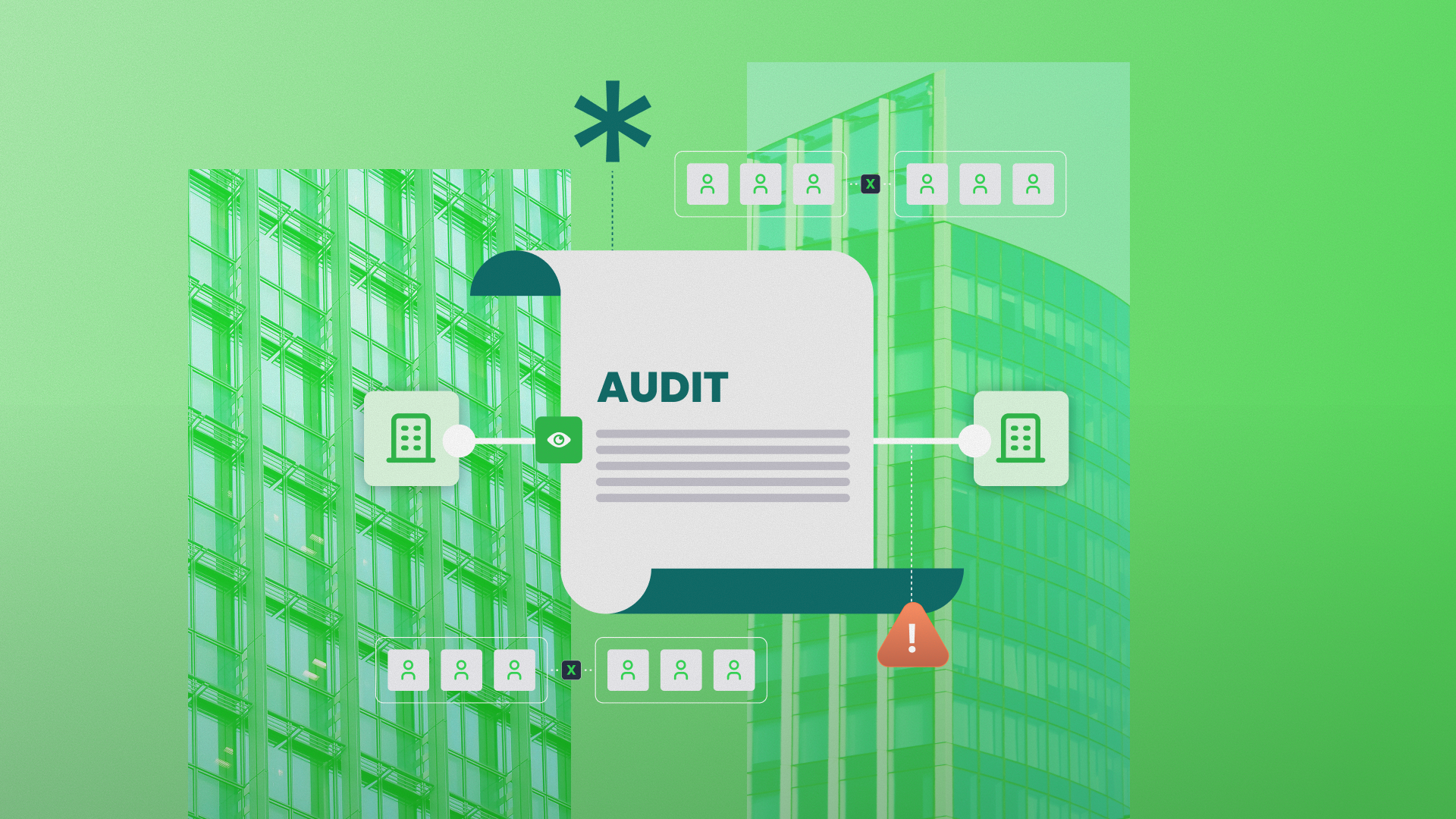
When you perform an account hierarchy audit, start from that log: every account traces to the evidence that placed it there, and you can overrule the links that are wrong
Does anything downstream act on the hierarchy?
An account hierarchy pays off only when routing resolves a subsidiary lead to the rep who owns the parent, territory follows the tree through a reorg, and whitespace flags the entities with no record or no pipeline.
A visualization-only tool and a build-and-operate tool differ most here.
The former gives sales a cleaner chart. The latter changes who gets the lead and which accounts a territory includes.
Map it to the work your team does:
- Does routing read the parent-child structure at assignment time?
- Does territory cascade through the hierarchy when it changes?
- Does whitespace compare against the full corporate family, not just an account plan?
Does the tool keep the hierarchy current through M&A?
Corporate families change through mergers and acquisitions (M&A), and every change rewrites parentage. So ask what happens the day after a deal closes or a provider feed updates.
Pressure-test the maintenance story:
- Does the structure update on its own, or wait for a manual rebuild?
- What happens to your hierarchy when the third-party feed changes?
- How does it handle an acquired company that already exists as its own account?
What does setup actually require?
Ask each vendor what their setup assumes you already have, since the prerequisites a vendor leaves unspoken are the ones that slow implementation.
- What data has to be in place first, and who owns getting it there?
- Is it a native managed package, or a separate platform to run and sync?
- What breaks at a Salesforce release, and who maintains it?
5 Account Hierarchy Software Options for Salesforce
Native Salesforce
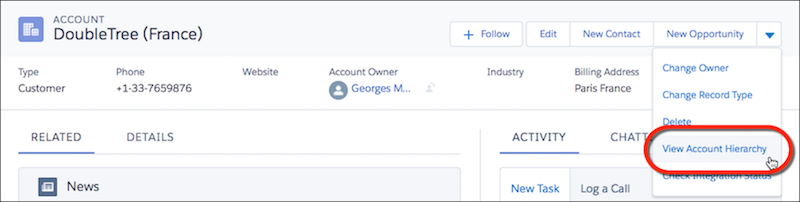
The Parent Account field and the View Hierarchy button come included with every Salesforce org. Each account takes one parent, and you create each link by hand. For a small org with shallow corporate families that rarely change, that is genuinely enough.
Past that, the limits all trace to the same design fact. The Parent Account field shows relationships but cannot act on them. The full list of native account hierarchy limitations runs longer, but it comes back to that.
Native holds up until roll-ups, hierarchy-aware routing, or a first acquisition enter the picture. Those are the three jobs the field cannot follow.
Strengths
- Free and native, with nothing to install
- Enough for shallow hierarchies that rarely change
Gaps
- One parent per account, linked by hand, so a missing tier fragments the tree
- No roll-ups across the hierarchy; the Parent Account lookup is not master-detail
- A single hierarchy view, with no separate legal and GTM structures
- No automatic update when an acquisition rewrites parentage
Dun & Bradstreet, ZoomInfo, and the data providers
Providers sell the corporate family tree as data, the who-owns-whom records, DUNS (Data Universal Numbering System) numbers, and legal lineage.
Most if not all account hierarchy builds begin with these data feeds. And it’s the right input, but that’s all it is.
Complete Hierarchies is great in terms of being able to take DUNS numbers on a page and turn it into something that the business can understand and use.
Eric Chapman, VP of Sales Operations and Enablement at Octave
Account hierarchy data describes relationships; it does not link your records into a structure Salesforce can route, report, or roll up on.
The linking, the dedupe, and the ongoing maintenance all happen separately, as a different task.
A provider’s legal lineage also rarely matches how you actually sell, so you still have to build the operating-parent or GTM view on top of the raw data.
And a stale or mismatched record feeds the same error into every downstream tree, which is why the feed is a starting point, not the finished hierarchy.
Strengths
- Authoritative relationship data with match scores
- D&B’s legal lineage is a gold-standard reference for corporate ownership
Gaps
- Provides relationship data, not a structure Salesforce can act on
- Linking, cleaning, and automation all happen in a layer the feed never touches
Kernel
Kernel approaches hierarchies from enrichment, validating firmographics against primary sources and writing parentage into the native Parent Account field on a sync schedule.
But because it writes to the native field, the hierarchy inherits the native ceiling. One parent per account, and a chain that breaks on a missing tier, so the structure is only ever as deep as a single-parent field allows.
Per Kernel’s own cleaning module, dedupe and merge also run exclusively on the Account object, with Leads and Contacts excluded. The duplicates that enter as leads keep converting into new accounts, and the account merge only catches them after they land, not at the source.
Strengths
- Multi-source enrichment with primary-source validation
- Native to Salesforce
Gaps
- Writes to the native Parent Account field only
- Account-scoped dedupe that leaves the lead-to-account intake unguarded
LeanData
LeanData built its name on routing, and its hierarchy product has moved fast. Hierarchies now persist as Salesforce objects, and you can run up to ten parallel hierarchies per org, each from any provider you feed it. Its audit logs trace routing and assignment decisions in detail.
The gaps are in the Salesforce data layer the account hierarchy sits on.
First, there’s no native deduplication, so your account hierarchies inherit whatever duplicate accounts already exist in your org.
Second, LeanData’s audit trail only covers the routing decision, not whether the records under it were right in the first place. You won’t be able to confirm a parent-child link is correct from the log, only that a lead routed the way the rules intended.
LeanData’s third gap is roll-ups; they surface as executive reporting rollups, not as queryable fields a validation rule, report, or Flow can read. This means that while LeanData’s hierarchy can inform a dashboard, those roll-ups cannot drive automation.
Strengths
- Mature lead routing and assignment
- Up to ten parallel hierarchies, each from any provider you feed it
- Routing-level audit logs behind a persistent hierarchy object
Gaps
- No native dedupe, so the hierarchy inherits the records it sits on
- Roll-ups are reporting-only, not queryable fields
- Verification covers the routing decision, not the records under it
- A managed package with prerequisites
Traction Complete
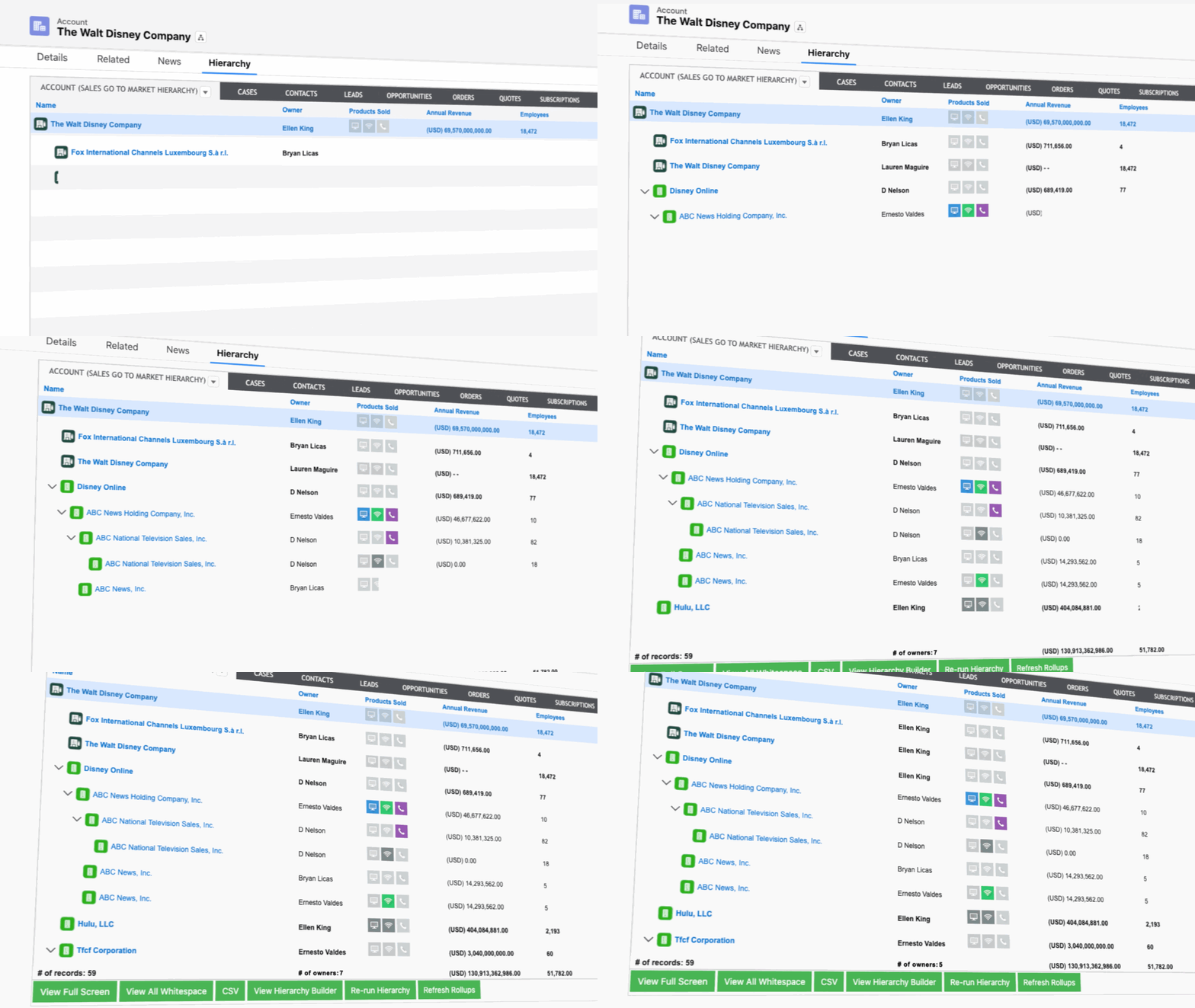
Traction Complete is the Salesforce-native option built for messy enterprise data and corporate families that keep changing.
A native structure up to the global ultimate parent.
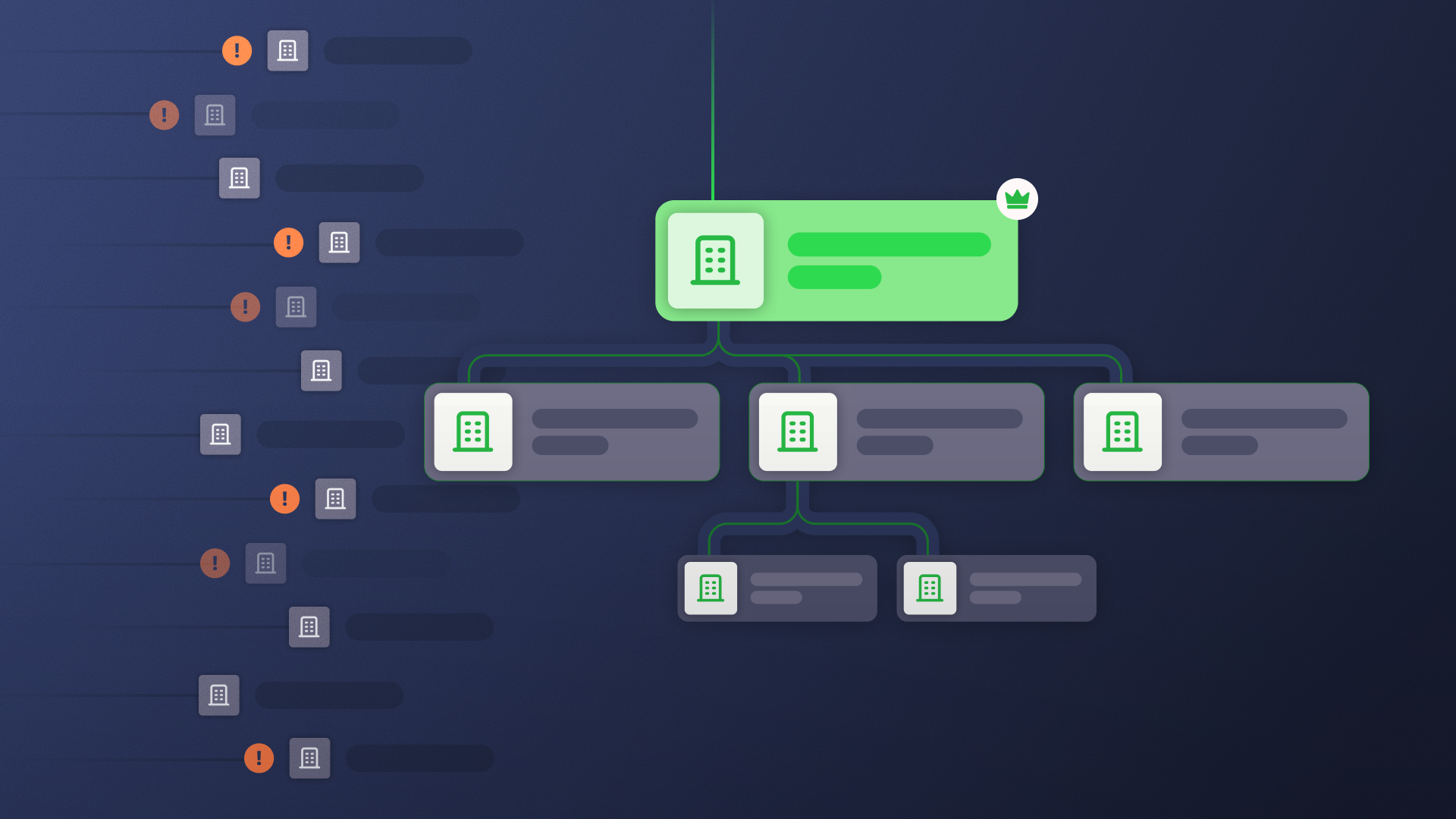
Complete Hierarchies builds the corporate family as a native Salesforce structure on a dedicated object so the tree is a record your reports, Flows, and agents act on directly, not a view stranded in a separate app.
With Traction Complete, accounts also automatically link to the global ultimate parent. So when a rep opens an account, they can easily see the whole corporate family.
You can also run several hierarchies in parallel, so you get a separate view of the hierarchy from a legal, financial, or GTM perspective.
Unlimited hierarchies in parallel.
Complete Hierarchies puts no cap on how many hierarchies you run at once. Save one view for legal ownership, another for GTM territories, another for partners or billing, all on the same account records. Views can build from a provider feed like Dun & Bradstreet or ZoomInfo, or from fields you already have, like website domain or a territory key.
Data quality comes first.
Unlike other Salesforce account hierarchy solutions, Traction Complete makes data quality the first step.
Most tools read the data layer. Data Agents write back to it.
Before the tree goes up, Data Agents dedupe, enrich, and validate records across Lead, Contact, and Account, so the corporate family maps to real entities, not the duplicates a raw feed carries in.
Stays current through M&A.
After the build, the same Data agents keep your account hierarchies. They scrape the open web, news, and filings for mergers and reorganizations, then write the change back with a confidence score and the sources behind it.
Approve each change yourself, or let high-confidence updates apply automatically once the agents have earned that trust on your data.
You make any fix, a split of one family into two trees, or a full GTM restructure, in a drag-and-drop account hierarchy builder, no Apex.
Shows the accounts you don’t have yet.
The tree includes inferred accounts: entities that exist in the corporate family but not in Salesforce. That whitespace is the map for upsell and cross-sell inside families you already sell to.
Feeds routing, territory, and reporting.
Downstream, this clean and current account hierarchy feeds the systems that act on it.
- Roll-ups land as queryable fields native Salesforce reports and Flows read
- Territory follows the tree through a reorg
- Routing sends a subsidiary lead to the rep who owns the parent
The easy drag and drop allows our sales operations team to maintain regional ownership when cleaning up complex hierarchies, which is very important for us because we want to make sure that our sales team is aligned with our rules of engagement.
Heidi Davis, Manager of Sales Operations and Global Data at Zoom
Strengths
- Cleanse, connect, and orchestrate in one Salesforce-native managed package, with the hierarchy as a first-class object (the Complete Company)
- Unlimited parallel hierarchy views: legal, GTM, partner, or billing structures saved on the same accounts
- Data Agents dedupe, enrich, and validate across Lead, Contact, and Account before the hierarchy goes up, and refresh it after M&A
- Persistent, queryable roll-up fields on any object, which native reports, validation rules, Flows, and AI agents read
- Whitespace built in: inferred accounts show family members that aren’t in Salesforce yet
Gaps
- Needs a common identifier across grouped accounts, so a data source (your provider or Traction Complete data agents) is part of the setup
- A managed package with prerequisites
How to Choose the Best Account Hierarchy Tool
Corporate ownership doesn’t sit still.
More than 790,000 mergers and acquisitions worth over $57 trillion have been announced worldwide since 2000, and each one rewrites a parent-child relationship somewhere in your account base.
That data drift has a price.
Gartner puts the average cost of poor data quality at $12.9 million a year, and among sales teams running AI, duplicate records rank as the second most common data problem, behind only manual entry errors.
Inside an account hierarchy, every one of those duplicates is a second branch for the same company, which splits pipeline across records and routes a subsidiary lead to a rep who doesn’t own the account.
So when you’re evaluating your options, consider how each tool keeps up as your accounts change:
- When an acquisition closes or a subsidiary gets renamed, does the hierarchy update on its own, or does someone relink the Parent Account field by hand?
- When duplicate accounts enter through lead conversion, does the tool catch them before they split into separate branches, or does someone merge records after the tree is already wrong?
- When a new link reshapes a territory, does the tool show why two accounts were connected so you can reject a bad one, or does the change just commit?
Ultimately, your decisions comes down to how much manual upkeep you (and your team) are willing to carry to keep the account hierarchy accurate.
For a small orgs with shallow families that rarely change, native Salesforce covers it. But for enterprise teams where accounts merge, parents go missing, and reorgs land every quarter, the hierarchy is only as good as the maintenance behind it.
Salesforce Account Hierarchy Software FAQs
-
What is the best account hierarchy software for Salesforce?
-
The best account hierarchy software for Salesforce is a purpose-built app such as Complete Hierarchies. Complete Hierarchies builds the full corporate family natively in Salesforce, links every account to its global ultimate parent, and adds roll-ups that reports and Flows can read. Once built, the hierarchy stays current on its own: when an acquisition changes a family, Traction Complete data agents detect the change and write the update with a confidence score and the sources behind it. An admin reviews and can override every linkage. If you'd rather start free, native Salesforce gives you the Parent Account field, though every link becomes manual upkeep. Both approaches need corporate family data from a provider like Dun & Bradstreet or ZoomInfo to know what the real structure looks like.
-
How do you track account hierarchy changes in Salesforce?
-
Turn on Field History Tracking for the Parent Account field. That logs each parent change on the individual account record, with the old value, the new value, and who made the edit. Those entries only cover one record at a time, though. Salesforce offers no tree-level view of how a hierarchy changed, and no automatic update when an acquisition rewrites parentage. Closing those feature gaps requires a purpose-built tool like Complete Hierarchies. Complete Hierarchies tracks hierarchy changes at the tree level: an audit log records why each parent link was set and the sources behind it, and the hierarchy updates when corporate structures change.
-
Can account hierarchy software handle multi-brand or multi-entity organizations?
-
Yes. Complete Hierarchies handles multi-brand and multi-entity organizations through parallel hierarchy views: more than one hierarchy over the same set of accounts. Multiple hierarchy views provides each team with its own structure, legal, territory, or brand structures without duplicating the account records.
-
What can you do when Salesforce doesn't natively support the hierarchy structure you need?
-
Native Salesforce allows one parent per account and one tree per corporate family, with no global ultimate parent field. When your structure needs more than that, there are two workable paths: build custom fields and automation, for example a Global Ultimate Parent lookup kept current by Flow, or use an account hierarchy solution like Complete Hierarchies.