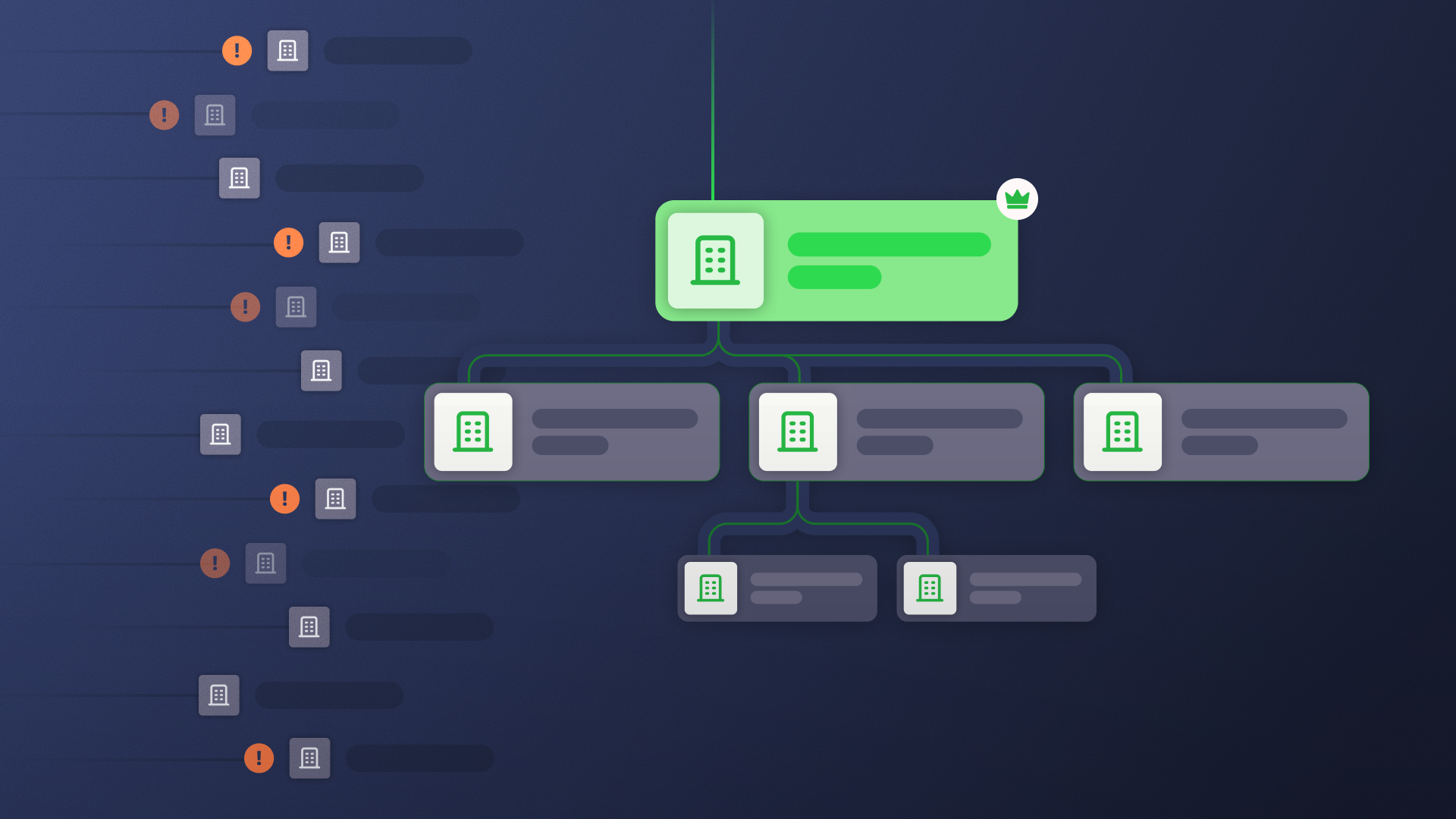

Account hierarchy data is not an account hierarchy, and owning the first does not get you the second.
Hierarchy data is what providers sell: parent assignments, ultimate parents, and merger and acquisition records. An account hierarchy is that data built into Salesforce as a structure the platform can act on.
The question that matters most is which layer you’re actually missing.
Hierarchy Data vs. Account Hierarchies: What’s the Difference?
Account hierarchy data is the corporate-family relationship information data providers like Dun & Bradstreet (D&B) and ZoomInfo sells: parent assignments, ultimate parents, and mergers and acquisitions (M&A).
An account hierarchy is hierarchy data built into a CRM like Salesforce as an actionable structure. The accounts connect to each other in a way the CRM can query, automate against, and report on.
To sum it up, hierarchy data is what you know about the corporate family; an account hierarchy is what Salesforce can do with it.
| Dimension | Hierarchy data | Account hierarchies |
|---|---|---|
| What it is | Records: parent assignments, match scores, M&A overlays | A live structure connecting accounts in the data model |
| Where it lives | In a provider feed or stamped on fields | In Salesforce, queryable and automatable |
| What reads it | A person, after import | Routing, roll-ups, and AI agents at query time |
| Who supplies it | Data providers like D&B, ZoomInfo, Kernel, Clay | Built and operated in Salesforce |
What Account Hierarchy Data Captures: Parent, Child, Sibling, and Ultimate Parent
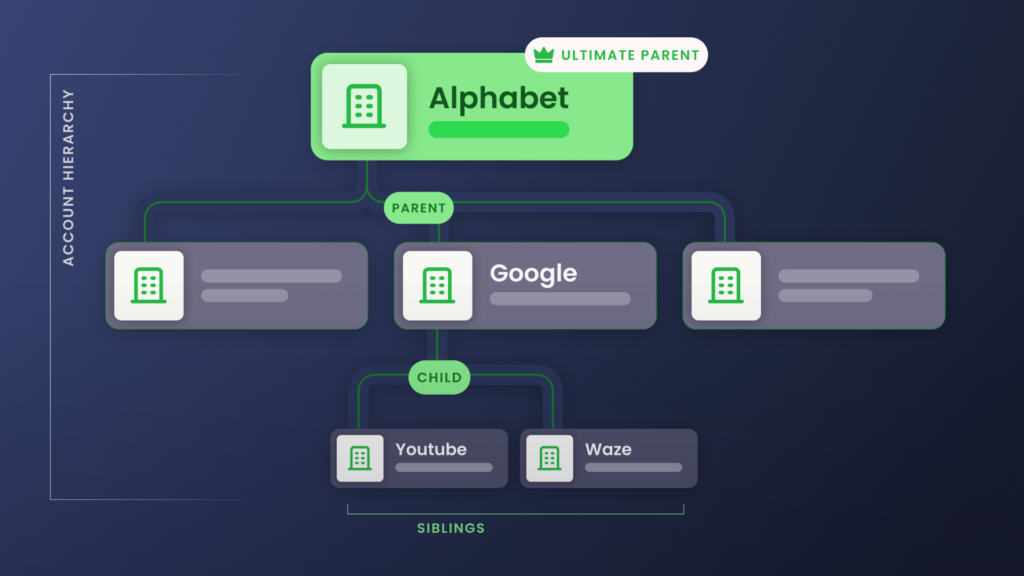
Parent, child, sibling, and ultimate parent name the positions in a corporate family. Account hierarchy data is what a provider records about each one, delivered as values on a record.
- Ultimate parent account: The company at the top of a corporate family, the one every other account rolls up to. For example, Alphabet is the ultimate parent above Google and YouTube.
A data feed carries an ultimate parent account two ways, a Global Ultimate (the worldwide top) and a Domestic Ultimate (the top within one country), each tied to a provider ID like D&B’s DUNS number. The two can name different companies, and whichever you treat as the top sets where every total rolls up. - Parent account: The company one level directly above another in the family. For example, Alphabet is the parent of Google.
A data provider delivers the parent as a value on the record, the parent’s name, or an ID number as plain text. Nothing can follow that text to the parent’s record until the two are actually linked. - Child account: Any account that reports up to a parent. In our example, Google is a child account of Alphabet.
A child account can itself be a parent to the accounts below it, which is how one feed can span several levels at once. Each level is only as fresh as the provider’s last update, and a missing middle level cuts everything below it off from the top. - Sibling accounts: Two or more accounts that share the same direct parent. YouTube and Google Search are both siblings under Google.
Providers rarely hand you siblings directly; you find them by grouping every record that points to the same parent. Get one parent value wrong and you either split up a real set of siblings or lump two unrelated companies together.
Why More Hierarchy Data Doesn’t Fix Broken Account Hierarchies
When a hierarchy breaks, the knee-jerk reaction is that you need better data.
But hierarchy data is a lot like bricks. And purchasing more bricks doesn’t mean they’ll assemble itself into a house.
Someone has to architect a design and lay them into a structure, which in Salesforce means linking records in the data model, not adding more fields to them.
Fields don’t link themselves
More data gives you more fields. A richer feed stamps more onto the Account record:
- Ultimate Parent name
- DUNS number
- Match score
All useful, but they’re still just values sitting on individual records.
A hierarchy is the link between those records: a Parent Account lookup or a custom hierarchy object Salesforce can read at query time, so a roll-up summary, a routing flow, or an AI agent can climb from a subsidiary to its global parent.
Matching to a flawed foundation
After buying data, the next instinct is usually to buy better matching.
A matching engine is the logic that compares an incoming lead or record against your existing Accounts, scoring candidates on email domain, company name, and a few custom fields, then linking to the best one.
Salesforce ships a native version in its Matching Rules and Duplicate Rules; lead-to-account matching tools do the same job with fuzzier logic and more signals.
None of them clean the data first: a matching engine reads what is already in Salesforce and links to the best candidate it finds there.
You can have the best matching engine in the world, but if you’ve got 20 duplicate accounts, you’re trying to build a house in a swamp.
Adam Brewell, Director of Solutions Consulting at Traction Complete
It’s going to fall down.
Matching accuracy is capped by the state of the records underneath it. Dedupe, validate, and standardize first, and the same engine has one clean record to match against. Skip it and the engine keeps confidently (but incorrectly) linking new leads to whichever duplicate it finds first.
Messy data compounds across teams
A hierarchy is only as stable as the parent-child links between your accounts, and those links live on records (typically Accounts) that take writes from across the org.
When the same company lands in Salesforce more than once, the hierarchy fractures:
- Imports and web-to-lead create records without checking for an existing match
- A rep converting a lead creates a fresh Account unless someone matches it to an existing one first
- An enrichment sync overwrites fields on its own schedule, replacing what another team curated by hand
Then, the messy data feeds on itself.
Once a company exists two or three times, the next rep cannot tell which record the hierarchy hangs off, so they link to a guess or start another. Each wrong link makes the true structure harder to reconstruct.
So rebuilding the hierarchy once never holds, because the parentage keeps getting rewritten underneath it. Buying more data just feeds another provider’s version of the corporate family into the same Parent Account field.
The fix lives upstream, in the shared Salesforce data layer every team writes to. And no point solution is built to own that layer, except Data Agents.
How to Turn Hierarchy Data into Account Hierarchies: 3 Jobs
Turning a provider feed into a working hierarchy takes three separate jobs inside Salesforce: cleanse the records, connect them, and orchestrate on top.
1. Fix the records first
A provider feed can land dirty with duplicate accounts, parents that went stale after the last acquisition, and the same company written three different ways. Build the tree straight from that and everything downstream suffers.
So before the tree goes up, make sure you have a solid data foundation:
- Dedupe, standardize, and validate what is already there, then enrich the accounts to fill the gaps
- Run the AI that fills those gaps with a confidence score and an approval step, so an admin signs off before anything writes to the record
- Work from the providers you already use. This is about improving that data, not replacing it
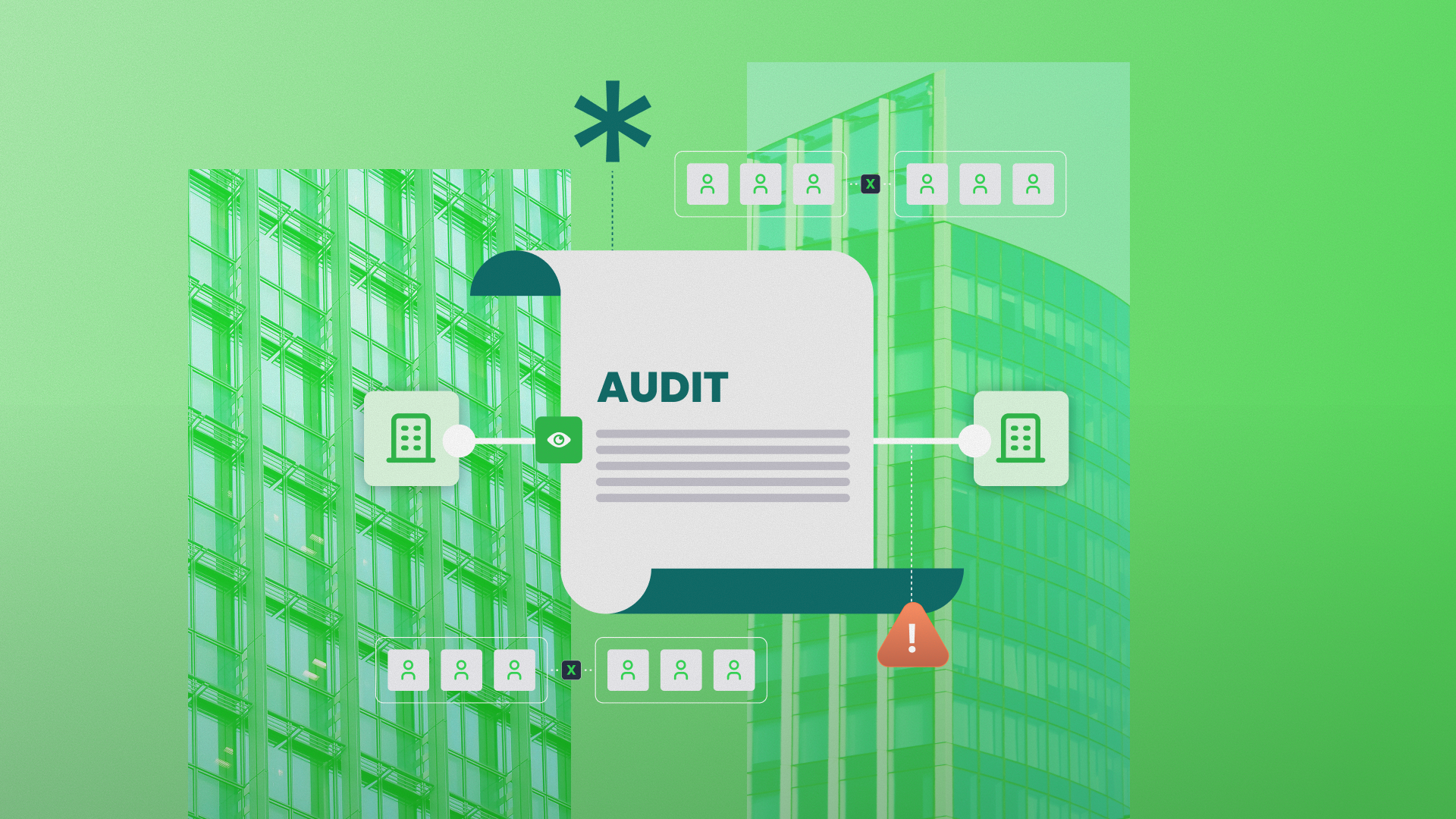
- Perform an account hierarchy audit to flag stale parents and duplicate branches
Dedupe and data-quality tools do this job well: they merge duplicates and standardize records at scale.
But that’s also where data quality tools stop: a cleaner snapshot is the whole product. It’s unlikely you’ll get to an actionable state with your records without data stewardship.
2. Link the accounts into a structure
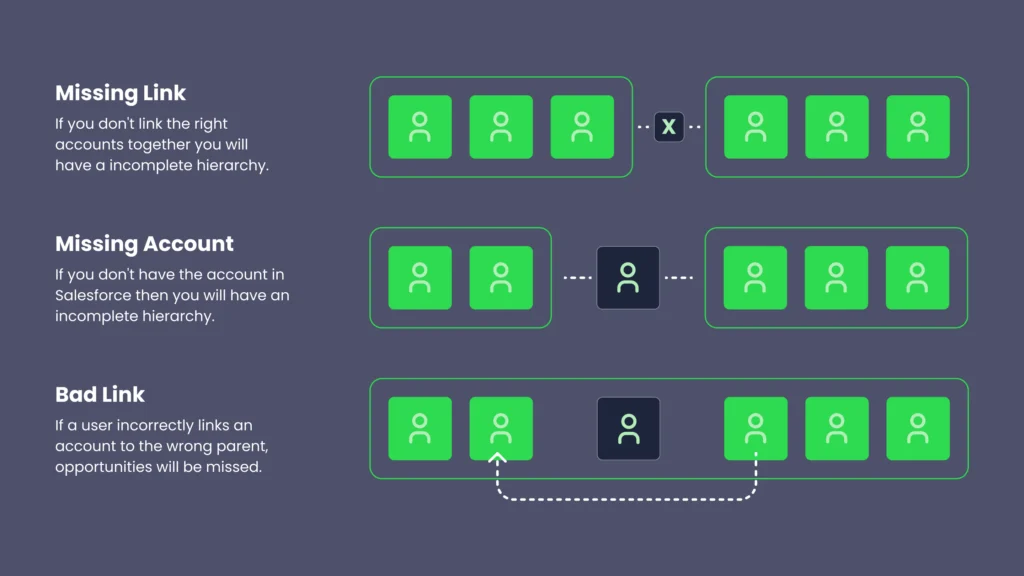
Clean records are still just a list of who owns whom. A hierarchy exists only once those records are linked in the data model, where Salesforce can read the relationship instead of just storing it.
Most stacks leave this job to the native Parent Account field and a routing tool. But that native Salesforce field holds only one parent per account. So what happens when a middle tier goes missing? A multi-level corporate family flattens into a single chain, and the chain never rolls up to a true global ultimate parent. Those native hierarchy limitations carry into any routing tool built on top of the field.
- Lead-to-account matching lives here: a new lead has to resolve to the right account in the family instead of landing as a fresh duplicate someone cleans up later.
- AI can augment account hierarchies from CRM patterns and email domains, then route them to an admin to approve before they commit.
Enrichment tools can’t link accounts into a working structure.
Clay gives you rich account context without linking one record to another. Kernel enriches and matches, then writes parentage to the native Parent Account field, which breaks on a missing tier. A Salesforce-native hierarchy tool like Complete Hierarchies links the records into one tree up to the global ultimate parent.
3. Put the account hierarchy to work
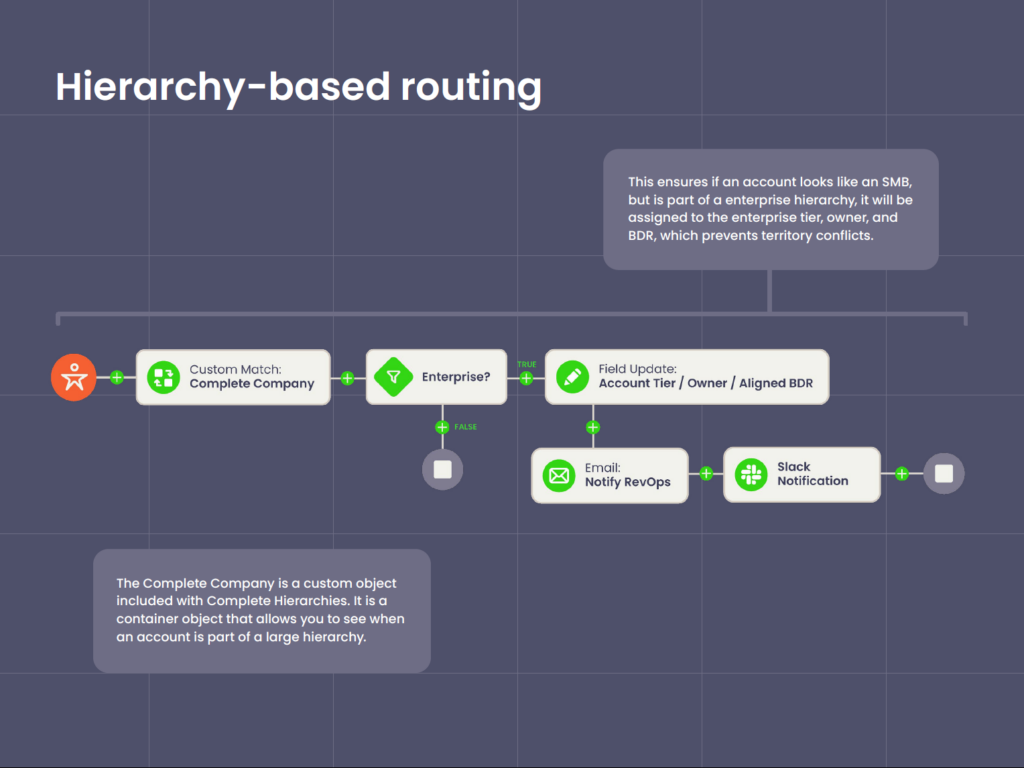
Fixing the records and linking them are two separate, necessary jobs that get you a clean, connected account hierarchy, but two problems remain:
- Nothing runs on your account hierarchies yet,
- Your account hierarchies go stale the next time an account merges or gets acquired
The third job is making the structure run and keeping it current.
Keeping it current means re-running the same dedupe and matching from jobs one and two every time an account merges or gets acquired, which is why all three belong on a single platform.
And once that platform’s live, the systems a revenue team already runs can read the structure directly:
- Routing. Routing flows read the parent-child link, so a new lead resolves to the rep who already owns the parent account instead of round-robining as net-new.
- Territory. Ownership follows the structure, so a reorg or an acquisition does not trigger a quarterly rebuild or a commission dispute.
- Reporting. Hierarchy roll-up reporting aggregates pipeline, revenue, and net revenue retention from the children up to the parent, so an expansion at a subsidiary shows up in the parent’s numbers.
- Expansion. A whitespace view compares the full corporate family against your Salesforce accounts and flags the business units with no record or no open pipeline.
- Agentic processes like Agentforce and Claudeforce. Agents read the parent-child link to tell a customer’s subsidiary from new business, and it acts on that answer without a rep checking it.
A connected hierarchy is one of the data quality requirements for AI because an agent reads the structure as it stands when the lead arrives
[With Traction Complete,] a lot less of our team’s bandwidth is focused on maintaining and double-checking the quality of our assignment routing.
Cameron Barnes, Senior Manager of Marketing Operations at Cisco
We are very confident in the assignments that we have in place.
Account Hierarchy Data and Solutions Comparison
Measured against the three jobs of the data layer, each point solution covers part of it, never all three.
| Data Task | Dedupe tools | Kernel | LeanData | Traction Complete |
|---|---|---|---|---|
| Dedupe | Bulk merge, all objects | Account object only | No | Prevent and dedupe across Lead, Contact, Account |
| Standardize and validate | Standardization rules | Validates firmographics against multiple data sources | No | Standardize to your business logic, validate in real time |
| Enrich | No (separate tools) | Multi-source firmographic enrichment | No | AI fills gaps alongside your providers, with confidence scores and approval gates |
| Link (hierarchies + lead-to-account matching) | No | Native Parent Account field only | Persistent custom object, built on records as-is | Auto-built multi-level hierarchy to the global ultimate parent, with AI augmentation |
| Automate (routing, territory, reporting) | No | No | Routing and assignment only | Routing, rule-based territory cascade, roll-up fields, whitespace |
Dun & Bradstreet and legacy data providers
Dun & Bradstreet is the gold standard for legal corporate lineage. The DUNS Number anchors business identity worldwide, and many enterprises run D&B as their source of record for parentage.
D&B’s limit is scope, not quality.
D&B supplies the lineage but doesn’t write a structural layer into your Salesforce model, run automation when a hierarchy changes, or orchestrate anything downstream.
Many teams we work with feed D&B in as one of their data providers, so the two work well alongside each other.
Strengths and gaps:
- Known for legal-lineage data; many enterprises treat DUNS as a source of record
- Supplies records, not a structural layer or automation, and works as an input alongside point solutions
ZoomInfo, HG Insights, and alternative data feeds
ZoomInfo and HG Insights update faster than legacy linkage providers, and each excels in a certain category, whether contact coverage, technographics, or intent. Many teams run two or three together to cover different record types.
ZoomInfo and HG Insights describe company hierarchy data well. But a feed doesn’t link those records into a structure your automation can act on; the linking happens in Salesforce, at the connect step.
Strengths and gaps:
- Faster updates and specialty coverage across contacts, technographics, and intent
- Describes relationships without connecting them into a structure your automation can act on
Kernel
Kernel offers good enrichment and matching, and its native-first, agentic framing fits where Salesforce is heading. But agentic and accurate are not the same thing.
Enriching the data matters, but it’s only the first step.
You still have to connect that data into a structure and orchestrate on top of that layer, and that is where Kernel stops.
Kernel writes data into the standard Parent Account field, but that’s a linear chain that breaks when a middle tier is missing. So with Kernel, even clean, enriched data does not hold the family tree together or trigger anything when a hierarchy changes.
And the records Kernel does clean are only as good as what its enrichment writes into them. It markets “the most accurate company data,” but agentic enrichment still risks putting wrong data into the records your routing and reporting run on:
- an entity filed under the wrong jurisdiction
- the wrong HQ country on the parent record
- a divested subsidiary still attached to the parent
- revenue or headcount figures that are impossible or fabricated
- unrelated companies rolled up as subsidiaries
Kernel’s narrow data cleanup scope compounds this problem.
Per Kernel’s own cleaning module, deduping and merging run exclusively on the Account object: it matches every corporate entity to a single account identity and merges the duplicates it finds there. Leads and Contacts fall outside it.
With Kernel excluding Leads and Contacts from their cleanup scope, the records that would confirm or contradict a bad parent never get checked.
Strengths and gaps:
- Enrichment is Kernel’s strongest offering, with native-first matching that suits where Salesforce is heading
- Writes to the native Parent Account chain, which breaks on a missing tier and fires nothing when a hierarchy changes
- Dedupe and merge run on the Account object, so duplicate leads keep converting into new duplicate accounts and contacts go unmerged
Clay
Clay runs strong enrichment workflows and compiles account context that otherwise takes manual research.
But connecting those records into an operational hierarchy is a different job, and a hierarchy change is not an event Clay is built to act on.
Clay also puts the onus on the person using the platform. Reliable output takes an engineering approach to the tool: build the tables, pick the providers, and judge which signal to trust when two disagree.
Deciding that last call across the entire data stack is work that belongs to a revenue architect, not the GTM engineer running each enrichment table.
Strengths and gaps:
- Strong enrichment workflows that compile rich account context
- Assembling those records into an operational account hierarchy is a separate job, not achievable through Clay alone
LeanData
LeanData’s gaps sit in the data and the platform underneath its routing.
The first gap is data quality. LeanData has no proper deduplication, so duplicate and conflicting records flow straight into the hierarchy. Nothing cleans the underlying data before the hierarchy goes up.
The second is verifying that layer. LeanData scoring covers the match it made, not the accuracy of the records beneath that match. Provider-sourced data becomes the hierarchy as-is, without cleansing or repair.
LeanData’s third gap is reporting. LeanData roll-ups live inside its hierarchy view, and you pull the totals out as a CSV.
Complete Hierarchies writes the same roll-ups back into Salesforce as queryable fields on any object, from the global parent down through every subsidiary. That means native reports, dashboards, validation rules, and routing flows can read and act on them.
All three gaps come back to the same thing: LeanData sits on top of the data layer; it does not own it. Traction Complete is built for the opposite job: managing and maintaining the data layer continuously, on one native platform.
Strengths and gaps:
- Mature lead routing and assignment
- No proper deduplication, so duplicate and conflicting records flow straight into the hierarchy
- Scoring and audit logs cover its routing, not the accuracy of the data layer beneath it
- Roll-ups live in LeanData’s view and CSV export, not as queryable fields on the record
- Routes on the data layer but cannot repair it, so the hierarchy is only as good as the data it inherits
Traction Complete
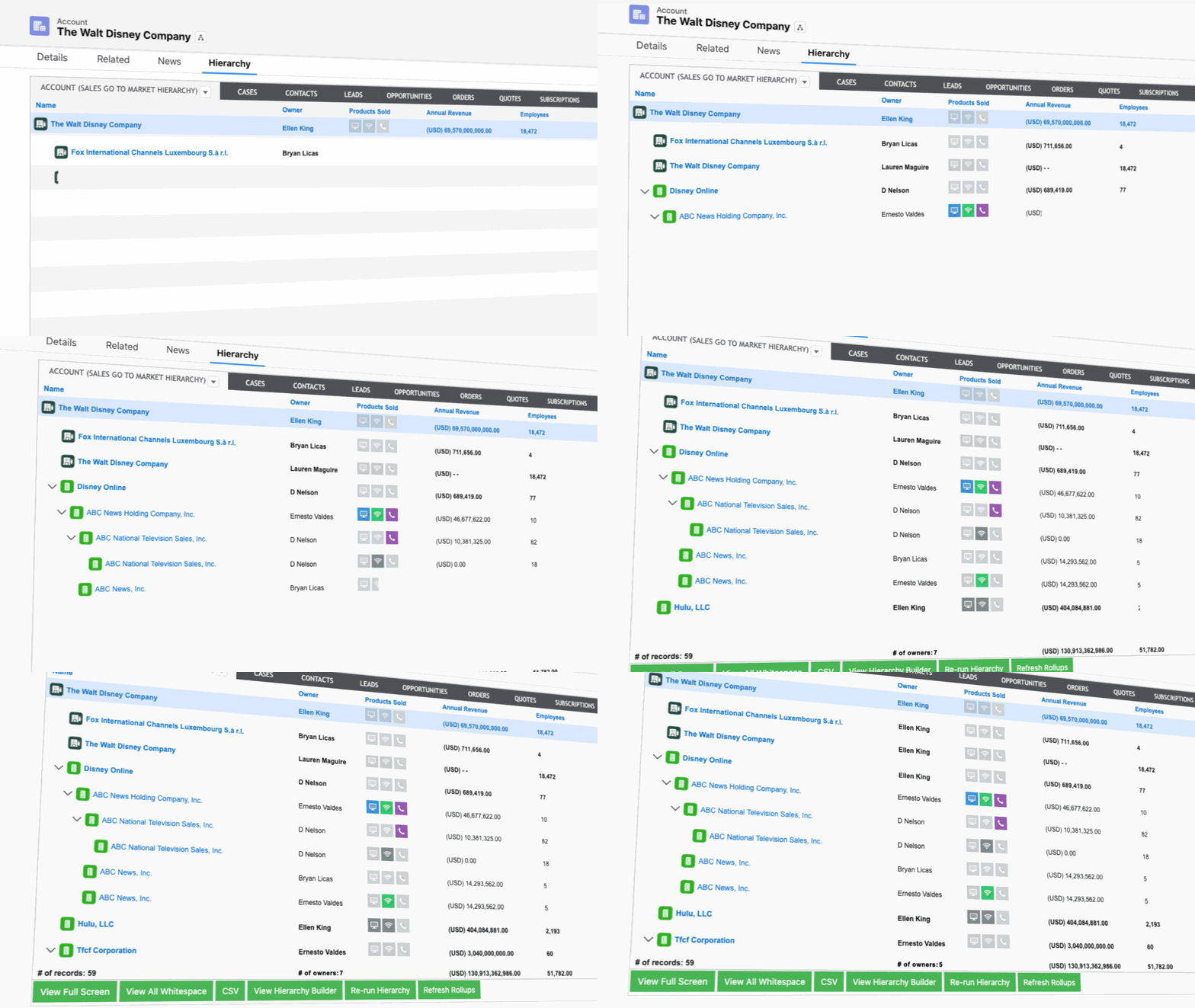
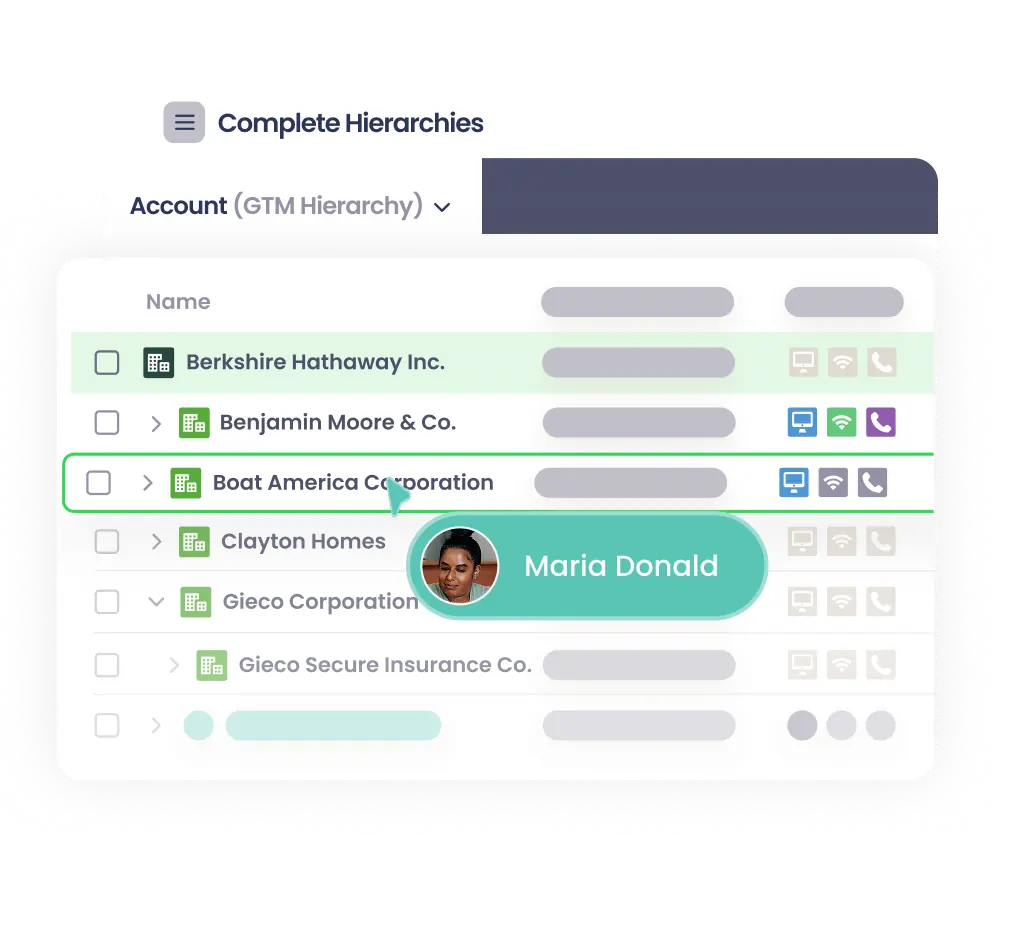
Complete Hierarchies builds and maintains multi-level account hierarchies inside Salesforce, up to the global ultimate parent. The hub architecture holds the tree together when a middle tier is missing, where the native Parent Account chain breaks.
Cleanse
- Complete Clean prevents and merges duplicates across Leads, Contacts, and Accounts
- The Traction Complete suite standardizes records to your business logic and validates them in real-time
- AI augmentation fills missing firmographics with a confidence score and holds them for admin review and approval
Connect
- Complete Hierarchies pairs with any data provider to link parent-child accounts automatically, and updates the tree when company structures change.
- Complete Leads matches each incoming lead to its account in the corporate family before the lead becomes a duplicate.
- AI augmentation suggests the parent links your data is missing, then routes them to an admin to approve
Orchestrate
- Complete Hierarchies writes roll-ups back as queryable Salesforce fields on any object. Native reports, dashboards, validation rules, and routing flows read those fields directly.
- Complete Leads reads the account’s hierarchy from a pre-stamped field, with no calculation at lead time.
- Traction Complete lets you reassign territories in bulk, then cascades each ownership change down to every related record, by rules you set on account size, industry, or any field.
- The Complete Hierarchies whitespace view compares the full corporate family against your Salesforce accounts and flags units with no record or open pipeline.
Strengths and gaps
- Covers all three jobs: cleanse, connect, and orchestrate, on one Salesforce-native platform
- Hub architecture survives missing tiers where the native Parent Account chain breaks
- Traction Complete augments the data providers you already use: you still bring your own enrichment sources
- Platform, not a point solution
How to Assess Your Account Hierarchy Stack
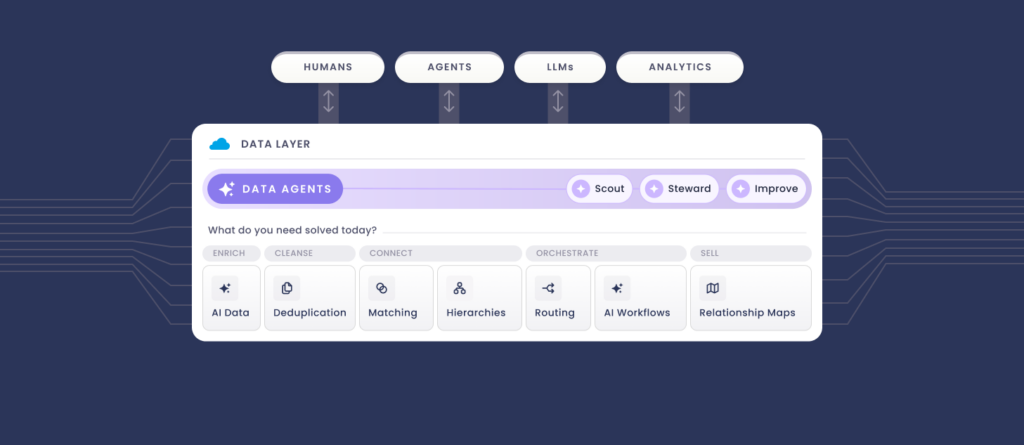
Three questions help you assess what you’re actually missing:
- Do you cleanse your data? Name the sources feeding your hierarchies, whether D&B, ZoomInfo, HG Insights, or your own first-party signals, and ask whether those records get repaired before they build the tree and feed everything downstream.
- Do you connect it? Check whether your accounts link at the database level or only inside routing flows and visualization tools. Can a downstream system or an AI agent read the hierarchy?
- Do you orchestrate on it? Look for mass actions, triggers that fire on hierarchy events, territory that follows the tree, and roll-ups that update on their own. If those are still manual, that job is wide open.
Most teams we work with have some of cleanse, little of connect, and none of orchestration.
And comparison shopping keeps you inside one layer at a time.
Weighing “Kernel vs ZoomInfo” stays in the cleanse step; shopping “LeanData alternatives” keeps you in the connection step. Having more data just won’t close the gap because the accounts still are not connected and the automation still has nothing reliable to read.
Each point solution covers part of the layer. Traction Complete cleanses, connects, and orchestrates the same one.
And you don’t have to do all three at once.
Start with the structural data layer, connect your existing sources into it, and add orchestration as you go.
Whether you build account hierarchies in-house or buy it comes down to your Salesforce bandwidth and how fast you need it live.

Account Hierarchy Data FAQs
-
Is account hierarchy data the same as an account hierarchy?
-
No. Account hierarchy data is the records a provider sells: parent assignments, ultimate parents, and merger history. An account hierarchy is that data built into Salesforce as a structure the platform can query, route on, and report against. You can own the data and still not have the hierarchy.
-
Why won't buying more data fix a broken account hierarchy?
-
More data adds fields to individual records. A hierarchy is the link between records, a Parent Account lookup or a custom hierarchy object Salesforce reads at query time. Until those records are connected, a richer feed just writes another provider's version into the same field.
-
Can account hierarchy data run routing and reporting on its own?
-
Not on its own. Routing, territory, and roll-up reporting read a parent-child link in the data model, not a value sitting on a record. The data has to be connected into that structure first, then kept current as accounts merge and get acquired, before automation can act on it.