
Unlocking the full potential of Salesforce account hierarchies can mean the difference between a clear, cohesive view of your key accounts and a scattered, disjointed one.
Your CRM has hundreds, maybe thousands, of account records. Some of those accounts are part of the same corporate family. A regional office, a subsidiary acquired last quarter, a division that split off and rebranded.
But in Salesforce, those relationships are invisible unless someone builds the structure that connects them.
That structure is an account hierarchy. And if you’re selling into enterprises with any level of organizational complexity, you need one.
What is an Account Hierarchy in Salesforce?
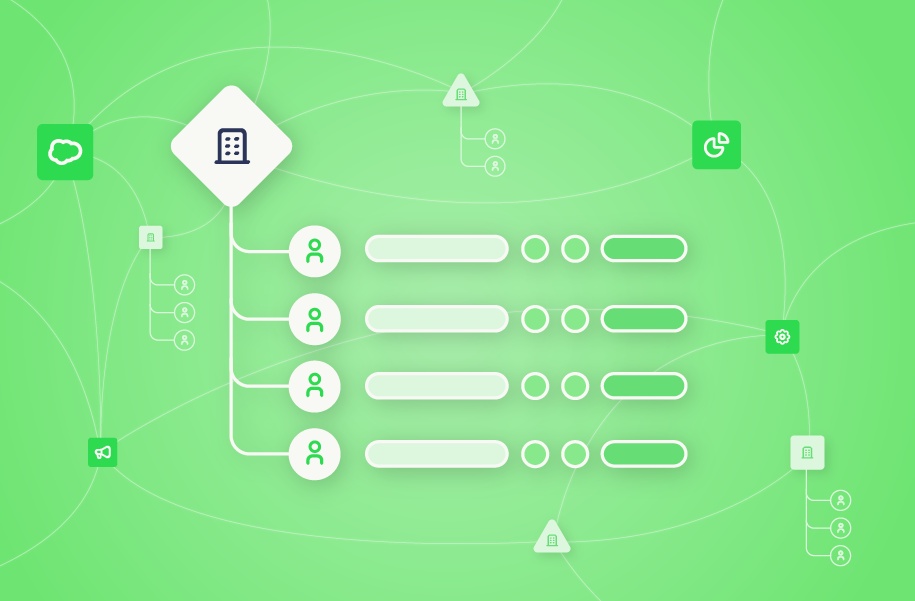
An account hierarchy is a parent-child structure that maps how organizations connect inside your Salesforce org.
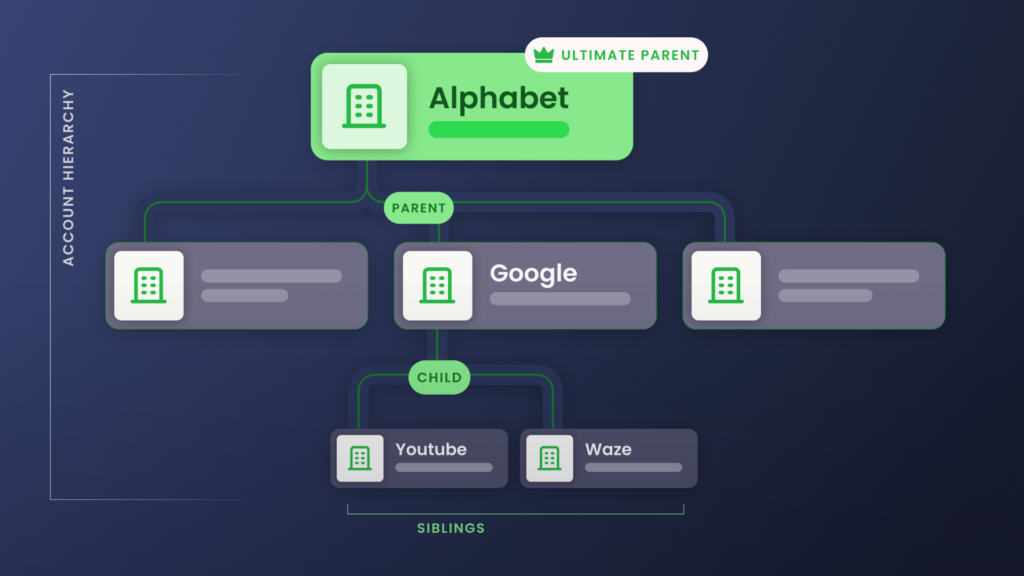
The parent account sits at the top. Subsidiaries, divisions, and regional offices sit beneath it as child accounts. Those children can have their own children, forming a tree that mirrors how the company actually operates.
Here’s a real world example: Think about how Alphabet organizes its business.
Alphabet sits at the top as the ultimate parent. Under it, you have Google, Waymo, and DeepMind.
Under Google, you have YouTube, Waze, Fitbit, and Android. Each of those entities has its own contracts, revenue streams, and stakeholders.
Visually, it looks something like this:
- Disney
- Alphabet
- Pixar
- Marvel
- Lucasfilm
- Searchlight Pictures
- Google
- YouTube
- Waze
- Fitbit
- Waymo
- Verily
- DeepMind
- Alphabet
Every account in that tree holds one of four positions relative to the others:
- Ultimate parent account: The company at the very top of the corporate family, the one every other account rolls up to.
Alphabet is the ultimate parent above Google, Waymo, and Verily. - Parent account: The company one level directly above another.
Google is the parent of YouTube and Waze. An account can be both at once: a child to the tier above it and a parent to the tier below. - Child account: Any account that reports up to a parent.
YouTube and Waze are children of Google, and a child can have children of its own. - Sibling accounts: Two or more accounts that share the same direct parent.
YouTube, Waze, and Fitbit are siblings under Google.
Salesforce has no native field for the sibling relationship, so native reports treat siblings as unrelated unless something links them through the parent they share.
In Salesforce, you build that corporate family tree through nested parent-child relationships. Every account has a “Parent Account” field. Populate it and Salesforce creates the hierarchy link between two records; stack enough of those links together and you have the full corporate family tree.
Without this structure, your reps see a flat list of accounts. The 50-person office they’re prospecting could belong to a 10,000-employee enterprise another rep already closed, and they’d never know. Open opportunities elsewhere in the corporate family never surface on the record they’re working, and the real buying power can sit three levels up the org chart with nothing in Salesforce to flag it.
An account hierarchy makes those relationships visible. What you do with that visibility separates the teams that hit quota from the teams that leave revenue on the table.
Why You Should Use Account Hierarchies in Salesforce
Account hierarchies give you five things you can’t get from a flat account list:
- Territory clarity and ownership. When reps can see the full corporate structure, territory disputes drop. You stop having three reps working the same enterprise from different entry points without knowing the others exist.
- Cross-sell and expansion visibility. If you’ve closed Disney Parks and ESPN but Marvel Studios is untouched, you already have internal champions and proof of value inside the parent company.
Your first call to Marvel starts with a reference to what Disney Parks achieved, not a cold intro. - Enterprise-level pipeline and retention reporting. When your VP of Sales asks “what’s our total pipeline with Disney?”, the answer should include every opportunity across every subsidiary, from ESPN to Marvel to Pixar.
Native Salesforce makes this surprisingly difficult without a hierarchy, because the platform treats each account as an isolated record. Your $2M opportunity at ESPN and your $500K opportunity at Marvel show up as unrelated deals rather than a single $2.5M Disney relationship. - Accurate net revenue retention tracking. Without account hierarchies, a $20K contraction at Disney paired with a $60K expansion at Hulu looks like churn plus a new logo.
Link those accounts under the same parent and it’s a $40K net gain within one enterprise. Your net revenue retention numbers depend on knowing which accounts belong to the same customer. - Buying committee mapping. For ABM teams, hierarchies are the foundation. You can’t map a buying committee across business units if you don’t know which business units belong to the same company.
Who Needs Salesforce Account Hierarchies (and Who Doesn’t)
Not every Salesforce org needs a full hierarchy build. Here’s how to tell if it’s worth the investment.
You need account hierarchies if:
- You sell into enterprises with subsidiaries, divisions, or regional offices. If your named accounts have complex org structures, your CRM should reflect those structures.
- You’re going through M&A or merging Salesforce orgs. Hierarchy data is the only way to understand which accounts from the acquired org are part of families you already sell into.
- You have 50+ accounts with overlapping territories. Without parent-child relationships, you’ll face territory conflicts.
- You run ABM programs that target buying committees across business units. Committee mapping starts with knowing which business units are related.
You probably don’t need them if:
- You sell exclusively to SMBs with flat organizational structures. A company with 20 employees and one office doesn’t have a hierarchy to map.
- Your average deal involves a single decision-maker at a single entity. The complexity that hierarchies solve doesn’t exist in your sales motion.
- You have fewer than 100 total accounts. At that scale, your reps can keep relationships straight without a formal structure.
If you’re somewhere in between, the question to ask is: “Have we ever lost a deal or duplicated effort because we didn’t know two accounts were related?”
If the answer is yes, you need account hierarchies.
How Account Hierarchies Help Drive Revenue
The benefits above sound straightforward on paper, but most teams struggle to operationalize them.
Knowing that Disney owns Marvel doesn’t help if your routing rules, rollup reports, and automation triggers can’t act on that relationship inside Salesforce.
The teams that consistently turn hierarchy data into pipeline do three things differently. They:
- Automate hierarchy management
- Use hierarchy-based lead routing
- Report at the corporate family level instead of the account level
For the full playbook on how to do each, read our guide on how to use account hierarchies to drive revenue.
How Account Hierarchies Work in Salesforce
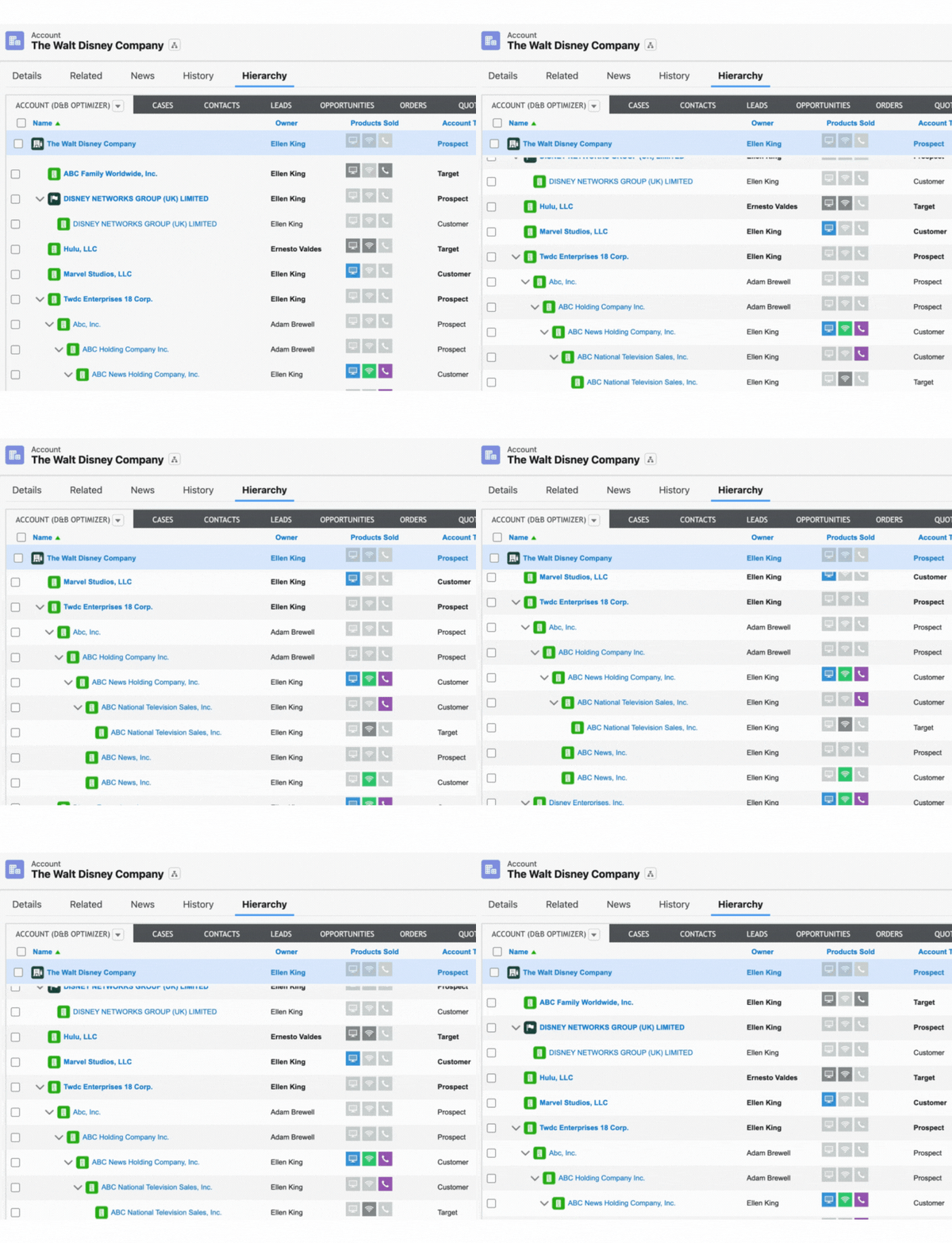
Account hierarchies work in Salesforce by linking every subsidiary, division, and regional office to a parent through the Parent Account field. Once those links exist, your reports, lead routing, and roll-ups can act on the whole corporate family at once.
- Rollup reporting works across the family. With roll-up tooling from Traction Complete , Salesforce reports can aggregate opportunities, revenue, and activity from every child account up to the parent.
When a rep closes a deal at Marvel Studios, that revenue appears in the Disney parent account’s totals automatically. Leadership sees the full enterprise relationship in one view instead of piecing it together from individual account reports.
Natively this does not happen: roll-up summary fields require master-detail relationships, and Parent Account is a lookup. - Lead routing evaluates the whole corporate tree. A new lead from Hulu hits your system, and instead of getting round-robined, it routes to the rep who already owns the Disney relationship.
Your lead routing logic can read the hierarchy to check whether any account in the family has an active opportunity or an assigned owner before deciding where the lead goes. - Automations can reference hierarchy context. When a child account’s opportunity moves to a late stage, you can trigger notifications to the parent account owner.
And when a subsidiary churns, the parent account team gets alerted immediately.
Native Salesforce can’t do this on its own because it treats every account as independent, but with hierarchy links in place, your Flows have the relational data they need.
But those links don’t arrive ready-made. The hierarchy data a provider sells you (parent assignments, DUNS numbers, ultimate-parent records) tells you who owns whom, but that data stays inert until written into the Parent Account field and kept current. Turning purchased account hierarchy data into a working hierarchy is its own discipline.
If you’re not sure whether you just have data or actionable hierarchies, ask yourself whether your Salesforce environment can actually use the hierarchy data you have, or whether it just sits idle as a reference field.
Pro Tip: Spot M&A Moves Before Anyone Else with AI-Powered Account Hierarchies
AI-powered hierarchies can flag mergers, acquisitions, and new subsidiaries faster than third-party data enrichment providers. That means you can realign territories and uncover cross-sell opportunities before competitors even know the deal happened.
Limitations of Native Salesforce Account Hierarchies
Salesforce supports account hierarchies natively through the Parent Account field. It works. But it has three structural limitations:
- Single hierarchy view. Salesforce only supports one parent-child structure per account.
Your sales team needs to group accounts by territory. Finance needs to group them by legal entity. Marketing needs to group them by industry vertical.
Native Salesforce forces you to pick one. - Manual maintenance. Every parent-child link requires a manual field update. When a company acquires a subsidiary, when a division restructures, when a regional office closes, someone has to update the hierarchy by hand.
At scale, chains go stale, orphan records accumulate, and the hierarchy drifts from reality. - Limited reporting and automation support. Roll-up summary fields do not work across the account hierarchy at all. They require master-detail relationships, and Parent Account is a standard lookup, so aggregating even one level takes custom development or a tool built for roll-up summary limitations.
Flows and automations also can’t reference hierarchy relationships natively.
The more complex your corporate accounts, the harder you hit these walls. Each of these Salesforce account hierarchy limitations has a workaround, and the right one depends on how your org is structured. Fivetran’s playbook for consolidating accounts during M&A is one of three in our guide on how revenue teams fix the data layer.
How to Set up Account Hierarchies in Salesforce: 3 Ways
You have three approaches to building account hierarchies, each with different tradeoffs on effort, accuracy, and maintenance:
| Approach | Who does the writing | What gets populated | Hierarchy views | Fixes data or architecture? |
|---|---|---|---|---|
| 1. Manual chain linking | Your Salesforce admin | Native Parent Account field, plus custom Global Ultimate Parent and Hierarchy Tier (if you build the custom fields) | One | Both, slowly |
| 2. Automated chain linking with third-party data | Sync overlay (RingLead, Kernel-style sync layer) writing data from a provider (D&B, ZoomInfo, Clay, Kernel) | Native Parent Account field only, on a schedule | One | Data only |
| 3. Full hierarchy automation | Hierarchy automation platform (Complete Hierarchies) | Custom global ultimate structure: separate Account-related object plus governed Global Ultimate Parent and Hierarchy Tier fields | Multiple in parallel (legal, territory, billing, brand family) | Both |
1. Manual chain linking.
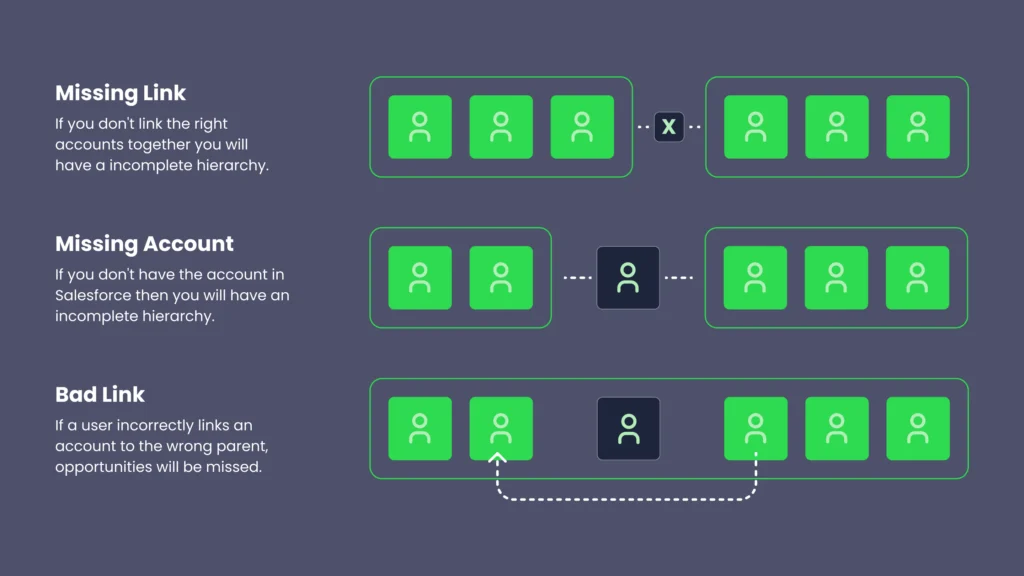
- Create two custom fields on the Account object. Add a Global Ultimate Parent (lookup to Account) to capture the top of the tree, and a Hierarchy Tier (number or picklist) to track which level each account sits at. Without these, native Salesforce reports can’t roll up to corporate-family level.
- Identify the parent company for each Account record. This usually means cross-referencing legal documents, customer contracts, or external research.
- Populate the Parent Account lookup field, plus your custom Global Ultimate Parent and Hierarchy Tier fields, on each Account record.
- Build a recurring audit process. Most teams run a quarterly review that flags blank Parent Account fields, accounts where Global Ultimate Parent doesn’t roll up to the same value as the Parent Account chain, and accounts where the company has changed names since the last account hierarchy audit.
- Update the chain on every acquisition, divestiture, or rebrand. This is ongoing, not a one-time setup.
Manual chain linking works under three conditions: a small enough account base for one admin to audit quarterly, stable customer ownership (low M&A activity, slow rebrands), and a sales motion that only needs one hierarchy view. Plenty of small and mid-market teams run on this approach for years.
Trying to rely on your sales organization and all the different people that are inputting manually into the system to actually accurately create a hierarchy of accounts and maintain that data is a very unreasonable and very time-consuming request that will never materialize to what you want.
Rusty Jensen, Head of Global ISR Sales, Conga.
2. Automated chain linking with third-party data
A data provider supplies the corporate family-tree as data. Examples include Dun & Bradstreet, ZoomInfo, Clay, and Kernel. An enrichment and sync overlay then writes those parent-child relationships into Salesforce’s native Parent Account field on a schedule. RingLead and Kernel-style sync layers both sit in this overlay layer.
- Choose a corporate-family data provider. Evaluate on industry coverage (does the provider have strong data on your customer base?), entity types (legal entities only, or also brands and franchises?), and update cadence (daily, weekly, monthly).
- Connect the provider to Salesforce. Most providers offer either an AgentExchange package or an API integration.
- Configure the sync to write the native Parent Account field. Most providers return a confidence score. Set a threshold above which the sync auto-writes (typically 90%+) and below which it flags for human review.
- Schedule the sync. Daily for high-velocity customer bases, weekly for stable ones.
- Set up monitoring for unmatched accounts. These often include brands, regional offices, recently-renamed companies, and non-legal entities the provider doesn’t cover.
Automated chain linking with third-party data puts the right parent in the right native field without manual updating, but it doesn’t fix Salesforce’s one-Parent-Account-field limitations.
You still get one hierarchy view per account. Roll-up reporting still hits the one-level cascade limit. Marketing still can’t run a brand-family view alongside Finance’s legal-entity view. The vendor’s job ends at the native field.
Providers also vary widely on which entity types they cover well.
If your customer base includes franchises, brands within larger holding companies, or non-legal entities (a marketing-only subsidiary, a regional sales office, an internal product team selling separately), the provider may not know those entities exist, and the native Parent Account field will reflect that gap.
3. Full hierarchy automation
A dedicated hierarchy automation platform (Complete Hierarchies, similar tools) builds and maintains a custom global ultimate structure inside Salesforce.
That structure is typically a separate Account-related object plus governed custom fields like Global Ultimate Parent and Hierarchy Tier. It goes beyond what a sync overlay, or automated chain linking with third-party data, can reach.
Automated chain-linking tools update what Salesforce shows you in the native Parent Account field. Full hierarchy automation platforms restructure how Salesforce models corporate relationships. That means you can:
- Maintain multiple hierarchy views in parallel (legal, territory, billing, brand family)
- Push automated parent-child updates via Change Data Capture or Platform Events
- Push multi-level roll-up summary fields without custom Apex
- Enable rep-level overrides when the human knows better than the data
If you’re considering an automated Salesforce account hierarchy tool, evaluate its features against your operational needs:
- Multi-hierarchy support. Can it maintain separate sales, legal, and billing trees in parallel?
- AI enrichment. Can it identify non-legal entities your data provider misses (brands, franchises, internal sub-units)?
- Salesforce-native deployment. Does it run inside Salesforce, or as middleware that calls back to your org?
- Routing integration. Does it support hierarchy-aware lead routing natively, or does routing require a separate tool?
Salesforce-native hierarchy management tools like Complete Hierarchies cover all four criteria natively.
Sometimes you have subsidiaries but you don’t have the parent in your system.
Stephen Daniels, Senior Director of Revenue Operations, Cresta
Complete Hierarchies actually shows you that whitespace and allows you to add accounts in one swift motion. I don’t think any other vendor on the market does that.
Implementation specifics vary by tool, but a typical project covers connecting third-party data sources, mapping or rebuilding your existing hierarchy, configuring hierarchy types (sales, legal, billing), and wiring up downstream operations like routing rules, rollup reporting, and ABM segmentation.
For a detailed cost-benefit analysis of each approach and which option best suits your needs, read our guide on building vs buying Salesforce account hierarchies.
Get a Clear Picture of Your Largest Accounts with Complete Hierarchies
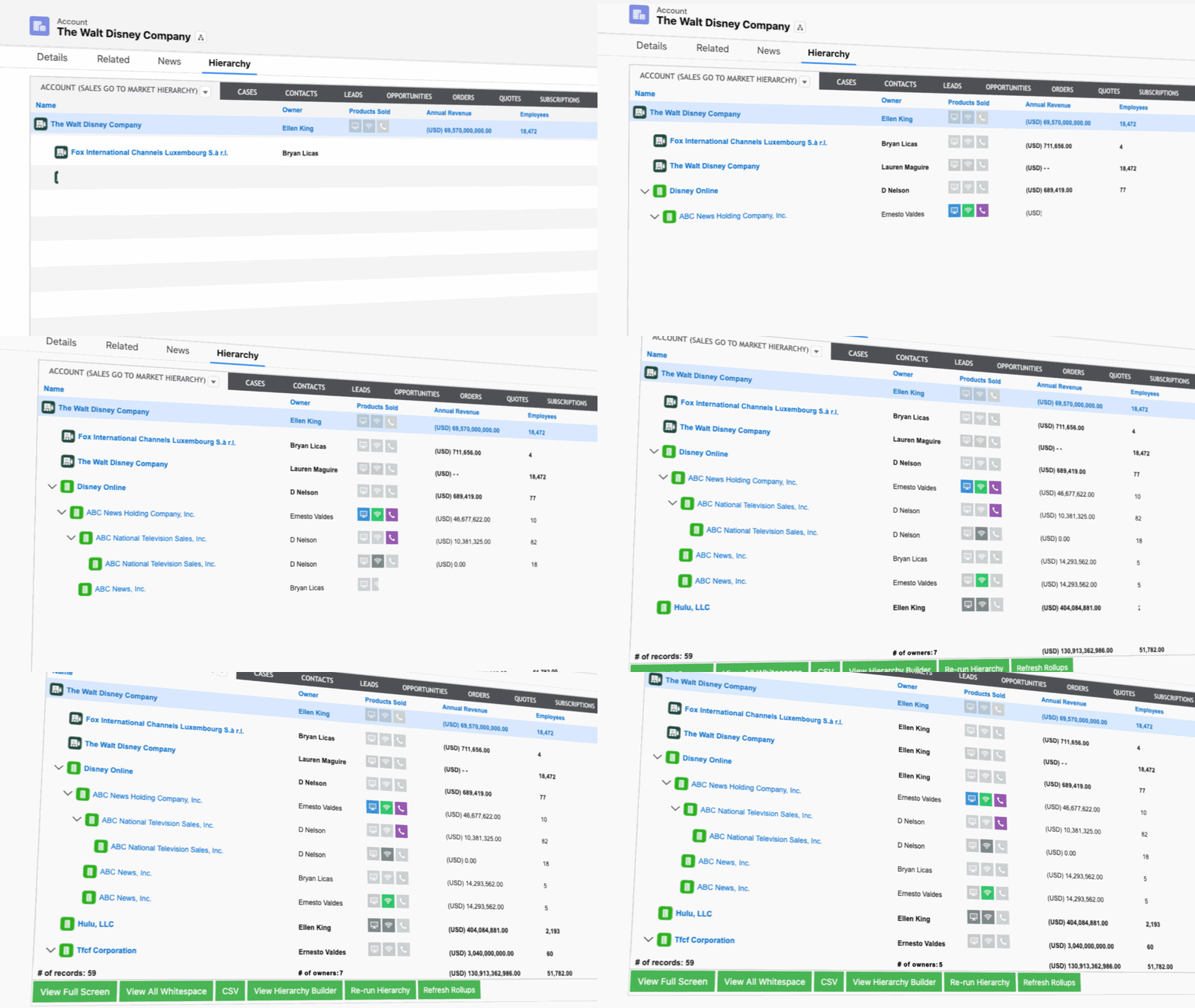
Complete Hierarchies is the first and only no-code solution that helps you automatically build and visualize account hierarchies natively within Salesforce.
Available on the Salesforce AppExchange, Complete Hierarchies gives RevOps and sales teams complete visibility into complex account structures, empowering them to make smarter decisions, optimize GTM strategies, and automate account management at scale.
With features like drag-and-drop hierarchy building, customizable hierarchies to match your GTM approach, and integrated roll-up reporting, Complete Hierarchies enhances your team’s ability to track performance, identify whitespace opportunities, and strengthen account relationships across the organization.
Ready to transform your account management?
Book a demo and see how Complete Hierarchies can unlock smarter selling, streamlined workflows, and better sales outcomes.
Salesforce Account Hierarchy FAQs
-
What is a Salesforce account hierarchy?
-
A Salesforce account hierarchy is a parent-child structure that links related Account records, such as a parent company and its subsidiaries, through the Parent Account field. It’s a built-in Salesforce feature available across all editions.
-
How many levels can a Salesforce account hierarchy have?
-
The standard Salesforce account hierarchy doesn’t enforce a hard depth limit, though the View Hierarchy page displays up to 2,000 accounts at once. The practical ceiling is the Ultimate Parent formula approach, which typically traverses up to 10 levels before hitting formula recursion limits. Account hierarchies deeper than that usually require a dedicated hierarchy management solution like Complete Hierarchies to maintain rollups and reporting.
-
What’s the difference between Parent Account and Ultimate Parent Account in Salesforce?
-
The Parent Account field is a Salesforce lookup that captures only the direct, one-level-up parent of an account. Add Google as an account and its Parent Account points to Alphabet. Add YouTube and its Parent Account points to Google, not Alphabet. The Ultimate Parent Account is a separate, typically custom field meant to capture the top of the chain regardless of how many levels deep it goes. In the YouTube example, Ultimate Parent should always resolve to Alphabet. The Ultimate Parent is optional in native Salesforce and isn’t maintained automatically, so it goes stale whenever an acquisition or reorganization shifts the chain. Reports that aggregate at the corporate-family level depend on the Ultimate Parent staying current.
-
Will an enrichment and sync overlay populate my custom Global Ultimate Parent or Hierarchy Tier fields?
-
No. Enrichment and sync overlays like RingLead and Kernel write parent-child relationships into Salesforce's native Parent Account field on a schedule. They don't ship a custom Global Ultimate Parent lookup, a Hierarchy Tier picklist, or a separate Account-related object that holds multiple hierarchy views. If you've already built your own custom Global Ultimate Parent and Hierarchy Tier fields (the manual chain linking pattern earlier in this guide), you can layer an overlay's data into them with custom Apex or Flow. Tools like RingLead and Kernel won't do that mapping for you. A hierarchy automation platform like Complete Hierarchies handles the custom global ultimate structure as managed infrastructure: separate object, governed fields, multi-view support, multi-level roll-ups without custom Apex, and rep-level overrides.
-
Can an account have more than one parent in Salesforce?
-
No. Native Salesforce account hierarchies use a single Parent Account lookup field per record, so each account has one parent and belongs to one structure. Most enterprise GTM teams need additional views (legal vs. go-to-market vs. billing), which requires custom lookup fields or a dedicated hierarchy automation tool like Complete Hierarchies.
-
What’s the difference between role hierarchy and account hierarchy?
-
Role hierarchy controls record-level access and visibility based on user roles (e.g., a sales manager seeing all their team’s accounts). Account hierarchy describes the relationship between account records themselves (e.g., a parent company linked to its subsidiaries). Role hierarchy and account hierarchy serve different purposes and don’t depend on each other.
-
Why don’t native roll-ups work across the account hierarchy in Salesforce?
-
Native rollup summary fields only work on master-detail relationships, not the standard Parent Account lookup that drives the account hierarchy. Custom rollup logic via Apex triggers or Flow can traverse the hierarchy, but recursive parent-walking across thousands of accounts hits Apex governor limits, specifically the SOQL query and CPU time limits.
-
Do I need an app to manage Salesforce account hierarchies?
-
No. You can handle account hierarchy management natively through Salesforce when your account base is small enough to audit by hand, your structure changes rarely, and your team only needs one hierarchy view. A third-party tool like Complete Hierarchies becomes the right call when account volume outruns manual maintenance, when you need multiple hierarchy structures, or when routing, ABM, or NRR strategy depends on accurate parent-child data.
-
Why doesn’t lead routing follow my account hierarchy?
-
Standard Salesforce assignment rules don’t reference parent-child account relationships, so a lead from a subsidiary often gets routed to the wrong rep instead of the AE who owns the parent account. Hierarchy-aware routing requires either custom Apex logic that traverses the Parent Account field at runtime or a dedicated routing tool like Complete Leads that integrates with hierarchy data natively.
-
How do I keep account hierarchies up to date when companies merge or get acquired?
-
M&A activity is the most common cause of stale hierarchies, since subsidiaries get acquired or rebranded faster than admins can update Parent Account fields manually. For example, when Salesforce acquired Slack in 2021, any Slack account in your CRM needed its Parent Account updated to Salesforce, and the Ultimate Parent field had to follow. Teams typically address this with third-party data enrichment (firmographic feeds from D&B, ZoomInfo, or similar), AI-augmented account research that flags ownership changes from news and filings, or a hierarchy automation platform like Complete Hierarchies that handles maintenance natively.