Native Salesforce account hierarchies are decent at showing you relationships. They’re not built for acting on them.
Account hierarchies should show you the full scope of a customer relationship and help sales teams identify whitespace and spot cross-sell opportunities across global brands and enterprises.
But native Salesforce account hierarchies keeps that data locked at the individual account level, forcing teams to jump between records and objects just to understand basic ownership and relationship status.
“Seeing” the hierarchy is the easy part.
Leveraging it to unlock revenue, drive automation, and move deals forward is another story.
3 Reasons Why Seeing an Account Hierarchy Isn’t the Same as Using One
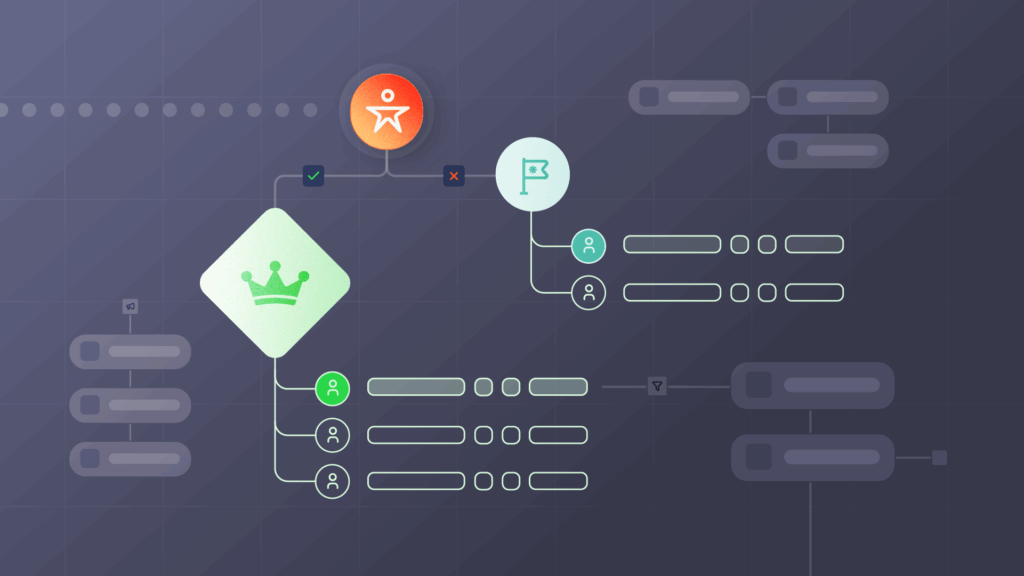
1. Automations can’t process hierarchy context
The biggest limiting factor is that native Salesforce account hierarchies are designed for humans to look at, not for Salesforce itself.
A sales rep can look at an account record, see a parent company, and understand the relationship instantly.
But because Salesforce stores that relationship as a lookup link, you can’t automate Salesforce to “see” it without custom jerry-rigging, leading to these failures:
- Lead assignment rules ignore the parent account owner. High-value subsidiary leads go to a random rep in a round-robin because the assignment logic cannot “look up” to see who owns the global ultimate (GU).
Without visibility into the full account structure, automations like hierarchy-based lead routing simply can’t work the way they’re supposed to on a native Salesforce hierarchy. - Workflows cannot validate against the corporate family tree. Salesforce flows can’t verify data against a parent record for territory alignment or account integrity.
- Disconnected marketing automation. Prospects from a subsidiary might receive generic outreach even if the parent company is already a top-tier customer, simply because your marketing automation platform (MAP) can’t read the hierarchy.
2. You can’t find whitespace or expansion opportunities
Native Salesforce hierarchies can’t flag new subsidiaries or sister companies automatically, so your expansion strategy relies entirely on manual research.
With native Salesforce account hierarchies, you can see your current footprint, but you can’t climb up or down the family tree to find untapped revenue — which means net revenue retention (NRR) takes the hit.
- Acquisitions appear as cold leads. When a customer buys a new company, Salesforce treats that new record as a stranger rather than a warm expansion path.
- Reps waste time on manual research. Sales teams spend hours on LinkedIn or Googling to find corporate links that should be visible in their account view.
- Marketing targets the wrong people. Campaigns miss high-value subsidiaries because Salesforce can’t group related businesses together into a target list.
Pro Tip: Learn Why Account-Level NRR Reporting Leaves Revenue on the Table
Standard NRR reporting hides churn risks and untapped expansion paths within complex corporate structures.
But connecting your account hierarchies can actually help you uncover expansion opportunities, spot churn earlier, and report with enterprise-level accuracy across the enterprise.
WATCH: The Untold NRR story Hiding Inside Your Account Hierarchies
3. Account data can’t flow between records
Salesforce doesn’t treat the “Parent Account” field like a data pipeline. What this means is that while you can visually see a dozen accounts belonging to the same GU, those records don’t actually connect to each other.
- Field updates stay siloed on the parent record: Changing a GU’s industry, market segment, or account owner or doesn’t trickle down to the children because the relationship is a “lookup.”
- You have to manually sync and update records. Every time something changes on the GU, someone has to open the parent, open the subsidiary, and move the data by hand.
- Reporting can’t capture the entire account hierarchy. Reports will miss related accounts because there’s no way to natively filter by “all accounts under this parent.”
[Native Salesforce hierarchies] would require a sales rep to go into related objects, drill down, look at the opportunities, go back and go back again, look for a contact.
Jim Maddison, Principal Business System Analyst at Veracode
A lot of back and forth, and you can lose people or records through the shuffle.
4 Technical Limitations of Native Salesforce Account Hierarchies
Ultimately, the gap between seeing an account hierarchy and using one comes down to how Salesforce stores those relationships under the hood.
1. Manual setup risks broken and missing data
You might have hierarchy data from D&B or ZoomInfo, but you still have to create those relationships manually in Salesforce.
That means linking each child account directly to its parents and repeating that step all the way up.
And success hinges on you entering every “link” perfectly.
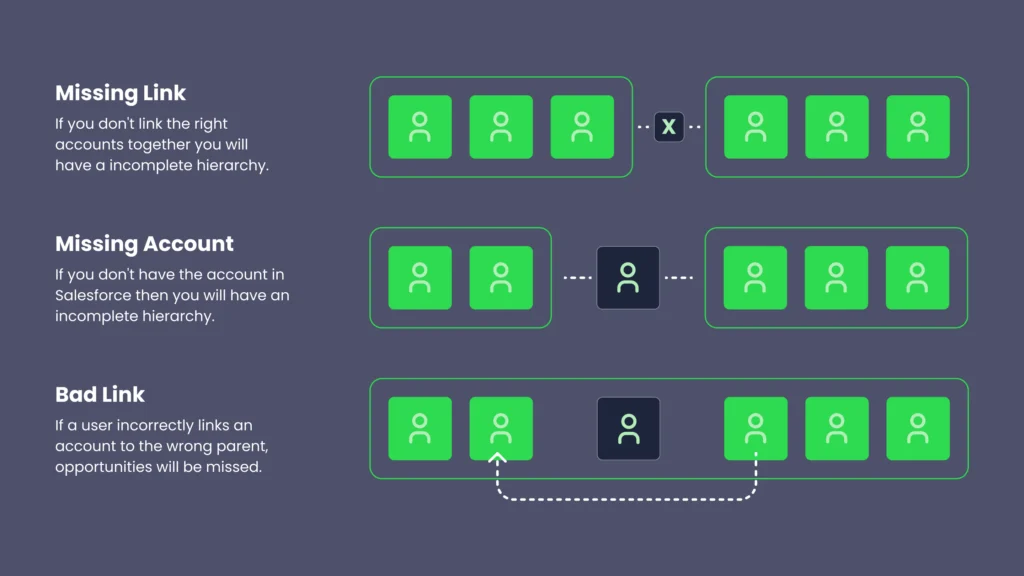
When even one piece is off, the entire hierarchy breaks:
- Missing link. If you forget to connect two related accounts, the hierarchy becomes incomplete.
- Missing account. If a required parent account or GU doesn’t exist in Salesforce, you can’t build the hierarchy at all.
- Incorrect link. If someone links an account to the wrong parent, the error cascades downward, creating incorrect rollups, missed opportunities, and territory conflicts.
Take the example of Alphabet Inc., the parent company of Google LLC and YouTube LLC.
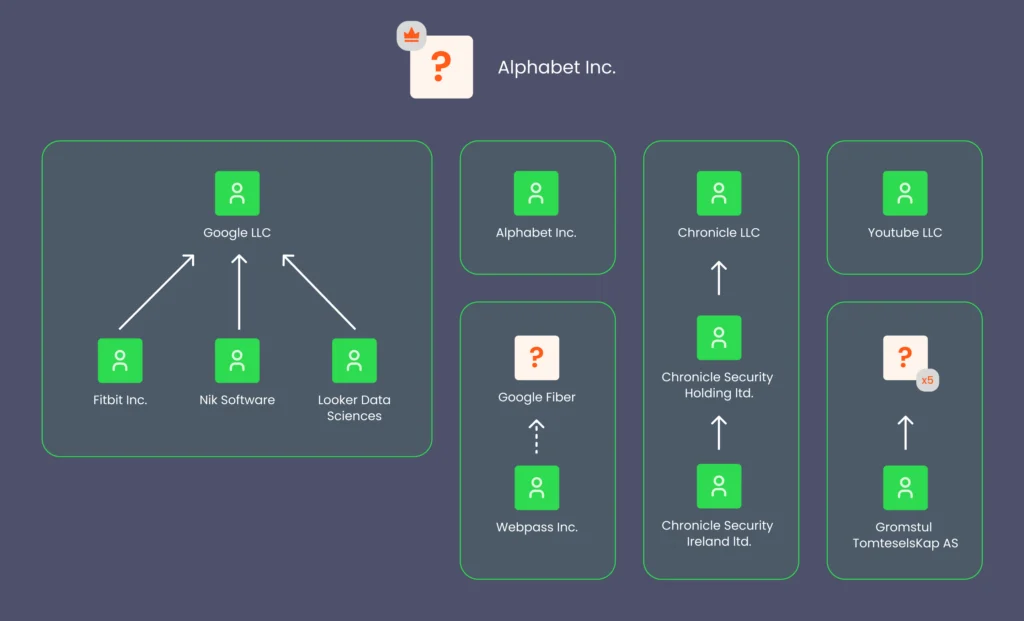
With a native Salesforce account hierarchy, a sales rep looking at Google has no way to see a connection to YouTube unless both records are manually linked to Alphabet as the GU parent.
If the Alphabet record is missing or the link is broken, these two massive entities appear as completely unrelated accounts.
Trying to rely on your sales organization and all the different people that are inputting manually into the system to actually accurately create a hierarchy of accounts and maintain that data is a very unreasonable and very time-consuming request that will never materialize to what you want.
Rusty Jensen, Head of Global ISR Sales at Conga
2. You only get one hierarchy view
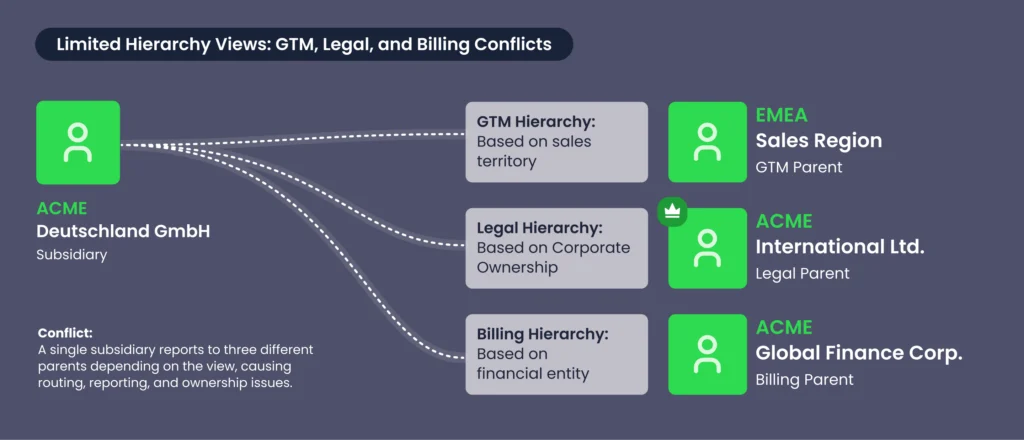
Salesforce restricts you to a single hierarchy model, but most go-to-market (GTM) motions require more than one way to view account relationships.
The structure a company uses for legal ownership often looks different from how sales teams organize accounts by territory, segment, product, or coverage model.
When Salesforce forces all of that into one hierarchy, teams lose flexibility and context:
- You can’t model multiple hierarchy views. An enterprise org’s legal structure varies vastly from the sales GTM hierarchy your team uses to drive revenue.
And if your teams can’t switch between legal, financial, and GTM views, they’ll lose visibility into how accounts relate across the business and struggle to align sales motions with the real-world structure of their customers. - You can’t route using multiple relationship decisions. GTM motions require routing based on different relationships: legal ownership, commercial ownership, regional coverage, partner involvement, or product-specific structures.
A single linear hierarchy can’t represent all of those at once, so routing rules lose important context. - You can’t report across different hierarchy types. Ops teams need to roll up ARR by legal entity, opportunities by territory, or engagement by buying group.
Native Salesforce ties every report to the same single structure, limiting what you can measure and how accurately you can plan. - Any change disrupts the entire model. If you repurpose the one hierarchy for a new GTM motion, you lose visibility into the previous structure, along with the routing logic, flows, and reports that relied on it.
We had over 4 million customer records, and no way to accurately organize accounts or group service locations together.
Scott Ellsworth, VP of Sales Operations at Windstream
3. Poor roll-up reporting capabilities

Salesforce’s rigid chain-linking structure for hierarchies doesn’t just affect visibility — it also limits your reporting.
Native Salesforce lacks built-in roll-up reporting for account hierarchies, making it difficult for teams to aggregate key metrics across all child accounts under a parent.
Let’s return to our Alphabet Inc., example above.
Even if you link Google and YouTube correctly under Alphabet in Salesforce, you’ll struggle to consolidate performance metrics. For example:
- Total revenue generated by Google and YouTube won’t automatically roll up to Alphabet Inc
- Opportunity data, pipeline value, and other insights remain siloed at the individual account level.
Pro Tip: Drive More Revenue with Automated Roll-Up Reporting
Tracking performance across related accounts is critical, but manual roll-ups in spreadsheets are time-consuming and error-prone.
But Complete Hierarchies can help you build reports in minutes, track performance across account hierarchies, and uncover revenue opportunities — all within Salesforce.
WATCH: Demo – Roll-Up Reporting in Complete Hierarchies
4. You need increasingly complex flows and custom apex

Let’s say you build the perfect Salesforce-native hierarchy: no missing links, accounts, or bad parents.
Even with all that painstaking work completed, you still essentially have a visual diagram.
Salesforce doesn’t use these relationships for routing, ownership, or assignment. Which means you need to layer automation and logic on top of it.
Most teams start with Salesforce flows. They:
- Build if-then branches to route leads based on parent–child relationships,
- Use lookup fields to pull in hierarchy context,
- Add custom objects to store alternate hierarchy definitions, and
- Stitch all of it together to help the flow “see” how accounts relate.
And it works, at least at first. But every exception makes the flow heavier.
So when Salesforce flows hits its limits, developers get called in to layer on custom apex. Developers and admins:
- Write triggers to fetch parent accounts and compare hierarchy values,
- Validate relationships across multiple records, and
- Query related opportunities Flows can’t reliably reach.
All this additional complexity inevitably introduces tech debt and maintenance overhead. And under heavy loads, they can even trigger the Apex CPU time limit exceeded error, stopping all your automation dead in its tracks.
If somebody were to come and try to change some of the logic we would have to decide:
Christina Tomaselli, Associate Director of Technical Operations and Enablement at Olive Tree Holdings
Do we spend four weeks doing custom development, testing, and roll out?
When you hit that wall, the question stops being “how do we fix this flow?” and starts being “should we be building this at all?”
We broke down exactly what that decision looks like in our guide to building vs. buying Salesforce account hierarchies.
Operationalizing Account Hierarchies with Traction Complete
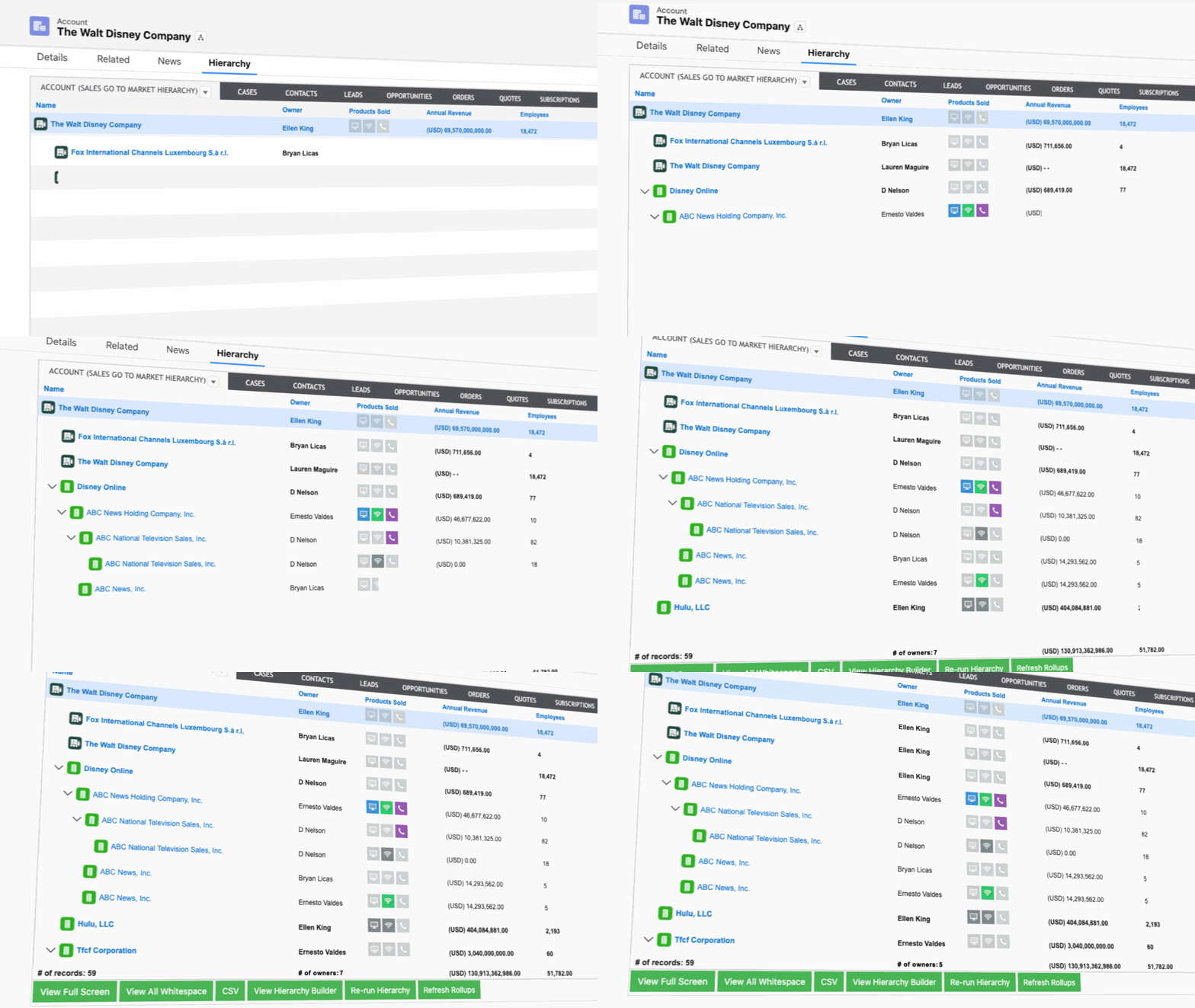
Hierarchy data only provides value when it’s clean, connected, and actionable.
And for many teams, that’s the friction — native Salesforce can show relationships, but you cant can’t use them to drive any automation.
And once you add exceptions, custom flows, and APEX code to bridge the gap, your whole system becomes fragile.
But stability is just the baseline.
To actually scale and move at the speed of your business, your account hierarchies need automation, accuracy, and consistency.
Here’s how Complete Hierarchies helps you operationalize account hierarchies:
- Custom hierarchy views reflect your actual GTM and sales structure. Because Complete Hierarchies supports multiple hierarchy models, you can organize accounts by legal structure, commercial ownership, or territory alignment.
Multiple hierarchy perspectives empower teams to work through the lens that best supports their motion, rather than forcing their process to align with Salesforce’s default hierarchy. - Rollup reporting consolidates activity and data across the entire account family. Once accounts are properly linked, Complete Hierarchies can surface revenue, open opportunities, and engagement across parents and subsidiaries in a single view.
And when all related activity rolls up into one view, evaluating coverage, engagement, and growth potential gets much easier.
- Hierarchy-aware routing keeps your assignments aligned with enterprise motions. With Complete Leads, assignment rules consider parent ownership, opportunity activity, and account strategy across the hierarchy, not just what’s present on the child record.
- Automated maintenance keeps your hierarchies as companies grow, merge, and restructure. Complete Hierarchies integrates with third-party data providers like D&B and ZoomInfo to automatically build, manage, and update account structures as they change.
You avoid the litany of manual fixes, and your routing, ownership, and reporting stay tied to a clean and up-to-date customer view.
Sometimes you have subsidiaries but you don’t have the parent in your system.
Stephen Daniels, Senior Director of Revenue Operations at Cresta
Complete Hierarchies actually shows you that whitespace and allows you to add accounts in one swift motion.
I don’t think any other vendor on the market does that.
How Complete AI Takes Account Hierarchies Even Further
Many RevOps enterprise AI trends promise the moon, but the majority fall short because they can’t integrate into the daily workflows that teams actually use.
We take a different approach by focusing on that operational layer, strengthening your data foundation while reducing manual upkeep.
Here are some field-tested ways Complete AI takes your hierarchies further:
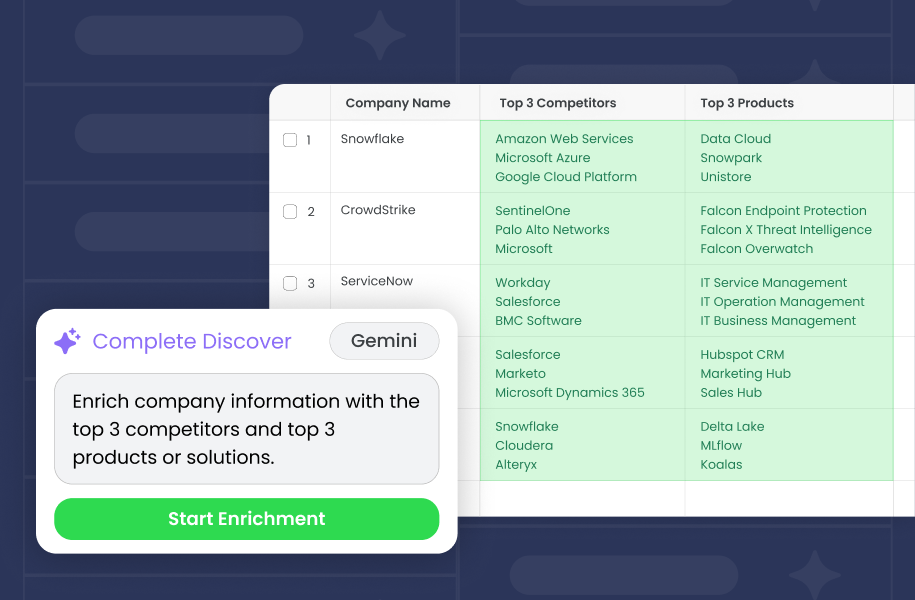
- AI-augmented account enrichment. A single flow step leveraging Complete AI instantly populates firmographic details such as NAICS codes, revenue ranges, and employee counts, giving you up-to-date information you can act on right away.
- AI-generated account hierarchy insights. Complete AI scrapes news and online sources for corporate mergers, acquisitions, and restructuring, and recommends hierarchy updates as they happen, so you operate from the most current account context.
- Automated account research. Complete AI helps fill in any Salesforce field you choose with information like M&A activity, business descriptions, and YoY revenue changes.
All enriched context lands on the account record, so teams get the information they need without manual research or juggling external tools. - Automated account hierarchy building. Complete AI can link non-legal entities — like brands, franchises, and strategic partnerships, giving you AI account hierarchies that traditional data providers miss.
And because they plug directly into your pre-existing workflows, you can run these AI RevOps automations every day and reap the benefits immediately.
Stop Managing Account Hierarchies. Start Using Them
Native Salesforce account hierarchies give you a starting point, but not much else.
When your hierarchy can’t power automation, surface whitespace, or keep pace with how your business actually sells, it stops being an asset and starts being a liability.
The teams winning on enterprise accounts aren’t fighting their CRM to get there. They’re working with hierarchy data that’s clean, connected, and built to scale.
If you’re ready to move beyond what native Salesforce hierarchies can do, book a demo today.

On-Demand Demo: Build vs. Buy Hierarchies (and How AI Can Help)
Ready to dig deeper into the build vs. buy decision?
Watch our on-demand session with Klaviyo’s Lead Systems Architect, Traction Complete’s Product Marketing Manager, and Pre-Sales Director as they break down the real costs of building hierarchies, how automation and AI fill in the gaps, and why better hierarchies drive whitespace visibility, territory design, and accurate NRR.