AI is reshaping revenue operations faster than most teams can keep up.
But while enthusiasm is high, readiness isn’t. Insights from RevOps leaders show the same pattern again and again.
Everyone wants to scale AI, but very few have the data quality, governance, or internal alignment needed to support it.
As a result, businesses and teams are stuck in the middle.
CFOs are looking for ROI. CIOs push back on data exposure and security. GTM teams want efficiency but can’t trust automation without guardrails. And RevOps is left trying to connect all three – while vendors promise bells and whistles, and internal stakeholders expect overnight transformation.
The truth is that most teams don’t struggle with AI itself. They struggle with the foundations:
- Fragmented CRM data
- Unclear ownership
- Unpredictable integrations
- A lack of defined metrics
- Inconsistent adoption
Before investing in any AI-powered platform, RevOps teams need a framework that answers the questions your executive team – and your future self – will be asking.
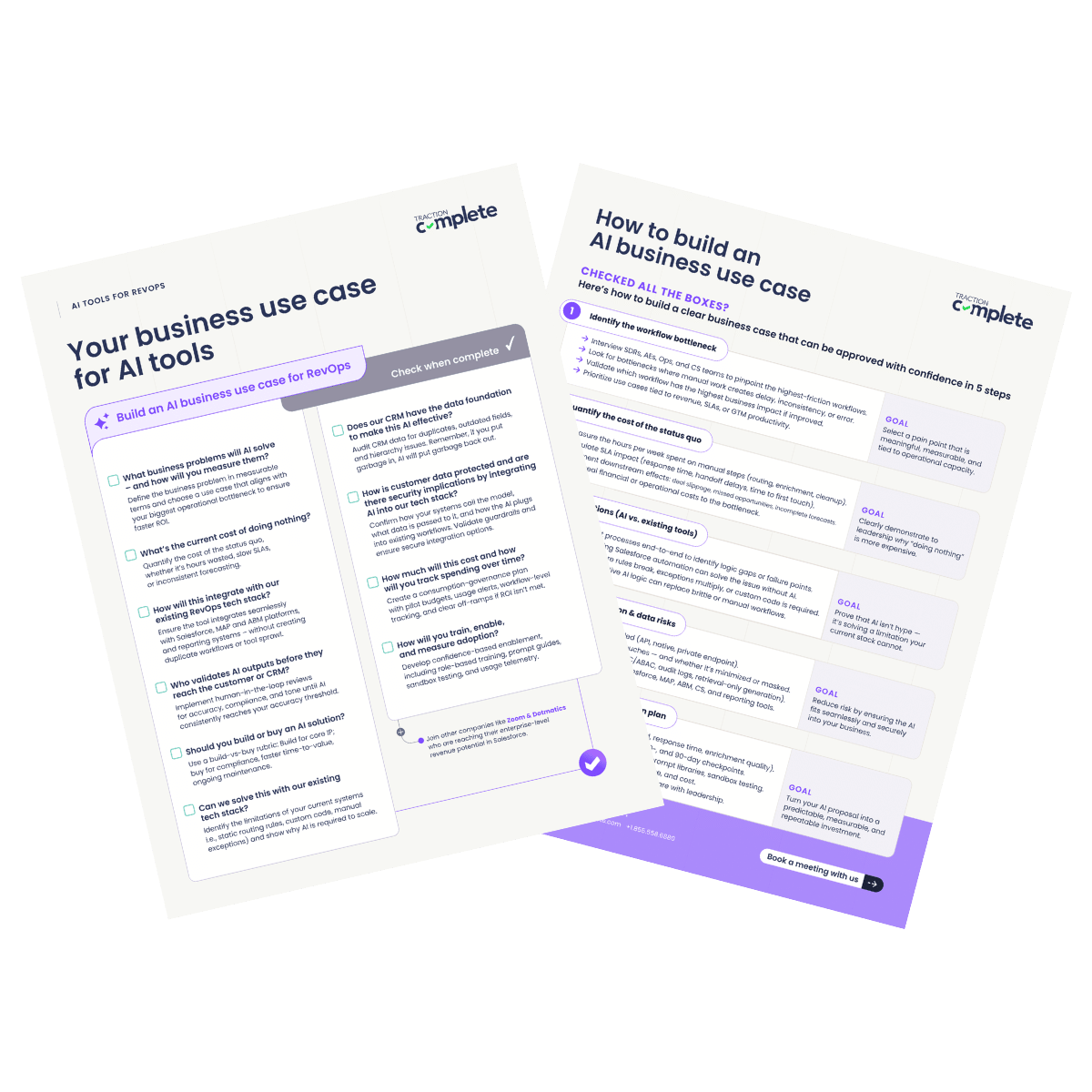
Here are 10 questions that every RevOps leader should before buying an AI tool, plus five steps to build a business case to present to leadership.
10 Questions to Ask Before Buying an AI Tool
1. What business problems will AI solve and how will you measure them?
On its own, AI isn’t a strategy – it’s a lever for solving specific, high-value problems. Before evaluating any tool, start by identifying the real bottleneck you’re trying to solve.
Does your RevOps team need to fix:
- Slow lead routing
- Inconsistent data
- Manual enrichment
- Processes the break at scale
- Sales reps spending hours on low-quality leads
According to RevOps leaders, some of the most common challenges include:
- Manual lead routing that takes hours to days to update
- Inconsistent account assignment rules
- Forecasting built on incomplete or stale data
- Reps spending hours enriching, or normalizing data before handoff
- BDRs researching accounts that should already be matched
Executives will ask: “What changes – and how will we measure that it worked?”
Here’s how to isolate the business problem that AI can solve and present it to leadership:
1. Interview the right people: Talk to SDRs, AEs, Sales Ops, Marketing Ops, and CS about what slows them down, what’s repetitive or error-prong, where they struggle with data, and where they lose the most time in their week.
2. Map the workflow you’re trying to improve: Document the steps, handoffs, tools involved, and time needed at each step.
An example workflow: Lead → Enrich → Match → Route → Assign → Engage
3. Quantify pain using real numbers: These are the examples that RevOps can easily measure and that leadership will want to see. Think about challenges around handoffs, administrative work, duplicate data, and forecasting.
Here are some examples:
“Sales reps spend 15 hours a week manually normalizing data for reporting, delaying our forecast by two days. This solution will automate that low value work.”
“Engineering teams spend upwards of 10 to 15 hours per month maintaining and modifying assignment rules, and it takes up to a week before those changes are reflected in Salesforce.
4. Translate these into KPIs: Having measurable targets is also crucial to getting leadership buy-in.
The most successful teams publish monthly AI ROI dashboards that demonstrate cost, usage, adoption, and accuracy.
You can define success with KPIs like:
- Hours saved per rep per week
- Cost per action
- Accuracy improvement for enrichment or matching
- Faster routing or handoff times
- Improved SLAs
- Adoption and usage rate
- Reduced time-to-pipeline
Outlining metrics and ROI targets early creates visibility, while also building trust and unlocking continued funding.
2. Can we solve this with our existing tech stack?
AI shouldn’t replace automation that already works – it should augment areas where your tech stack falls short.
In many RevOps environments, the limitations are easy to see:
- Existing routing rules are static and too difficult to scale
- Exceptions require custom code or one-off workarounds
- Automation breaks when edge cases multiply
- The system lacks the native intelligence to adapt in real time
Other reasons why your existing tech stack may fall short could include:
- Workarounds have become operational debt. If you’re running spreadsheets along Salesforce logic, toggling between multiple enrichment sources, or relying on manual overrides, your capacity for scale is likely already maxed out.
Before partnering with Traction Complete, Veracode relied on custom code in Salesforce to automate lead assignment and territory management. But as the company’s technical requirements scaled, so did its legacy code, creating problems such as CPU timeout issues and synchronization problems within its other Salesforce apps. - Your data model isn’t AI-ready. Many RevOps teams have custom objects, legacy fields, and inconsistent parent-child hierarchies that rules engines can’t reason through – but AI can.
In order to determine whether an AI tool is a necessity (and not a nice-to-have) follow these steps:
1. Analyze existing automation. Review Salesforce Flows, APEX triggers, territory assignment rules, enrichment automations, and manual steps inserted into automated flows.
You’re looking for:
- Decision trees with more than 10 branches
- Salesforce Flows and APEX triggers that require frequent updates
- Exception logic that breaks easily
- Logic that’s too difficult to maintain
2. Run a stress test.
Ask questions like:
- If our lead volume doubled, would this still work?
- If five new routing exceptions appear, can we support them?
- If enrichment fails, do we have fallback logic?
3. Present clear evidence of the limitations. You need a clear, defensible answer to why your current systems aren’t built to solve the problem at scale.
For example: “Our current lead routing rules are too static and require custom code for every exception. We build exceptions every time that territories are reassigned or that our GTM strategy changes. This AI tool provides dynamic, adaptive logic that scales instantly without engineering overhead.”
3. What is the current cost of doing nothing?
AI investments are rarely justified by the promise of future efficiency – they’re justified by the cost of current inefficiencies in your GTM strategy. That’s why it’s essential to quantify the status quo.
The cost of doing nothing often shows up as:
| The Cost of Doing Nothing | |
|---|---|
| Slow lead response times. | Missed meetings, lower conversion. |
| Reps spending hours on administrative work. | Less time spent selling and building pipeline. |
| Inaccurate account hierarchies. | Broken attribution and territory disputes. |
| Late, inconsistent, or incomplete forecasting. | Leadership flying blind. |
| Duplicate records. | Wasted marketing spend, confused and inefficient sellers. |
| No standardized handoff processes. | Deals slipping as they move between teams. |
When leaders can see the financial and operational impact of the current state, the case for AI becomes significantly clearer — and harder to ignore.
Here’s are two steps to calculate the cost of “doing nothing.”
1. Quantify manual work. Whether it’s time spent enriching leads, cleaning accounts, or fixing routing errors, multiply that by the role’s hourly cost, the number of people affected, and frequency of the task.
2. Quantify revenue leakage.
Look for:
- Slow lead response → lost meetings
- Missed SLAs → lower conversion rates
- Bad hierarchy data → lost AE coverage, account conflicts, territory disputes
- Duplicate records → inaccurate attribution
Again, tie the inefficiencies in your GTM strategy to the cost of doing nothing: “A five-hour lead routing delay reduces meeting-booked rate by 40%”
Before leveraging Traction Complete, Copado’s team handled 60% of lead-to-account matching and routing by hand. They were stuck on administrative tasks, rather than strategic initiatives, and these manual processes weakened pipeline opportunities.
Complete Leads helped them increase post-event pipeline by 160% and reduce inbound lead SLAs from three to six hours to just 90 minutes.
Learn how they did it here.
4. Does our CRM have the data foundation to make this AI effective?
AI can’t compensate for bad data. Put garbage in and you’ll get garbage out.
If your CRM is full of duplicate data, outdated records, or inconsistent fields, that’s exactly what your AI will learn from.
That’s why before buying, you need to audit your data readiness:
- Are fields standardized?
- Are account hierarchies accurate?
- Is enrichment current and consistent?
- How often do sales reps override fields or manually create new accounts?
Here’s how to evaluate the data foundation of your CRM:
1. Run a CRM data audit.
Measure:
- Duplicate rate on leads, contacts, accounts
- Lead-to-account match rate (or match rates across other objects)
- Percentage of accounts missing enrichment
- Inconsistent values in picklists
- Incorrect parent-child relationships
2. Identify root causes. These could include SDR-created accounts bypassing rules, no domain normalization, unstandardized job titles, no enrichment fallback logic, and sales overriding owner fields.
3. Score data readiness. Build a rubric that scores your data hygiene, completeness, consistency, and trust.
4. Ask vendors hard questions about how their AI tools handle data.
- What happens when enrichment is wrong?
- How do you validate field-level updates?
- How do you detect fake accounts?
- Does data leave Salesforce to process records?
Pro Tip: Normalize Salesforce fields automatically with Complete AI
In our 2025 RevOps AI Leadership Survey, RevOps professionals reported that manual CRM administration and data hygiene take up more time than any other task. AI-powered normalization reduces that manual work, while also creating consistent data that teams can trust.
READ: How to Normalize Salesforce Fields with Complete AI
Many teams will discover that their first step isn’t adopting AI – it’s data quality.
AI only becomes valuable once the foundation is stable.
5. How will this integrate with our existing RevOps tech stack?
Like other pieces of your tech stack, the best AI tools in the world will fail if they live in a silo.
Integration and interoperability determine whether the purchase delivers ROI or whether it introduces confusion.
Before deciding on a tool, understand:
- Does it connect natively with Salesforce (not just via API)?
- Does it preserve existing flows, process builders, or Apex logic?
- Will it sync cleanly with your MAP (Marketo, Hubspot, Pardot)?
- Does it support your ABM platform or usage data source?
- Will it break attribution, MQL logic, or lead scoring?
If it doesn’t integrate seamlessly, RevOps teams risk fragmented reporting, conflicted routing logic, duplicate enrichment data, and frustrated SDRs and AEs.
Here’s how to check how well your AI tool will integrate into your existing tech stack:
1. Map your tech stack. This includes Salesforce, your MAP, ABM and CS tools, BI tools, and any enrichment tools or data providers.
2. Identify shared fields and dependencies.
For example:
- Does lead score depend on job title normalization?
- Does MQL and SQL logic depend on industry and employee count?
- Will attribution rely on accurate, up-to-date account hierarchies?
3. Validate the AI tool’s fit into your tech stack.
Here, you want to ask questions like:
- Does it output data in formats our MAP expects?
- Will it break scoring, routing, attribution, or negatively affect our SLAs?
4. Test integration complexity. You want to understand if the tool is native to Salesforce and if it can support custom objects or cross-object logic.
Solutions like Complete AI work across any object in Salesforce, including custom objects. This allows RevOps teams to apply the same logic to clean, enrich, and structure records with AI – whether they’re managing partners, event signups, or form submissions.
Remember, at the end of the day, the goal is to reduce tech sprawl – not increase it.
6. How do you protect customer data?
This is the first question that nearly every CIO will ask.
RevOps leaders at AI unfiltered shared that their biggest anxiety isn’t about AI producing wrong outputs – it’s about where the data goes, how it’s processed, and what hidden systems it flows through.
Before any tool gets approved, RevOps needs to know and articulate:
- Where the model lives
- How the AI is invoked
- What data it receives
- Where risk boundaries exit
Here’s how you can ensure that customer data is protected:
1. Diagram the entire data flow for the AI integration. Leadership wants traceability – if you can’t track it, don’t deploy it.
Map:
- Where data enters the model
- Whether data leaves Salesforce
- Whether PII is included
- What API calls are made
- What fields the AI can read and write
- Whether the model has temporary or persistent storage
2. Document how the mode is invoked (the call pattern).
You’ll need to answer:
- Is the AI invoked per record, per batch, or per workflow?
- Is the call synchronous or asynchronous?
- Does the model generate a response based on a grounding layer?
- Does your org use guardrails to constrain certain prompts?
- Is execution happening inside Salesforce or externally via API?
Before any tool gets buy-in, you’ll need to explain where the AI is hosted, as well as how data is stored, processed, and secured.
You need to know:
- Where the AI model is hosted
- Whether your data leaves Salesforce
- How the AI model uses (or doesn’t use) your data
- How long data is stored or cached
- Who can access it internally or externally
3. Establish guardrails before implementation. AI should empower RevOps – not bypass them.
Consider using guardrails like:
- Safe fail states
- RBAC/ABAC permissioning
- Read-only access in the first phase of implementation
- Human-in-the-loop approval for customer-facing or high-risk fields
7. Who validates AI outputs before they reach the customer or CRM?
AI is fast but it isn’t flawless. That’s why it’s important to understand and define how human oversight fits into your use case.
RevOps leaders are adopting a human-in-the-loop approach:
- AI drafts.
- Humans review.
- Salesforce updates (only after approval)
- Accuracy improves through feedback
What kind of AI workflows may need validation early on?
- Enrichment updates
- Routing recommendations
- Augmenting account hierarchies with suggested relationships
- Forecast adjustment
- Customer-facing email content
Here’s how you can do this.
1. Implement a human-in-the-loop approval workflow. Having AI initially suggest routing or enrichment, instead of auto-applying it, increases trust significantly.
Don’t immediately allow AI to make updates to your CRM with zero oversight. Instead, draft, review, and then update.
2. Assign ownership for each type of AI suggestion. Who should own AI suggestions for routing, enrichment, hierarchy updates, and forecasting?
Defining ownership not only improves the AI outputs, it drives adoption and validation.
3. Track override rates and accuracy.
RevOps leaders at AI Unfiltered shared that:
- Tracking accuracy trends helped them decide when to reduce oversight
- Override insights help improve training data and prompts
- High override rates can signal underlying data issues (not AI issues)
Until your model hits consistent accuracy (over 95%, for many businesses), be sure to implement human review to ensure compliance, data integrity, and tone consistency.
8. How much will this cost and how will you track spending over time?
AI costs can scale quickly with usage (think API calls, tokens, enriched records), demanding a clear governance plan to track spending.
Defining a cost strategy upfront helps get buy-in and avoid surprises:
- Pilot budget and success criteria
- Clear off-ramps if outcomes aren’t met
- Usage-based cost monitoring per workflow
- Alerts and monitoring for spend spikes and anomalies
- Monthly spend reports tied to ROI
RevOps teams that can establish cost visibility maintain stronger CFO confidence – and avoid expensive surprises.
These are the steps you should take to manage and track spending for your AI tool:
1. Ask vendors about real-world consumption patterns.
You should ask questions like:
- What is a typical usage rate for a team of our size?
- What causes unexpected token spikes?
- Do you offer daily cutoffs?
2. Build workflow-level cost estimates. Break down how much workflows for routing, enrichment, validation, and other tasks might cost.
3. Set budget guardrails early. Implement specific guardrails such as daily or weekly usage alerts in Slack, role-based consumption limits, API throttling during rollout, and a cutoff point if spend exceeds a certain budget.
9. Should you build or buy an AI solution?
The build versus buy question has existed long before AI tools entered the market.
Both approaches have their pros and cons. Building is accessible, adaptable, and can leverage native tools that Salesforce offers.
However, as your GTM strategy grows and use cases evolve, the trade-offs become clear – think ongoing maintenance and edge-case logic to scaling visibility across departments and different systems.
According to MIT’s State of AI in Business 2025 report, strategic partnerships (or buying) achieved a higher share of successful deployments than internal development efforts.
“While organizations often combined approaches, pilots built via strategic partnerships were 2x as likely to reach full deployment as those built internally. More strikingly, exmployee usage rates were nearly double for externally built tools.”
– State of AI in Business 2025, MIT
If you’re still between building and buying, the answer can also vary based on your strategy.
Build when:
- The logic is deeply proprietary
- You have predictable engineering and development resources
- The workflow is unique to your business
- You require total control
Buy when:
- Compliance and security matter
- Time-to-value is critical
- You want ongoing maintenance handled
- You don’t want to manage versioning or model drift
10. How will you train, enable, and measure adoption?
AI fails more due to a lack of adoption than lack accuracy.
RevOps experts at AI unfiltered shared how they build adoption plans, which include:
- Role-specific onboarding
- Prompt playbooks and examples
- Safe testing environments
- Office hours and internal champions
- Usage telemetry and weekly reporting
- Clear definitions of “good usage”
Here’s how to drive adoption across your team.
1. Build enablement around confidence, not compliance. Increase confidence by hosting live workshops, creating safe sandbox environments, and highlighting team wins in Slack.
2. Deliver role-specific training. Generic training will lead to poor adoption and varied results.
Different roles need different playbooks:
- SDRs want AI for enrichment and outreach.
- AEs use it for research, summarization, and forecasting.
- Ops teams use it for data hygiene, routing, and validation.
3. Create an internal network of AI champions. RevOps leaders at AI unfiltered said that champions were the single most important factor in scaling adoption.
They reach others, identify new use cases, test workflows before rollout, and reduce fear of unknown results.
4. Measure adoption with metrics. This ties back into those key metrics of success that you want to outline.
Track:
- Feature usage
- Task completion by role
- Accuracy over time
- Reduction in manual work
How to build an AI business case for RevOps: 5 Steps
Building an AI business case isn’t about proving that AI is exciting – it’s about proving that it’s necessary, safe, and likely to succeed in your specific GTM environment.
The most successful teams follow a structured evaluation process that’s centered around ata, security, ROI, and adoption.
Here’s a five-step framework used by high-performing RevOps teams.
Step 1: Identify the workflow bottleneck
Most failed AI initiatives start with “we want AI,” instead of “we need to fix this.”
Your business case will succeed if the bottleneck is painfully obvious.
- Interview SDRs, AEs, Ops, and CS teams about their biggest friction points
- Observe where work slows down. Is it lead routing, enrichment, matching, or forecasting?
- Document where manual tasks pile up
- Look for repeated exceptions, edge cases, or human rework
- Identify where delays directly impact pipeline or revenue
Step 2: Quantify the cost of the status quo
The most persuasive AI business cases show that inaction is more expensive than investing.
Leadership responds to numbers, not narratives.
Quantify the current cost:
- Calculate manual hours per role per week
- Identify SLA misses, delays, or bottlenecks caused by manual work
- Estimate conversion loss due to slow routing or bad data
- Quantify revenue at risk from inaccurate or incomplete CRM data
Use formulas like:
- Hours per rep × fully loaded comp × team size
- Lead response delay × conversion impact × pipeline value
Step 3: Evaluate solutions (AI vs. existing tools)
Your executive team shouldn’t want AI for the sake of having AI.
They want to know whether AI is the only viable way to solve the problem.
Evaluate whether AI is truly required:
- Map the existing workflow step-by-step
- Identify where Salesforce Flows, custom APEX code, or MAP logic break down
- Test if the workflow fails when volume increases
- Document how many exceptions your rules engine requires today
- Assess whether your CRM can support increasing logic and custom rules
Step 4: Assess integration, data flow, and security risks
The biggest reason that AI projects stall, according to AI Unfiltered, isn’t accuracy – it’s security and data governance.
CIOs want predictable, documentable data flows and RevOps leaders must show exactly how AI integrates with their tech stack.
How to evaluate integration and security:
- Test how the AI impacts Salesforce flows, scoring, attribution, and reporting
- Diagram how your systems will call the model
- Document what data is passed into the model
- Determine whether PII is needed or can be masked
- Identify whether data leaves Salesforce
- Validate deployment options (native, private endpoint, VPC)
- Review support for guardrails: RBAC/ABAC, audit logs, write permissions
- Test how the AI impacts Salesforce flows, scoring, attribution, and reporting
Step 5: Define ROI targets and build the adoption plan
Every business case will need ROI targets and outlined metrics of success.
On top of that, training, confidence, and adoption across users will help drive success and ROI.
How to define ROI:
- Establish baseline metrics (hours spent, SLA times, accuracy)
- Identify three to five KPIs that matter most to CRO/CFO
- Forecast worst-case, expected, and best-case scenarios
- Build a dashboard to track accuracy, cost, and usage
Industry leaders at AI Unfiltered looked for KPIs like:
- Hours saved per rep per week
- Accuracy uplift (enrichment, matching, routing)
- Lead response time improvement
- Reduced duplicate rate
- Forecast reliability
- Cost per action
Here’s how to build an adoption plan:
- Track usage and trust (self-reported confidence)
- Deliver role-specific onboarding
- Provide prompt libraries & templates
- Run weekly “AI office hours”
- Deploy human-in-the-loop review for early-stage AI
- Identify internal “AI champions” in each GTM function
How Complete AI can help RevOps teams scale
Built into Salesforce, Complete AI helps RevOps leaders automate the manual upkeep that drains their time, while also setting the stage for more advanced AI initiatives and strategic projects.
Users can enrich, validate, normalize, and standardize data, as well as augment hierarchies around their unique GTM motions:
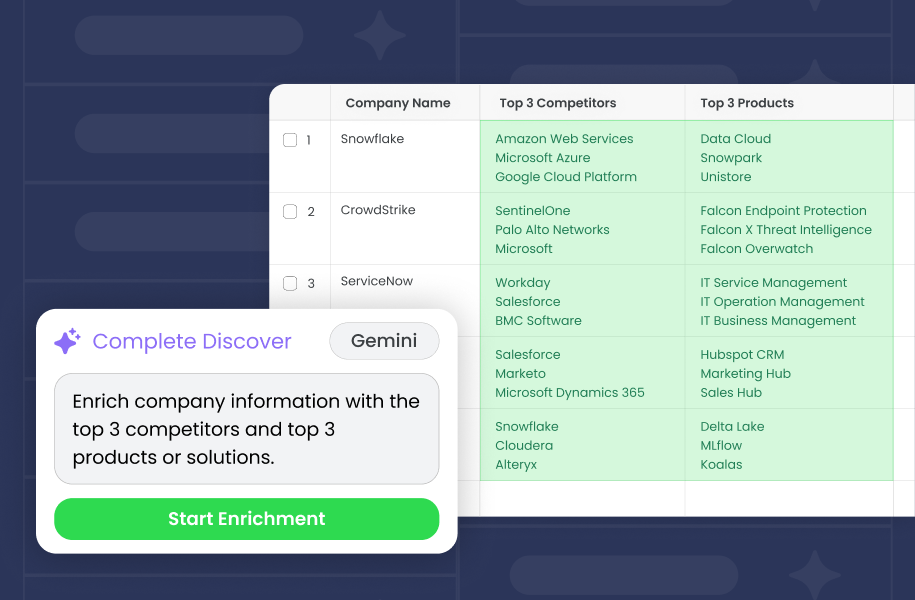
- Enrich accounts with firmographic detail. AI can populate fields like industry (NAICS codes), revenue, and employee count from limited information like a company name and domain.
- Validates records in real time. Instead of relying on static validation rules that only catch formatting errors, AI can spot fake or irrelevant entries (like “Test Testerson”) before they enter Salesforce.
- Normalizes fields. AI interprets variations in job titles, company names, and regions, then applies consistent formats so routing, matching, and reporting run smoothly.
- Standardizes at scale for usability. AI formats structured inputs like phone numbers, addresses, or custom fields into a uniform standard so downstream processes like reporting run smoothly without manual cleanup.
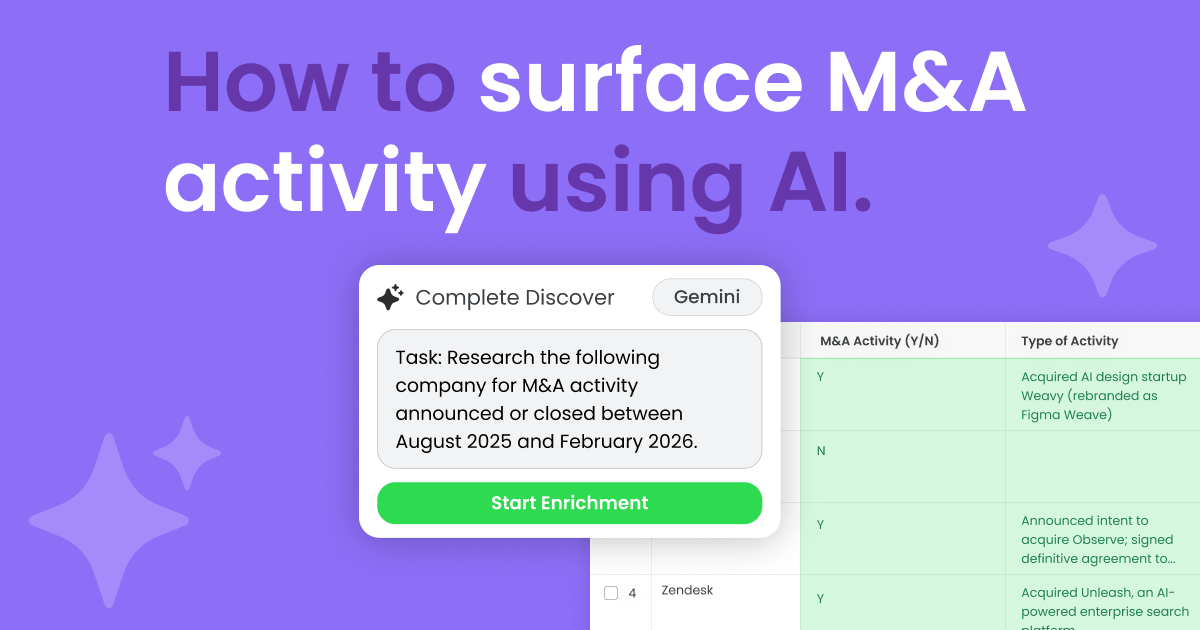
- Augments account hierarchies. AI identifies and connects related accounts — including subsidiaries, brands, and M&A activity — by scraping news and other online sources. This gives teams timely visibility into customer relationships and expansion paths, often before updates appear in external databases.
Most AI initiatives stall when they try to reinvent the wheel. Leveraging AI within Salesforce makes RevOps automation smarter, more resilient, and more revenue-driven. Discover five AI automations that eliminate grunt work and improve data quality.
READ: 5 AI RevOps Automations That Actually Work
Bring context to every record, flow, and decision in Salesforce with Complete AI
AI isn’t magic, it’s a multiplier.
It makes efficient teams faster and amplifies the messy and outdated processes that live in your CRM.
RevOps teams aren’t just responsible for evaluating tools – they’re responsible for turning hype into risk-managed, measurable business outcomes that CRO, CIO, and GTM leaders can trust.
By answering these 12 questions upfront, you’re not just evaluating an AI tool or platform – you’re building a business case your organization can stand behind.

Ready to try out an AI solution that integrates with Salesforce and directly improves your workflows, account data, and GTM execution? Book a demo today or get the FREE business case checklist with 10 questions you need to answer before buying an AI tool, as well as five steps to build an AI business case.