Everyone wants the upside of AI data enrichment, but few have the capacity to filter hallucinations, unverifiable data, and flimsy sourcing from reality.
The promise of AI data enrichment isn’t just “better data,” it’s the ability to uncover revenue signals that manual research is too slow to catch.
But while these signals are valuable, scaling them across your whole database is risky if you can’t see what’s happening inside the black box.
Recent research from NeurIPS – the world’s most prestigious peer-reviewed AI conference – found that at least 25% of references in AI-augmented research papers were hallucinations.
So if a rigorous, academic peer-review layer couldn’t catch these lies, it’s fair to feel guarded about letting AI data enrichment loose in Salesforce.
The unfortunate reality is that an AI or Large Language Model (LLM) getting “smarter” doesn’t automatically make it more accurate.
So you might get faster output, but you won’t get better decisions.
Still, the pressure to move from cool and fun AI pilots to actual results is only increasing.
And as these tools move under the lens of increased budgetary and ROI scrutiny, you need a way to prove the data is not just accurate – but clean – before it’s allowed to touch production.
And making that leap safely requires a way to use these new tools without gambling on your live data.
Introducing Complete Discover: The AI Data Enrichment Sandbox for RevOps
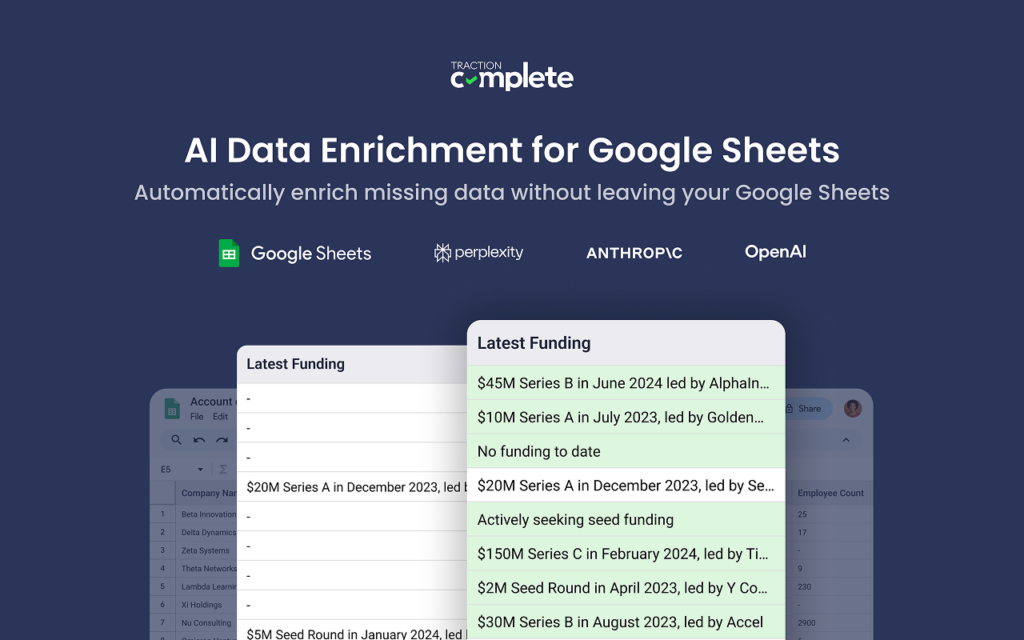
For RevOps teams, protecting Salesforce as the source of truth is non-negotiable. When unverified AI-generated data writes directly into the CRM, that trust breaks down.
We built Complete Discover as a dedicated pre-production sandbox to remove that risk.
It’s a lightweight Google Chrome Extension that brings AI data enrichment directly into Google Sheets, where teams can prototype, iterate, and validate AI-generated data before updating a single record in Salesforce.
Who’s it for?
Complete Discover is designed for Revenue Operations, Sales Ops, and Marketing Ops professionals who need the scale of AI but cannot afford the “black box” liabilities of standard AI enrichment tools. It provides a low-risk environment to perfect your AI strategy without gambling on live production records.
The LLMs: Your choice of intelligence
You aren’t locked into a single provider. Complete Discover lets you select the best model for your specific task:
- OpenAI (GPT-4/GPT-5.1)
- Anthropic (Claude)
- Perplexity
- Google (Gemini)
How Complete Discover works and sets up
Setting up your AI data enrichment sandbox takes minutes and requires zero code:
1. Initial configuration and governance
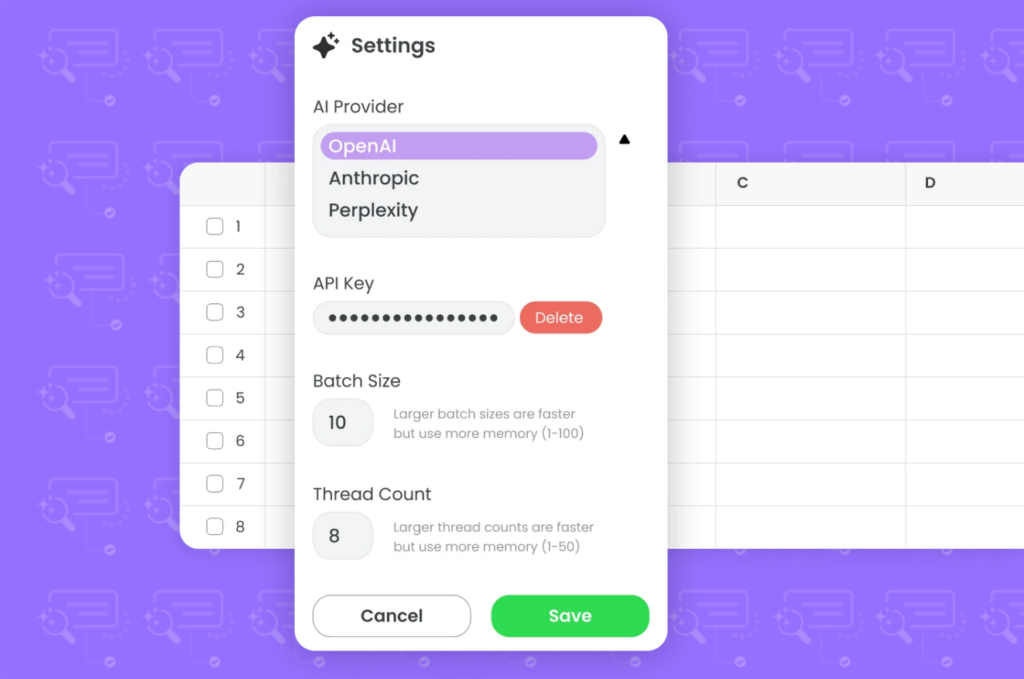
- Sign-in and LLM setup. Open the extension within Google Sheets and use the settings menu to select your preferred AI provider.
- Bring your own keys. Paste your own API key (OpenAI, Anthropic, Perplexity, or Google). This ensures you maintain full governance over data security, usage, and AI costs directly at the source—no “black box” vendor markups.
- Validate parameters. Define your batch size (1–100), which controls how many rows are processed in a single request. We recommend starting with a small batch size to test prompts, outputs, and edge cases before scaling up.
Set your thread count (1–50), which determines how many batches run in parallel. Start with a lower thread count to avoid rate limits, memory pressure, or partial failures, then gradually increase once you’ve confirmed stability and consistent results.
2. Prepare your AI data enrichment sandbox
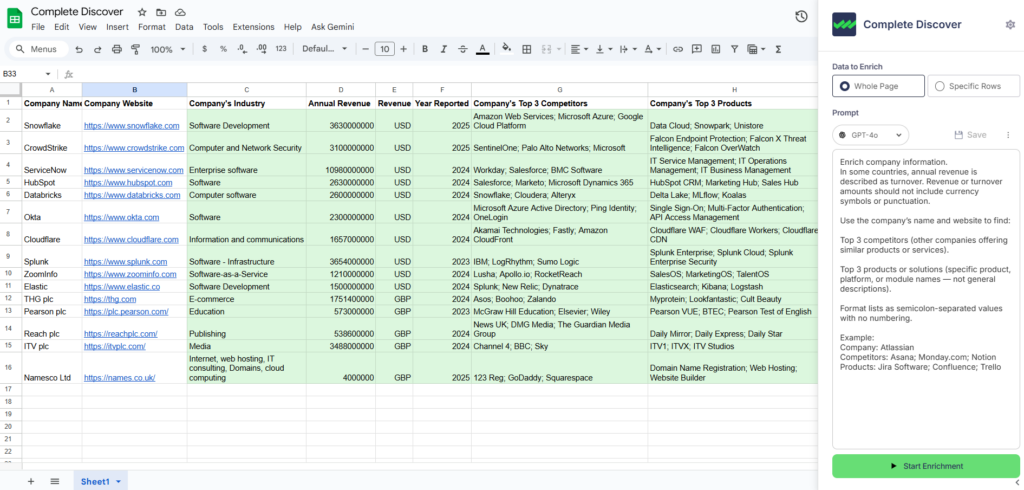
Complete Discover is flexible by design; you can pull data directly from Salesforce or upload a CSV.
- Descriptive headers. Ensure your sheet has clear headers like “Company Name,” “Domain,” or “Annual Revenue”. The AI uses these headers to understand the context of each row.
- Metadata columns. You can add specific columns for the AI to populate, such as Source URLs and Confidence Scores. This lets you audit and verify each field before the data ever reaches production.
A single AI response is just a guess, but since Complete Discover lets you use multiple headers and metadata columns, you can triangulate multiple signals for accuracy.
Imagine you’re tracking Salesforce’s acquisition of Informatica.
In Complete Discover, you can use three columns to verify reality:
- Column A (Parent Identity). “Who is the current ultimate parent of Informatica?”
- Column B (Source Verification). “Find a press release or official announcement confirming Salesforce’s acquisition of Informatica.”
- Column C (Logic Filter). “Based on the result, should this account be re-parented under Salesforce?”
If all three signals align, your confidence is high. If they conflict, you’ve flagged an error in a spreadsheet instead of breaking something in Salesforce.
3. Prompt engineering with dynamic tokens
This is where you refine your logic. Instead of a static “Enrich” button, you write natural language instructions for the AI to follow.
- Dynamic context: Use tokens like [Company Name] or [Website] within your prompt to create personalized, complex queries that pull from multiple fields in your sheet.
- Instructional detail: You can make prompts as simple or detailed as needed, instructing the AI on exactly how to format the output (e.g., “Return only the 6-digit NAICS code”).
4. Execute and iterate
Execution is iterative by design. Start small, observe how your chosen model behaves, then expand with confidence.
- Selective range: Process a specific range of rows to test your prompts and verify your instructions produce the correct results without consuming your entire API budget on a single test run.
- Refine the output: Monitor the results and adjust your prompts based on the accuracy of the AI’s “thinking.”
If a prompt is too broad, add constraints; if it’s missing details, add more dynamic tokens. Once the output consistently meets your GTM requirements, you can scale to larger batches. - Audit before sync: Every row is a separate API call. Because you can see the “before and after” in the sheet, you can manually verify high-stakes results, like Global Ultimate parent, before syncing them to your live Salesforce records.
Validating your ideas in a spreadsheet is the best way to test that your AI prompts are actually surfacing the right signals.
But how do you know when that data is truly ready to move from discovery to scale?
In this on-demand demo, we show you how to take that first step safely.
See exactly how to experiment with AI hierarchy augmentation and account enrichment using Complete Discover to verify your results before committing them to your live Salesforce environment.
Watch Now
How to Test Salesforce AI Data Enrichment with Complete Discover: 5 Ways
1. Prototype and refine custom AI prompts
Complete Discover lets you iterate on natural-language instructions and preview the output in Google Sheets first. That way, prompts are predictable (and scalable) before they ever touch production.
Say you want to identify a lead’s specific focus within a broad, catch-all category like healthcare.
Using a vague prompt like “what does this company do” might return a paragraph of text that’s unusable for routing.
But you can use the sandbox to text a more structured instruction:
| “Based on the website [URL], classify this company into one of three categories: Medical Device, Biotech, or Hospital System. Only return the category name.” |
By running this against a sample of 50 rows, you might realize the AI occasionally defaults to “pharma.”
You can then refine the prompt by adding a line that says “If the company sells drugs, classify it as Biotech,” and instantly see the results update across your test batch.
Other prompt engineering you can test with Complete Discover include:
- Experiment with dynamic tokens. Experiment with pulling in multiple fields – or columns in your spreadsheet – like[Company Name], [Website], and [Account Description] to create more context-heavy queries.
For example, if an account is named “Meridian,” the AI might find ten different companies with that name. By including the [Website] and [Account Description] tokens, you force the AI to anchor its search to your specific record. - Test fallbacks. You can see how the prompt performs when a field is empty. For instance, if [Account Description] is blank, does the AI still return a quality result using only the [Website]?
- Compare model logic: You might find that Claude 3.5 is better at summarizing long fields, while GPT-4o is more precise at extracting data into a specific format.
2. Connect related but hidden companies, subsidiaries, and brands
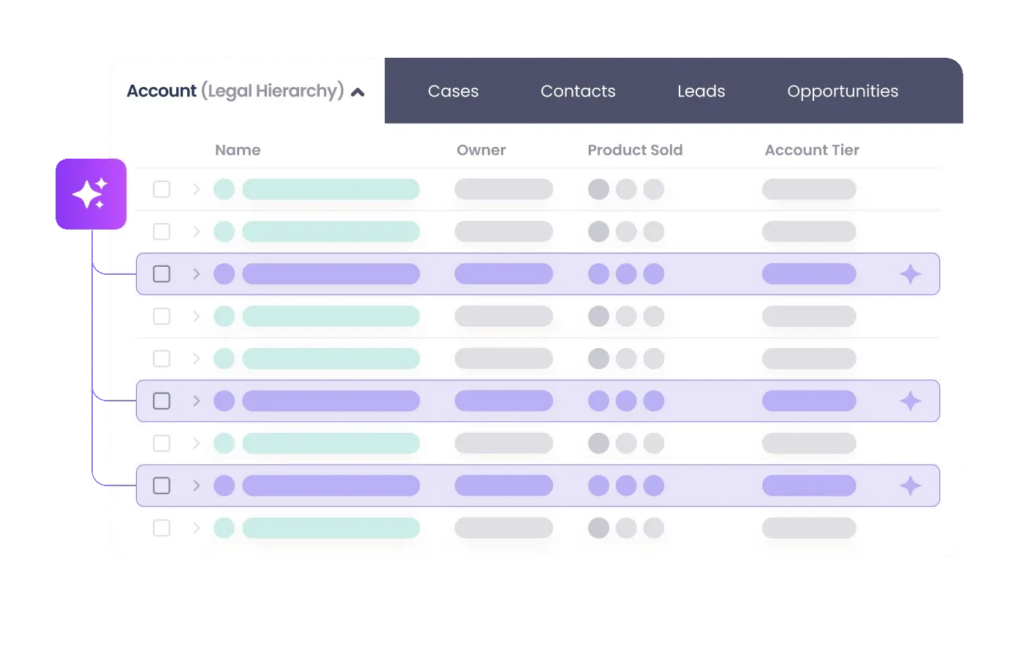
Firmographic data providers focus on the legal structures found in official compliance filings when providing hierarchy data, so they always miss informal brand relationships.
For example, a database might connect Gillette to Procter and Gamble (P&G) through a corporate filing, but fail to link Old Spice to P&G, despite P&G owning the Old Spice brand.
Complete Discover surfaces these connections by looking at live public signals to figure out who truly owns, operates, and controls an account. Using an LLM to scan news cycles and press releases, Complete Discover identifies real-world links that conventional firmographic providers haven’t indexed yet.
By helping you uncover these hidden connections – like “doing business as” (DBA) names and newly acquired brands – Complete Discover ensures your Salesforce hierarchies match your actual sales motions rather than outdated legal filings.
Prompt examples:
| Research [Company Name] and determine its current parent organization. If it is a subsidiary or brand of a larger conglomerate (e.g., recognizing that ‘Old Spice’ belongs to ‘Procter and Gamble’), return the name of the entity that owns and operates it, along with a source URL. |
| Search for all active brands, trade names, or ‘doing business as’ entities associated with [Account Name]. Provide a list of these brands and their primary websites. |
| Identify all international subsidiaries or regional divisions of [Account Name] currently operating in EMEA. Return the specific legal or commercial names used in those regions. |
3. Surface real-time sales intelligence and M&A triggers
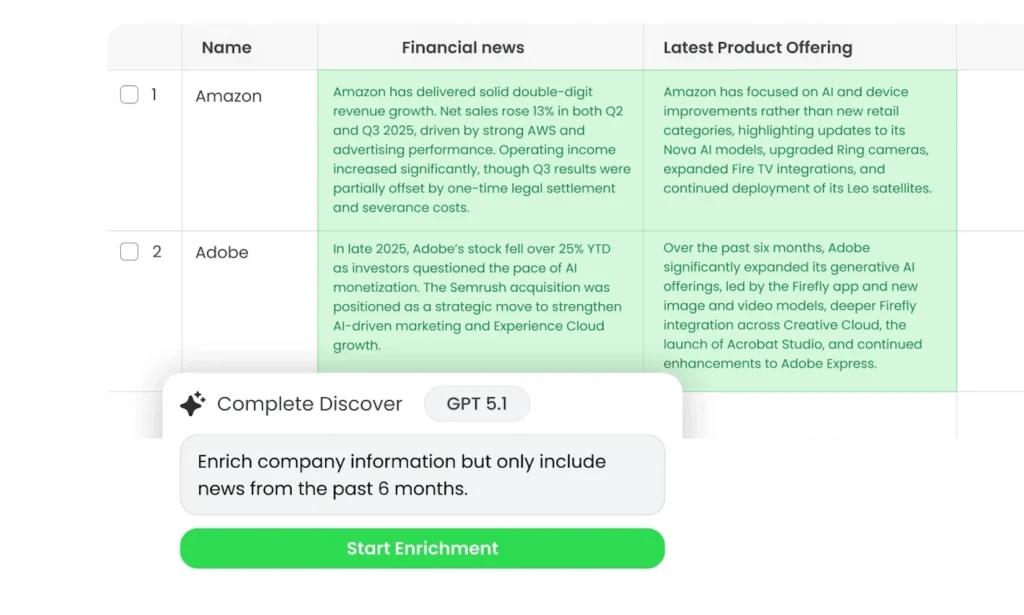
Traditional data providers often have a 30-to-90-day lag when reporting mergers, acquisitions, or leadership shifts, since they wait for verified filings and formal disclosures rather than early public signals like news and press releases.
That delay won’t break your data, but it does create a blind spot between when market events happen and when you’re ready to act on them.
Acting too early is risky; acting too late costs revenue. Critical opportunities for land-and-expand and re-engagement can pass before those signals even appear in your Salesforce instance.
But by using Complete Discover, you can leverage AI to surface breaking news and “why now” signals before they hit official databases.
Prompt examples:
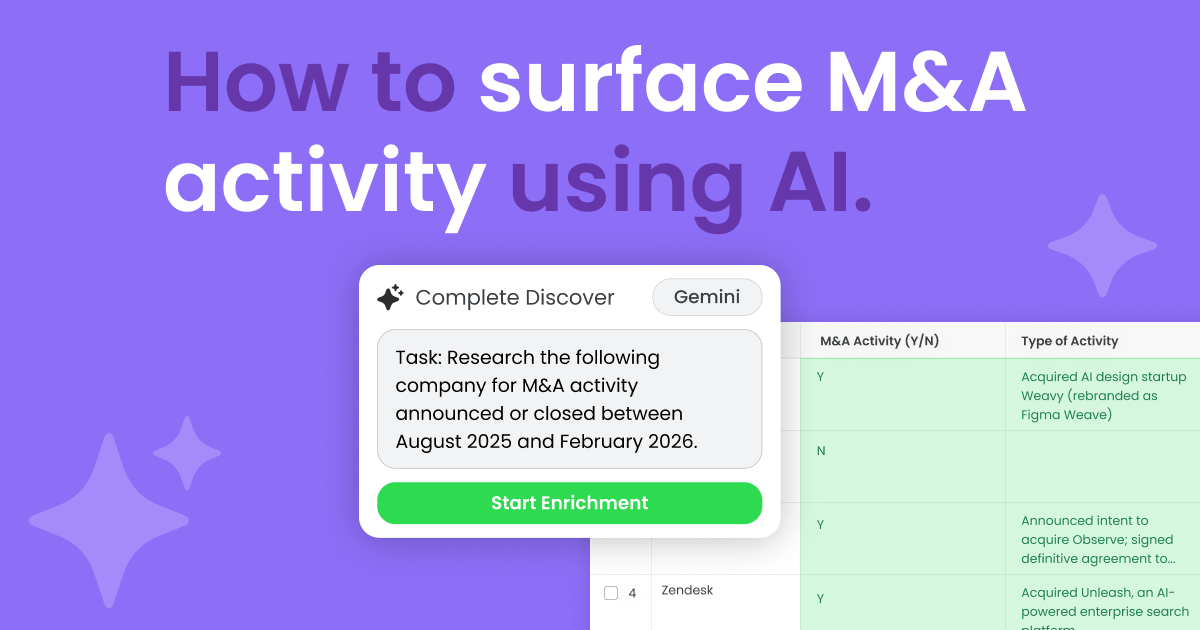
| Research [Account Name] and their website [Website]. Identify if they have been acquired or announced a merger in the last 6 months. If so, provide the name of the acquiring company and a URL to the news source |
| Check the recent news or ‘Newsroom’ section of [Website] for any executive leadership changes in the last 90 days. Focus on the C-suite or VP of Sales. Return the name and new title of the appointee. |
| Scan the web for any major product announcements or new feature launches from [Account Name] in the current quarter. Summarize the product focus in 20 words or less. |
4. Scrape the web to fill in firmographic gaps
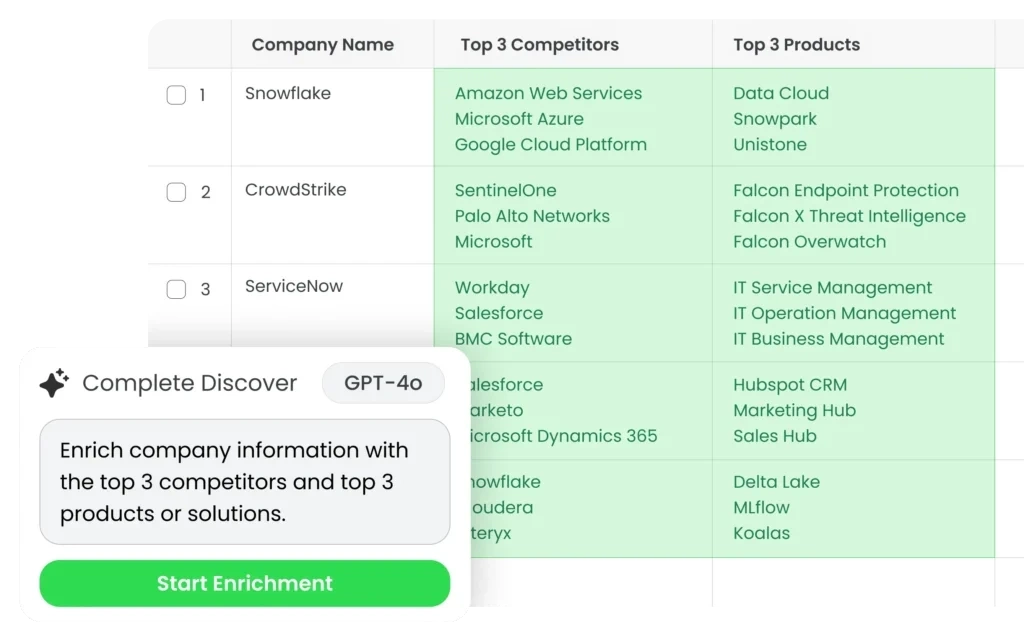
Traditional data providers can struggle to enrich small-to-medium businesses (SMBs) and international accounts, leaving teams with incomplete records. If a data point doesn’t exist in a standardized database, like a specific pricing model or a list of current customers, traditional tools return a “null” or “missing” value.
But Complete Discover can scour the web in real-time to fill in missing information, like product pricing and partner integrations that traditional firmographic providers miss.
Instead of relying on a static or slow-to-update database, Complete Discover can navigate directly to live URLs and scrape the website. You can then prompt Complete Discover to parse the unstructured text and extract specific information based on your natural language instructions.
By acting as an “AI researcher,” Complete Discover helps you fill data gaps in niche industries and private companies that don’t regularly file public financial reports.
Prompt examples:
| Research the company [Company Name] using their primary website [Website]. Look up their primary industry and the most relevant 6-digit NAICS code. If the exact NAICS code isn’t listed, choose the most appropriate one based on their product offerings. |
| Determine if this company has a pricing page at [Website]. If so, return the URL and list the monthly starting price for their ‘Professional’ or ‘Mid-tier’ plan. If no price is listed, return ‘Contact Sales’. |
| Find the names of three enterprise-level customers mentioned on this site. Look for logo walls, case studies, or quote attributions. Return only the company names. |
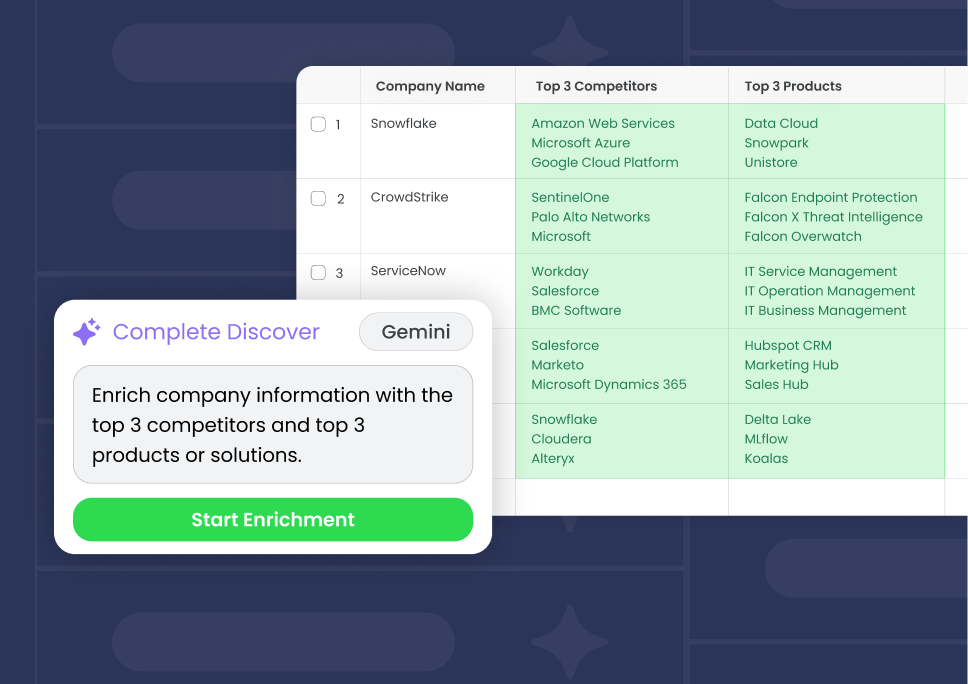
| Identify the top 3 competitors mentioned on [Website]. Compare their primary features to [Our Product Name] and list one specific feature they lack based on their current public documentation |
Scraping the web with Complete Discover lets you:
- Audit product and pricing transparency. Prompt Complete Discover to identify specific tiers or starting prices listed on a prospect or competitor’s site.
- Map competitive landscapes. Automatically scrape prospect and competitor “integrations” or “partners” pages to see where your product fits in their tech stack.
- Extract verified social proof. Identify specific customer logos and case studies mentioned on a site to equip your sales reps with relevant references.
- Automate data hygiene. Complete Discover can clean messy inputs as it returns results, standardizing “GOOGLE LLC” to “Google” and mapping complex job titles into clean buyer personas.
Every answer provided by Complete Discover also includes a Confidence Score and a Source URL. So if Complete Discover says a company is B2B, the spreadsheet will include the exact sentence on their website that led to that conclusion, making your enrichment process 100% auditable.
So by the time you sync this data, you’ve essentially built a custom, auditable, and standardized enrichment engine that covers the gaps in your existing tech stack — that you can also use to sync validated insights directly to Salesforce.
When it comes to enriching 20,000 of our accounts, [Complete Discover] has been especially helpful. We’ll run that enrichment, maybe once a quarter, twice a year, to keep that data current and up to date.
Abby Gunning, Senior Manager, GTM Strategy & Operations, Medallia
5. Standardize messy data into a consistent format
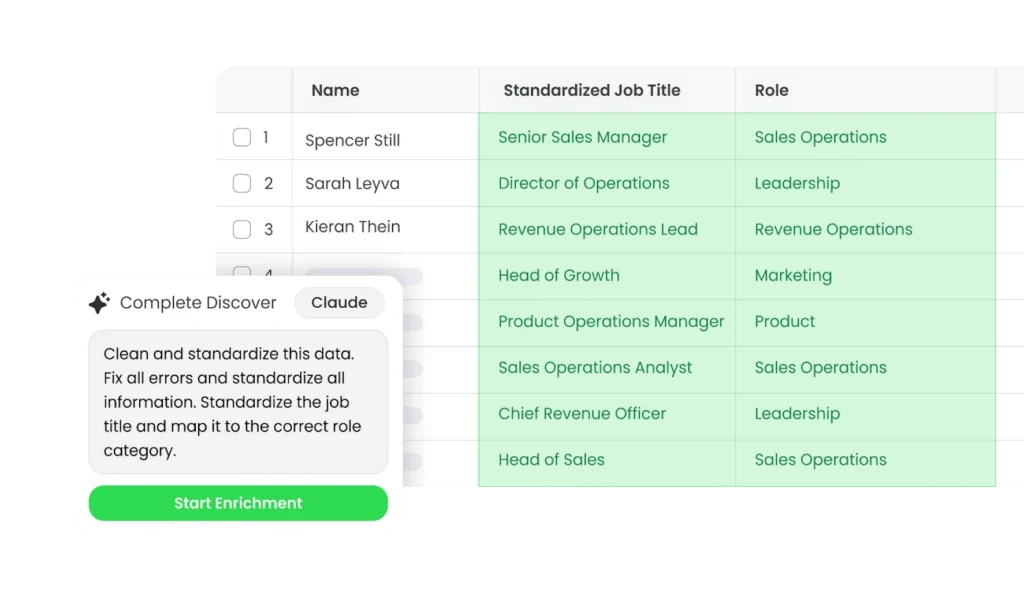
Automation of any kind is like a house of cards; one mistake quickly cascades into total collapse. Before you upload anything into production, use Complete Discover as a staging ground to standardize your data and ensure it’s structurally sound.
After verifying that the output is 100% accurate in your spreadsheet, you can sync the cleaned data to Salesforce and let your flows and automations run without holding your breath.
Prompt examples:
| Review the [Job Title] column. Map each entry to one of our five core personas: Executive, Middle Management, Individual Contributor, Operations, or Procurement. If the title includes ‘Head of’ or ‘VP’, always categorize as Executive |
| Remove all legal suffixes like ‘Inc’, ‘LLC’, or ‘Corp’ from the [Company Name] and apply title casing. For example, ‘TRACTION COMPLETE INC’ should be transformed to ‘Traction Complete’. |
| Convert the value in the [Country] column to its official 2-digit ISO code. If the input is ‘United States’, return ‘US’. If the input is ‘United Kingdom’, return ‘GB’. Return only the code. |
5 AI Data Enrichment Best Practices
AI can be a powerful tool, but you need a strategic framework to prevent it from turning into a liability. To keep your Salesforce data safe while using AI data enrichment, follow these best practices:
1. Treat prompts as iterative experiments
LLM outputs aren’t static; they’re based on the latest available training data and live web scrapes.
Because real-world data and AI model behaviors change daily, you have to view prompts as iterative tools rather than “set and forget” configurations. That’s why Complete Discover gives you a safe place to refine your instructions, test how they behave over time, and make adjustments before they ripple through Salesforce.
Here’s what you should do in Complete Discover before pushing any prompt live:
- Start with simple instructions and add constraints. If a prompt is too broad and returns unusable text, iteratively add specific constraints or instructional details to narrow the output.
- Monitor and adjust for accuracy. Regularly observe how your chosen model behaves in the sandbox and adjust prompts based on the accuracy of the AI’s “thinking” before scaling to larger batches.
- Test different models. Use the sandbox to compare how different providers, like GPT or Claude, follow your specific formatting and logic constraints.
- Refine through batch processing. Run your refined prompts against a selective range of rows to verify that your instructions produce the correct results without exhausting your entire API budget on a single test run.
2. Mandate source verification and confidence scores
Source verification and confidence scores transform AI from a black box into a transparent assistant.
By requiring AI to provide a source URL and a confidence score for every data point it generates, you create an audit trail for your team to verify.
In Complete Discover, you can add these as separate columns next to your enriched data so you can spot-check high-stakes information before you push it live.
Prompt example:
| Research the company [Company Name] and find their current annual revenue. Populate the ‘Annual Revenue’ column with the numeric value in USD. Populate the ‘Source URL’ column with the link to the official press release or financial report where you found this number. In the ‘Confidence Score’ column, rate your certainty from 1-10 based on how recent and official the source is. |
3. Start with small, controlled batches
Processing in AI data enrichment in batches within Complete Discover helps you identify error patterns without blowing through your API budget in one go. If you notice a specific formatting error in a batch of 50, you can fix the prompt and re-run that specific batch instantly before applying it to a larger dataset.
Here’s some tips to keep in mind during your testing:
- Identify edge cases early. A small batch of diverse accounts – like subsidiaries, non-profits, and private SMBs – will quickly reveal where your prompt logic might be too narrow or too broad.
- Validate formatting constraints. Use small batches to test whether the AI is strictly following your rules, such as returning only a 6-digit NAICS code or a 2-letter ISO country code.
- Test by segment. Run a batch of 50 leads from North America, then another 50 from EMEA. Different regions often require slightly different prompt constraints due to how international websites structure data.
And if you do run into an issue during a bulk update or merge in production, there’s no need to panic.
Unlike native Salesforce tools that can make data changes permanent and difficult to track, Complete Clean — our Salesforce data cleansing tool — features full audit logs and a one-click undo merge button.
4. Implement a human-in-the-loop system
Use AI to surface recommendations – not make final calls – when changes carry real operational risk, like re-parenting a global account or reshaping a major territory.
You can see exactly how many accounts would move and who the new owners would be by adding a “Proposed Owner” or “Proposed Parent” column next to your existing data.
Here are some use cases you leverage today with your existing data:
- Prevent ownership conflicts: Use Complete Discover to preview how a mass update will impact active opportunities. This lets you exclude accounts with open deals from any automated changes by filtering your spreadsheet first.
- Surface the why. In addition to confidence scores and source URLs, you can also prompt the AI to provide a brief rationale for its suggestion in a dedicated “Notes” column. Seeing “Acquired by [Parent Company] on [Date]” makes it easy for a human to approve a hierarchy shift in seconds.
- Flag for review: Use Complete Discover’s output to identify records that need a manual eyes-on review. You can visually compare the original data against the AI’s suggestion within the spreadsheet.
5. Bring your own API key to maintain full data governance
Data security and cost control are always top of mind.
But when enrichment or AI vendors bundle model access behind a proprietary or opaque service layer, you can’t see:
- Which models run each request
- Where they process the data
- How token usage translates into cost as volume scales
That’s why Complete Discover lets you connect your own API keys for ChatGPT, Claude, or Gemini, giving you total control over your data residency and budget.
It also ensures a direct connection between Complete Discover and your chosen AI provider – Traction Complete never sees, stores, or touches your data.
Here are some more benefits of using a Bring Your Own Key (BYOK) system like Complete Discover:
- Zero-data retention. Your information is governed exclusively by the enterprise security agreements you already have in place with providers like OpenAI or Anthropic.
You don’t have to worry about a third-party vendor’s data handling practices because the data never hits our servers. - Eliminate vendor markups: Pay the raw API costs directly to the model provider. This removes the hidden fees many AI enrichment tools charge on top of the actual processing cost, giving you 100% budget transparency.
- Total model control. You have the freedom to toggle between different LLMs to see which one handles your specific data best.
- Real-time usage monitoring: Track every token and cent spent directly within your own provider’s dashboard. This lets you forecast the exact cost of a project in Complete Discover before you commit to processing a larger data set.
Moving From Discovery to Enterprise Scale with Complete AI
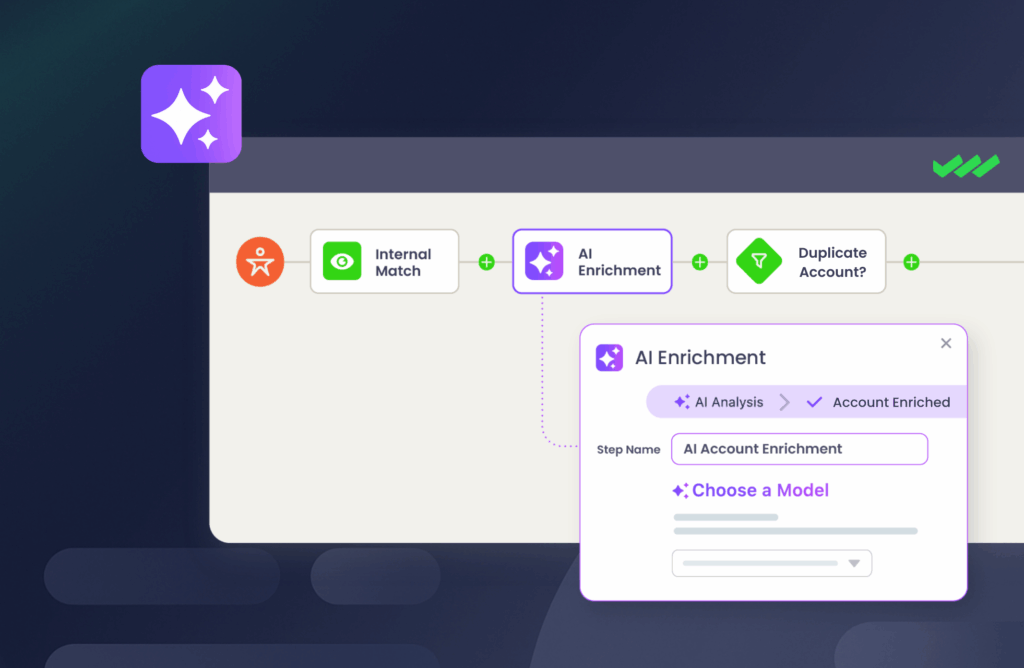
When you’re piloting with AI, you can tune prompts, inspect outputs, and correct edge cases without downstream consequences.
In production, you have to execute the same logic perfectly across thousands of records, integrate with lead routing and hierarchy logic, and run it within your flows, custom fields, and governance constraints.
Because those environments impose different requirements, scaling AI cleanly requires two separate phases: validation and operationalization.
Phase 1: Validate with Complete Discover
Use Complete Discover to perfect your prompts, verify source URLs, and iterate on your logic until you’re comfortable with the results.
Phase 2: Scale with Complete AI
After identifying the prompts and data logic that work, you can graduate from the spreadsheet to Salesforce. Complete AI is the automated engine that takes those proven prompts and puts them to work across your entire org.
Complete AI works as a smart flow step that you drop directly into your existing Traction Complete automation — like your lead routing and data cleansing flows.
Instead of relying on rigid “if-then” rules that break when data is messy, this flow step uses your validated AI logic to interpret and correct records as they move through your system in real-time.
How Complete AI powers RevOps:
- Prompt continuity: Move the exact same prompts you validated in Complete Discover into your production AI flows without changing a single line of logic or security protocol.
- Self-repairing data foundation: Automatically normalize messy data, like job titles, into standardized buyer personas and fix malformed addresses (like cross-referencing city/state to find missing zip codes) the moment you create a record.
- Intelligent lead validation: Filter out dummy data that looks real to Salesforce validation rules — like celebrity names and placeholder text.
- Dynamic hierarchy discovery: Scrape the web to identify brand-to-parent relationships (e.g., recognizing “Old Spice” belongs to “P&G”) to ensure leads are routed to the correct account owner based on the global corporate family.
- Real-time sales intelligence: Stamp “Why Now” context directly on records by summarizing leadership changes, product releases, and recent M&A activity from live news sources.
- On-demand or scheduled orchestration: Maintain data integrity at scale by rerunning AI prompt steps on a pre-determined schedule or triggering them on-demand to cleanse legacy records and bulk-update entire objects without manual oversight.
Not sure where to start?
See more examples of these AI RevOps automations to help you decide which workflows to graduate first.
Best of all, Complete AI uses the same BYOK model as Complete Discover, meaning you can scale your AI Salesforce workflows while keeping full control over your data security and API costs.
Complete Discover and Salesforce AI Data Enrichment FAQs
1. How do I ensure AI-enriched data meets enterprise security and compliance standards?
Complete Discover addresses data privacy and compliance hurdles by letting you connect your own API keys (from OpenAI, Anthropic, or Google) using a Bring Your Own Key (BYOK) system.
Bringing your own API key means that instead of sending your data to a third-party vendor’s database, you connect Complete Discover directly to your own private AI account (like OpenAI or Google).
The BYOK policy for Complete Discover and Complete AI means:
- We never store your data: Your data passes through the tool to the AI and back to your spreadsheet. We never keep a copy.
- We never look at your data: We do not have access to the records you are enriching.
- We never train models with your data: Because you use your own private API key, your sensitive information is never used by us to “train” AI.
2. Do I need to know Apex or have programming skills to use Complete Discover for AI data enrichment?
No. You don’t need to be a developer, a data scientist, or even know a single line of Apex code to use AI for data enrichment. We built Complete Discover specifically for RevOps, Sales Ops, and Marketing Ops professionals who need to move fast without waiting on a technical team.
If you can write a clear instruction in plain English, like “Look at this company’s website and tell me which CRM they use,” you can use Complete Discover.
Complete Discover works exactly like a standard spreadsheet:
- Simple Instructions. You use natural language to tell the AI exactly what data to find.
- Instant scaling. Once you’re happy with a result, you can apply that instruction to thousands of rows at once, just like you would fill down a formula in Excel.
- No-risk Testing. Since you are working in a sandbox environment, you never have to worry about breaking any code or messing up your existing Salesforce automation.
3. Can I use different AI models for different enrichment tasks?
Yes. Complete Discover is model-agnostic, meaning you aren’t locked into a single provider.
For example, you might find that Claude is better at summarizing long company descriptions into short sales notes, while GPT-4 is more precise at extracting technical data such as NAICS codes or 2-digit ISO country codes.
Complete Discover currently allows you to connect your own API keys to run your data through several providers:
- OpenAI GPT
- Anthropic Claude
- Perplexity
- Google Gemini
Complete Discover’s model flexibility lets you run the same list through multiple providers to choose the most accurate and cost-effective AI for your specific needs.
As the AI landscape continues to evolve, we are committed to adding support for even more models in the future to ensure you always have access to the best technology available.
4. What is the cost-benefit of AI data enrichment compared to traditional providers?
Salesforce AI data enrichment significantly reduces costs when uncovering “long-tail” data, like specific tech stack usage or niche sub-industries, where conventional providers often charge high premiums or lack coverage entirely.
While firmographic vendors excel at “head” data such as headquarters addresses, they often return low match rates for private SMBs or international entities.
But by using AI to scrape public signals, RevOps teams fill these data gaps at a fraction of the traditional cost.
Testing these enrichment prompts in a spreadsheet with Complete Discover first also allows you to calculate exact API costs down to the cent before you scale the process to thousands of Salesforce records.
5. How does Complete Discover prevent AI hallucinations from entering Salesforce?
Complete Discover addresses the risk of AI-generated hallucinations by letting you mandate that all AI output include a Source URL and a Confidence Score.
- Source URL. A URL showing exactly where it found the information.
- Confidence score. A rating of how sure the AI is about its answer. You also configure the AI to explain why it’s confident (or why it might be guessing), such as whether it found the data on an official company page or a third-party news site.
By testing AI Salesforce data enrichment in our spreadsheet sandbox, you can visually audit these sources.
If the AI claims a company was acquired but provides a broken link or a low confidence rating, you catch that error in a Google Sheet before your production Salesforce environment.

Ready to Build Your AI-powered RevOps Engine?
Prototyping in a sandbox is the first step, but the real ROI happens when you graduate those prompts into your live Salesforce workflows.
Our guide on The AI-powered RevOps Engine shows you exactly how to move from safe testing to scalable automation, complete with example flows, prompts, and diagrams to get you started.
This is your tactical roadmap to deploying AI in Salesforce that actually works — without risking data integrity or losing budgetary control.

Master Scalable AI Data Enrichment
A successful enterprise AI strategy hinges on data you can trust enough to automate. Moving from the validation sandbox of Complete Discover to the production engine of Complete AI eliminates the “black box” risk and creates a transparent, high-performance revenue engine.
With Traction Complete, you can stop wondering if your prompts are accurate and start seeing the results in your routing, your hierarchies, and your bottom line.
Ready to see it in action?