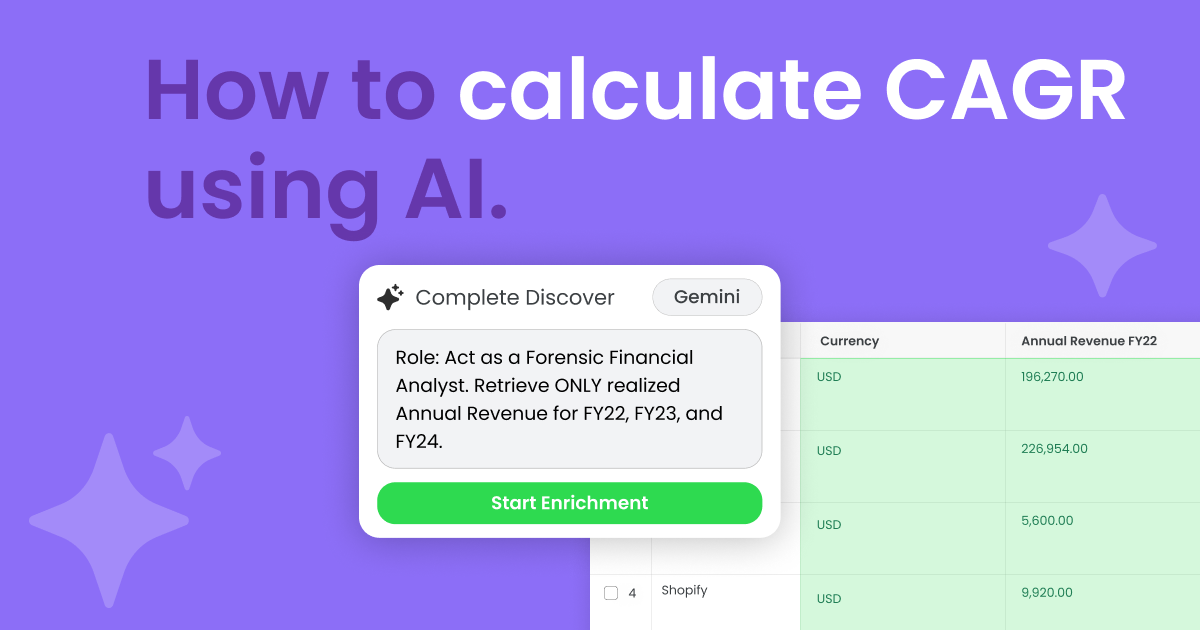
If the revenue isn’t verifiable, it’s not usable. Here’s how to calculate CAGR safely with Complete Discover.
Calculating Compound Annual Growth Rate (CAGR) sounds simple — until you try to pull accurate revenue numbers from the web.
Public companies? Easy.
Private companies? Gray area.
Projections, run rates, ARR references, partial disclosures — all of it can confuse AI if you don’t constrain it properly.
Without guardrails, formatting, and scoring rules, AI can easily blend those signals together and return something that looks plausible but isn’t actually verifiable.
With Complete Discover, you can:
- Pull revenue data from publicly available sources
- Require verified fiscal-year revenue numbers
- Ignore projections, forecasts, or run-rate mentions
- Return a source link and confidence score
- Calculate CAGR only when your conditions are satisfied
Most importantly, you can iterate until the logic behaves exactly the way you want.
Let’s walk through how to calculate CAGR using AI and Complete Discover in a controlled, validation-first environment.
How to Calculate CAGR using public revenue data with Complete Discover
As shown in the video, Complete Discover empowers you with a safe, AI workspace where you can experiment with web-sourced data before writing anything directly to Salesforce.
In this use case, we:
- Pull revenue figures from publicly available sources
- Enforce strict validation rules
- Require three distinct fiscal years
- Calculate three-year CAGR only when conditions are met
- Return structured outputs, source links, and confidence scores
Instead of manually researching each company, copying numbers into a spreadsheet, and calculating CAGR one by one, Complete Discover operationalizes this process.
Here’s how to do it step-by-step.
1. Select your companies and open Complete Discover
Start by bringing your target companies into Complete Discover.
This can include:
- Public enterprise companies
- Mid-market companies
- Private growth-stage businesses
- A mix of all three
Complete Discover creates a sandboxed workspace where you can safely test prompts and iterate without impacting live Salesforce records or workflows.
This matters when you’re working with financial metrics.
You’re able to:
- Test prompt logic
- Adjust guardrails
- Compare outputs
- Filter by confidence score
- Validate edge cases
All before any data becomes part of your CRM.
2. Choose your AI model
In the video example, we use Gemini.
For web-based financial research, models like Google Gemini and OpenAI GPT tend to perform best because they can crawl and interpret structured documents like:
- 10-K filings
- Annual reports
- Earnings releases
- Official press announcements
3. Write a guardrail-driven CAGR prompt
This is where Discover becomes more than just “AI enrichment.”
Instead of simply asking:
“Calculate CAGR.”
You define constraints that prevent hallucination and overreach.
Your prompt should instruct the model to:
- Retrieve only actual reported fiscal-year revenue
- Ignore projections, ARR mentions, or forward-looking statements
- Normalize all revenue values into a consistent currency
- Require three verified fiscal years
- Return “NA” if three years are not available
- Provide the source URL
- Include reasoning notes explaining the decision
- Return a confidence score
Here’s the prompt we used in the video.
| Role: Act as a Forensic Financial Analyst. Objective: Retrieve ONLY realized Annual Revenue for FY 2022, FY 2023, and FY 2024. 1. THE “FISCAL YEAR” ANCHOR (NEW): Naming Convention: Use the year the Fiscal Year ended. (e.g., If a year ends Jan 31, 2024, that revenue belongs in the FY 2024 column). Note: Explicitly state the “Fiscal Year End” date (e.g., 12/31 or 01/31) in the Analyst Notes. 2. THE “HARD REFUSAL” RULE (MANDATOR): Prohibited: You MUST return “N/A” for any value that is ARR (Annual Recurring Revenue), Run-rate, or an “Annualized” projection. Famous Company Rule: No exceptions for high-profile private companies (OpenAI, Cana, Stripe). IF they don’t publish a finalized annual GAAP/IFRS result, return N/A. 3. UNIT & MATH STANDARDS: Scale: Report all revenue in Millions (MM) with a comma separator. (e.g., $211.l91B $/rightarrow$211,910.0). 3-year CAGR Formula: ((FY 2024 Revenue / FY 2022 Revenue) ^ (½)) – 1. Constraint: If any year is N/A, CAGR is N/A. 4. CONFIDENCE SCORE (0-10): The “Weakest Link” Rule: The Row Score must be the lowest score of any populated year. Scores: 10 (Audited 10-K), 8 (Company Press Release), 6 (Verified 3rd Party), 2 (Speculative). Action: Do not calculate CAGR if the Row Score is 2. 5. OUTPUT TABLE: Provide: COmpany Name, Currency, FY 2022 (MM), FY 2023 (MM), FY 2024 (MM), 3-Year CAGR (%), Confidence Score, Source, Analyst Notes (incl. FY End Date). |
These guardrails ensure AI doesn’t fill in the blanks when data is incomplete.
4. Run the prompt and review results
Once executed, Complete Discover:
- Crawls public sources
- Extracts revenue figures
- Applies your validation rules
- Calculates CAGR (when conditions are met)
- Returns structured outputs
For public companies like Microsoft:
- Revenue is clearly reported
- Multiple years are available
- CAGR can be calculated accurately
- Confidence scores are high
- Sources are authoritative
For private companies, results can vary.
If only one verified revenue year is found — for example, a press release stating $1.6B in FY2024 — Complete Discover will:
- Capture the verified revenue
- Cite the source
- Explain why prior-year data is unavailable
- Return “NA” for CAGR
Most importantly, it won’t fabricate missing data to complete the formula.
Uncover, enrich, and complete your data with Complete Discover
CAGR is just one example of what becomes possible when you combine AI with structured guardrails inside Complete Discover.
Instead of manually researching revenue figures, building spreadsheets, and double-checking formulas, RevOps teams can experiment safely, validate sources, and operationalize financial metrics.
Complete Discover gives you a controlled environment to test prompts, enforce accuracy, and only write structured outputs to your CRM when they meet your standards.
See how Complete Discover helps you turn public data into actionable growth signals — without sacrificing accuracy or speed.
Book a demo today to explore how you can safely test and deploy AI-powered workflows inside Salesforce.