For sales reps in competitive markets, timing is leverage.
Mergers and acquisitions signal change across companies, often resulting in new priorities, budgets, stakeholders, and strategies. But traditional data providers often lag. By the time M&A activity makes its way to your CRM through standard updates, the opportunity to act early could already be gone.
With Complete Discover, you can use AI to surface recent M&A activity — in this case, within the last six months — and return structured, actionable intelligence for your sales team.
In this walkthrough, we’ll show you how to:
- Look for M&A activity within the last six months
- Return nothing if no activity exists
- Generate a clear yes/no activity flag
- Capture the acquisition date
- Provide a strategic summary
- Explain why the activity matters to sales
Most importantly, you can test and verify it all before operationalizing it in Salesforce.
Let’s walk through how to use Complete Discover to surface recent M&A activity with AI.
How to surface recent M&A activity using Complete Discover and AI
Complete Discover provides a controlled, AI workspace where you can experiment with prompts, validate outputs, and refine guardrails before scaling anything into Salesforce automation or your workflows.
In the video above, Ann-Marie Fleming, Product Marketing Manager at Traction Complete, demonstrates how to uncover recent mergers and acquisitions, as well as highlight their relevance to sales reps.
Instead of waiting for data providers to refresh cycles, you can proactively search for publicly available acquisition data — then decide how to operationalize it.
Here’s how to do it step-by-step.
1. Select your companies and open Complete Discover
Start by bringing your list of target companies into Complete Discover. You can pull data directly from Salesforce, upload a CSV, or enter them manually.
Complete Discover will use:
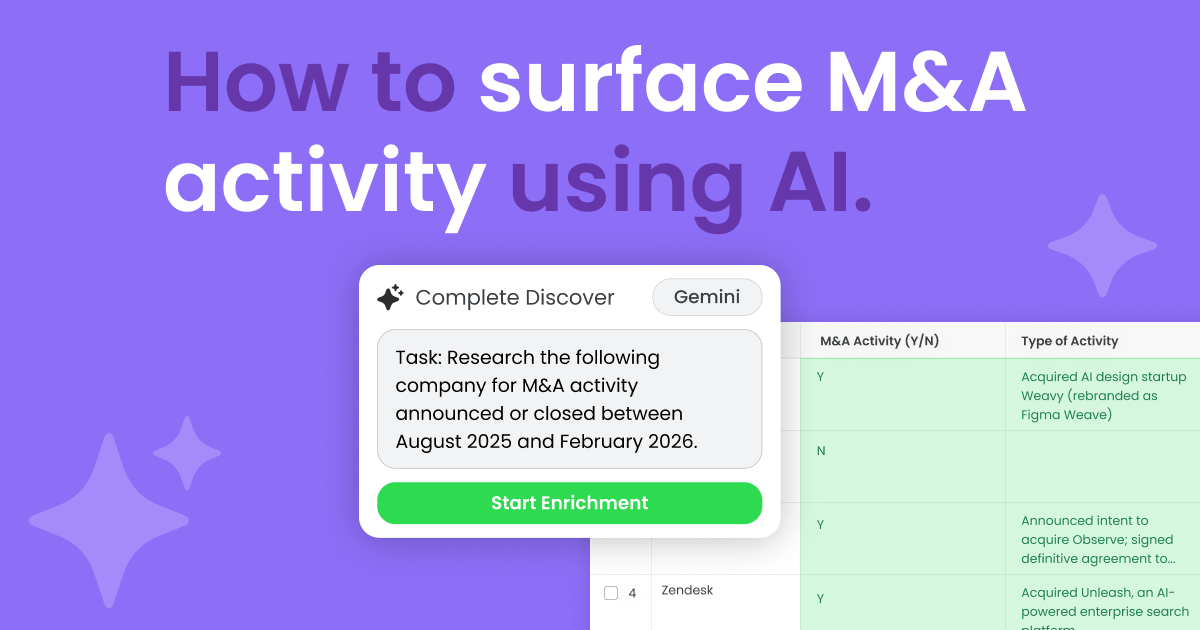
- Descriptive headers. Clear headers like “Company Name,” “M&A Activity (Y/N),” “Type of Activity,” or “Strategic Summary.” These headers provide the context of each row for AI.
- Metadata Columns. You can also add specific columns for the AI to populate, such as Source URLs and Confidence Scores. This gives users additional guardrails and helps verify each field.
Because Discover operates as a testing layer, you can safely experiment with enrichment logic without impacting live Salesforce data.
This step is crucial for evaluating whether the information is relevant, timely, and accurate enough to automate.
2. Choose your LLM model
Complete Discover allows you to select from available LLMs depending on your API configuration.
This could include:
- Open AI (GPT-4/GPT-5.2)
- Anthropic (Claude)
- Perplexity
- Google (Gemini)
Bringing your own API key also ensures that users maintain full governance over data security, usage, and AI costs.
3. Write a structured M&A prompt with guardrails
Here’s where the strength of your prompt comes in.
Instead of generically asking for “news,” the prompt specifies:
- Look for M&A activity within the past six months
- If there is no activity, return nothing
- If there is activity, return:
- A yes/no flag
- The acquisition date
- A strategic summary
- Why this matters from a sales perspective
Here’s the prompt we used in the video.
| Role: You are a Senior Sales Operations & GTM Strategist. Task: Research the following company for M&A activity announced or closed strictly between August 2025 and February 2026: [INSERT COMPANY NAME]. Strict Filtering Rules: Exclude any 2024 activity. If the only news is from 2024 or H1 2025, report “N” for M&A activity. Verification: Double-check the month and year. If the announcement date is before August 1, 2025, it does not count for this report. Output Format (Table): | Field | Value | | :— | :— | | Company Name | [Name] | | M&A Activity (Y/N) | [Y/N] | | Type of Activity | [e.g., Acquired Company X] | | Date | [Quarter] [Year] ([Month]) | | Strategic Summary | [2-3 sentences on WHY this matters to a salesperson. Focus on new personas and product surface area.] | | Source URL | [Direct link to news] | |
The “Strict Filtering Rules” also act as a guardrail, ensuring AI doesn’t fill in blanks or hallucinate if the data is incomplete or insufficient.
4. Run the enrichment and review the outputs
Once executed, Discover searches publicly available sources and enriches the selected fields.
Each row can return:
- M&A Activity Flag (Yes/No)
- Acquisition Date
- Strategic Summary
- Sales Relevance Summary
For example:
- Figma’s acquisition of Weavy (rebranded as Figma Weave)
- Zendesk’s acquisition of Unleash, an AI-powered enterprise search platform
But what makes this powerful isn’t just the headline.
The AI summarizes:
- What the acquisition means strategically
- How it expands buyer personas
- What new departments may now be involved
- How it could increase deal size or consolidation opportunities
This turns raw news into usable sales context. Because dates are included, you can easily see how recent the activity is, giving sales an immediate signal of relevance and urgency.
5. Use the activity flag as a trigger for automation
When operationalized in Salesforce using Traction Complete’s automation engine and Complete AI, the activity flag can:
- Trigger a notification to the account owner
- Launch a task creation flow
- Send an alert via Slack or email
- Populate an “M&A Activity” panel on the account
You could also design this as:
- A scheduled enrichment (e.g., monthly)
- An on-demand “Get News” button
- An enrichment step triggered when a new account enters Salesforce
The flexibility allows you to decide how proactive you want to be.
Uncover, verify, and enrich your data with Complete Discover
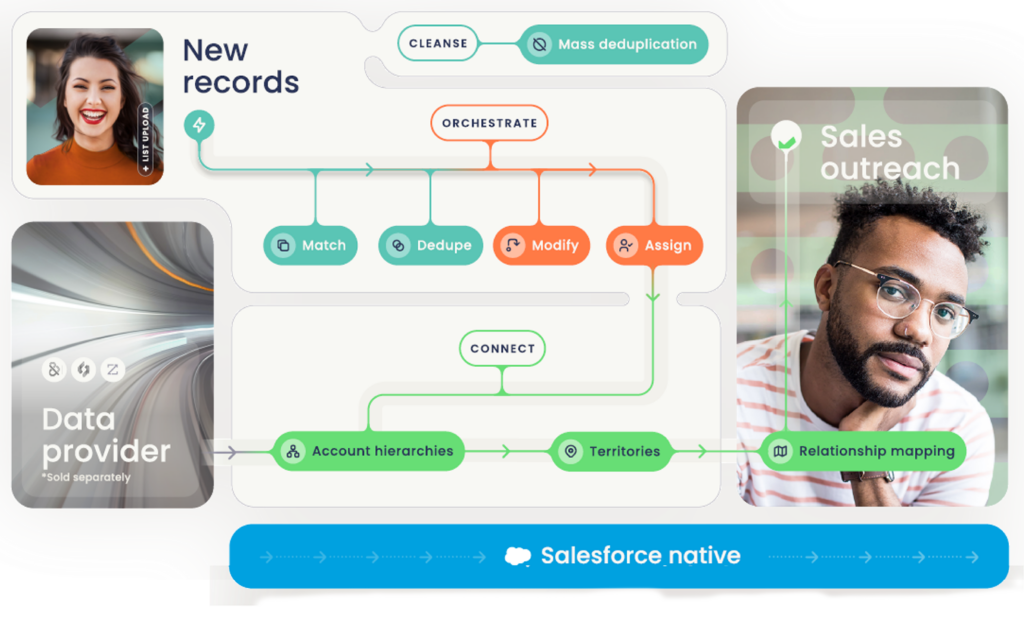
M&A intelligence is just one example of what becomes possible when you combine AI with structured guardrails inside Complete Discover.
Instead of waiting for traditional data providers to refresh, RevOps teams can proactively surface recent acquisition activity, validate the results, and decide how to operationalize it — all before writing anything back to Salesforce.
Complete Discover gives you a controlled environment to test prompts, refine enrichment logic, and design automation around clear signals like an M&A activity flag.
Once validated, those insights can be rolled out at scale using Complete AI and Traction Complete’s automation engine — ensuring sales teams are notified quickly and equipped with context that helps them stand out.
Book a demo today to explore how you can safely test and deploy AI-powered workflows across your Salesforce environment.